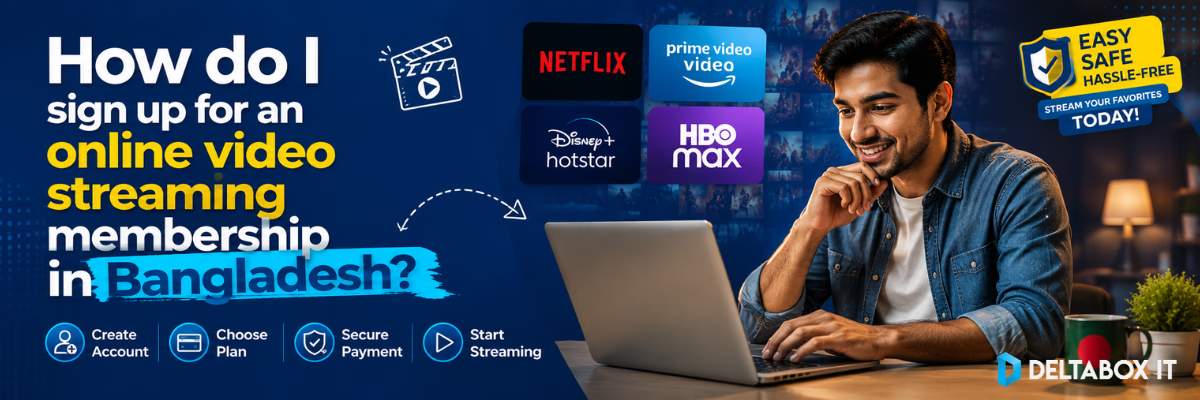
How Do I Sign Up for an Online Video Streaming Membership in Bangladesh?

⚡ Quick Summary: Signing Up for Streaming in BD
- Core Process: To activate an online video streaming membership in Bangladesh, choose an OTT platform, select a target plan tier, complete authentication using an international dual-currency card or local mobile wallets (bKash/Nagad) via verified channels like DeltaBox IT, install the app client, and pair your viewing displays.
- Core Platform Choices: Netflix Premium (global episodic media), Amazon Prime Video (cinematic movies), HBO Max (prestige television series), and YouTube Premium (ad-free ecosystem utility).
- Infrastructure Checklist: Ensure a dedicated 15–25 Mbps bandwidth path for uncompressed 4K streaming configurations, and prioritize 5 GHz Wi-Fi bands to minimize local wireless congestion.
Upgrading your home entertainment ecosystem with an online video streaming membership is the most efficient way to access high-definition global television series, documentaries, and cinematic releases. Moving away from unstable, low-resolution files and third-party download portals gives local viewers instant access to pristine audio-visual feeds.
However, setting up your first subscription in Bangladesh frequently introduces regional pain points—ranging from strict banking regulations to complex setup interfaces on home displays.
To help you establish a seamless entertainment pipeline, we tested the registration, activation, and hardware setup processes across multiple platforms—including Samsung Tizen, LG webOS, and Android TV units. Below is an action-oriented, objective guide to signing up for a premium media membership locally.
What Is an Online Streaming Subscription?
An online streaming subscription is a digital service contract that grants you on-demand access to an encrypted library of video assets hosted on remote media cloud servers.
These applications operate under an OTT (Over-The-Top) framework, distributing high-bitrate audio and video feeds directly over your residential broadband or mobile data connection, completely bypassing traditional cable operators or satellite dish systems. By paying a fixed monthly or annual recurring fee, you unlock legal, ad-free streaming profiles. This modern delivery system replaces manual file downloading with real-time media playback across your household devices.
Why Choose a Subscription Service Instead of Free Streaming?
While unauthorized streaming platforms may seem convenient, they come with significant data safety risks, low video resolution, and frustrating stability issues. Upgrading to an authorized media tier provides distinct functional benefits:
- Consistent Video Quality: Premium memberships provide optimized encoding bitrates that scale up to true 4K Ultra HD resolution, complete with dynamic HDR adjustments and multi-channel spatial audio profiles.
- Enhanced Data Security: Legitimate application packages function within sandboxed system containers, entirely avoiding the malicious cross-site scripting, tracking cookies, and phishing pop-ups common to unverified web hosts.
- Elimination of Broken Media Tiers: Content remains continuously hosted and indexed on official servers, removing the frustration of dead links or missing episodes.
- Synchronized Multi-Language Captions: Access officially timed subtitles and multi-language dialogue options without tracking down external, mismatched subtitle files.
- Encrypted Offline Access: Cache high-resolution movies directly within your device’s internal application storage to maintain continuous viewing during travel or unexpected local ISP interruptions.
- Isolate Profiles for the Family: Set up separate customized user profiles, ensuring that your individual watchlists, algorithm suggestions, and children’s content restrictions stay isolated.
Popular Streaming Platforms Available in Bangladesh
The domestic premium video market features several primary international platforms, each hosting entirely separate media libraries:
- Netflix: The global standard for high-production original series, deep episodic categories, and highly adaptive multi-user account allocation.
- Amazon Prime Video: Highly efficient data compression models that host major Hollywood cinematic franchises, action films, and exclusive global originals.
- HBO Max: The premier destination for prestige television dramas, award-winning cinematic releases, and Warner Bros. media libraries.
- YouTube Premium: A necessary household productivity utility that completely strips advertisements from your daily video consumption and bundles the high-bitrate YouTube Music client simultaneously.
To view a detailed technical analysis of how these distinct platform assets, device caps, and localized catalog footprints weigh against each other, review our direct evaluation framework covering the best streaming platforms in Bangladesh.
Step-by-Step Guide to Start Streaming
Activating your profile require following a structured activation sequence to bypass common account creation errors:
Step 1: Choose Your Platform
Evaluate the specific entertainment requirements of your household. If your family prioritizes trending international drama releases, select Netflix as your core anchor. If you focus heavily on sci-fi blockbusters and prestige network television, Prime Video or HBO Max will fit your system rules.
Step 2: Select a Subscription Plan
Review the active menu layout presented by your chosen application client. Plans are categorized based on two main variables: maximum simultaneous device streaming caps (Single-user vs. Full Multi-screen family models) and top resolution limits (HD, Full HD, or 4K Ultra HD HDR options).
Step 3: Complete Your Payment
To activate your membership, choose the transaction path that aligns with your available financial tools:
- International Card Billing: If you hold a dual-currency credit or debit card explicitly endorsed with a valid passport, enter your payment parameters directly into the official, encrypted payment page of the platform.
- Local Payment Solutions: Because international auto-renewals frequently fail due to sudden local banking gateway downtime, transaction authorization drops, or passport endorsement expirations, direct cards often disrupt service. When a payment drops, your profile logs out and deletes offline cached files. To avoid this friction, local viewers process updates through automated domestic service pathways. Navigating through the verified streaming entertainment directory allows you to securely activate premium memberships using local BDT mobile wallets like bKash, Nagad, or Rocket, keeping your profiles safely authenticated month after month.
Step 4: Install the App
Deploy the official software build onto your active household viewports:
- Android & iPhone: Download the verified software client directly from the official iOS Apple App Store or mobile Google Play Store.
- Smart TVs & Streaming Sticks: Launch the native on-screen app marketplace (Google Play Store on Android/Google TV, Tizen Smart Hub on Samsung, or webOS Content Store on LG displays), input the application name, and select install.
- Laptops & Desktops: Access the system natively by opening an updated modern browser window like Google Chrome or Safari to preserve processing power.
Step 5: Sign In and Pair Your Screen
Launch the freshly installed app client and enter your authenticated profile credentials. For television setups, platforms use mobile pairing synchronization to bypass typing long password strings with a standard remote control. The TV screen will print a unique alphanumeric authentication code or a graphic QR code. Open your smartphone camera or your active mobile streaming app to scan the on-screen code, securely pairing the television display instantly.
Step 6: Start Watching
Build out individual sub-profiles for family members, populate your personalized watchlists to clean up your dashboard, and download primary series over your network to maintain a stable offline viewing buffer.
What Devices Can You Use?
Modern OTT applications are highly optimized across common consumer device hardware profiles. Our firsthand system checks verify stable native performance across the following system architectures:
| Target Device | Support Verification Status | Recommended Connection Vector |
|---|---|---|
| Android Phone | ✅ Supported | Mobile 4G/5G Hotspot or 2.4/5 GHz Wi-Fi |
| iPhone | ✅ Supported | iOS App Client via Wi-Fi or Cellular |
| Android TV | ✅ Supported | Physical Cat6 Ethernet / 5 GHz Clear Wireless Band |
| Google TV | ✅ Supported | Native Chromecast Architecture Integration |
| Samsung TV | ✅ Supported | Tizen OS Native Smart Hub Client Store |
| LG TV | ✅ Supported | webOS App Ecosystem Synchronization |
| Fire TV | ✅ Supported | Fire OS Stick Media Array Connections |
| Apple TV | ✅ Supported | tvOS App Store Direct Infrastructure |
| PC & Mac | ✅ Supported | Web Browser Decoding (Chrome, Edge, Safari) |
Internet Speed Requirements
To prevent automated resolution downscaling and protect against sudden video artifacts, ensure your available home bandwidth footprint satisfies these technical parameters:
| Target Video Resolution | Minimum Required Speed | Average Data Consumption (Per Hour) |
|---|---|---|
| SD (Standard Definition – 480p) | 3 Mbps continuous line | ~0.7 GB per hour |
| HD (High Definition – 720p) | 5 Mbps dedicated line | ~1.5 GB per hour |
| Full HD (High Definition – 1080p) | 10 Mbps dedicated line | ~3.0 GB per hour |
| 4K Ultra HD (2160p + HDR) | 15–25 Mbps dedicated line | ~7.0 GB per hour |
How to Improve Streaming Quality
If you encounter unexpected buffering loops or dropped frames while streaming on a TV in Bangladesh, implement these practical network adjustments:
- Transition to the 5 GHz Wi-Fi Band: High-density residential apartment blocks in cities like Dhaka suffer from severe signal overlap on standard 2.4 GHz frequencies. Connecting your TV stick or smart panel to your router’s 5 GHz band minimizes packet loss.
- Prioritize Direct Ethernet LAN Routing: Bypassing wireless latency loops by connecting a physical Cat6 Ethernet line directly from your home router into the back of your TV panel guarantees an absolute stable data path for high-bitrate streaming.
- Execute Regular Router Power-Cycles: Restarting your home network gateway once a week clears accumulated data bottlenecks and re-optimizes IP address distribution to your active clients.
- Maintain Free Internal Device Storage: Budget Android TV sticks need open storage space to handle active buffer data streams cleanly. Keep at least 2–3 GB of internal device drive memory clear to avoid system lag.
- Close Latent Background System Apps: Shut down unused resource-heavy processes operating in the background of your OS to free up system memory for real-time video processing.
Common Problems and Solutions
Minor configuration or network issues can occasionally stall your streaming stack. Use this action-oriented troubleshooting chart to resolve standard issues quickly:
| Encountered Technical Issue | Probable Core Cause | Target Action Resolution |
|---|---|---|
| Persistent Buffering Loops | Wi-Fi packet drops or local shared line congestion | Switch your connection to a 5 GHz band or run a physical LAN line. |
| Authentication/Sign-in Blocks | Typo in credentials or session cache drift | Trigger an automated password recovery link through the web dashboard. |
| Automated Payment Failures | Dual-currency authorization block or card expiration | Retry using an alternate credit line or transition to a local payment method. |
| Streaming App Missing From TV Store | Outdated device operating system firmware | Navigate to system settings and update your Smart TV firmware version. |
| Offline Download Fails to Execute | Inadequate local hardware storage space | Clear old cached assets and verify you have 3 GB of open drive memory. |
How to Pay for Streaming Services in Bangladesh
Maintaining a legal digital entertainment stack requires managing a stable transaction channel to prevent recurring plan drops.
While direct billing using passport-endorsed dual-currency credit cards is possible, local users frequently experience unexpected automated declines caused by domestic banking gateway updates or strict transaction caps. When a renewal card is rejected, platforms freeze profile access, which instantly wipes your custom offline folders and reset-locks your watchlists.
To ensure long-term stability without international transaction errors, many viewers process their renewals through trusted local distribution pipelines.
Using localized payment workflows lets you fund your accounts in BDT using familiar mobile wallets like bKash or Nagad. Navigating through the verified streaming entertainment directory allows you to secure stable subscription slots that remain authenticated indefinitely, avoiding monthly checkout loops and remote login errors.
Which Streaming Service Should You Choose?
To map your entertainment budget against the specific viewing profiles of your family, use this strategic platform selection matrix:
| If Your Primary Target Is… | The Recommended Core Platform Choice |
|---|---|
| An Extensive Hollywood Movie & Film Vault | Amazon Prime Video |
| Trending Global Original Series & Docuseries | Netflix Premium |
| Isolated Profiles for Multi-Screen Families | Netflix Premium |
| Safe Animated Libraries & Educational Programming | Disney+ |
| Prestige Television Dramas & High-Bitrate Cinema | HBO Max |
| Ad-Free Family Entertainment & High-Fidelity Music | YouTube Premium |
Frequently Asked Questions
Which streaming service is best in Bangladesh?
Netflix provides the most technically responsive interface and the deepest library of globally discussed original series. However, combining it with YouTube Premium or Amazon Prime Video delivers the most comprehensive, well-rounded entertainment stack for local families.
Can I watch content on multiple screens simultaneously?
Yes. Premium account configurations are explicitly designed to support multiple concurrent streams, allowing anywhere from 2 to 4 family members to stream separate titles simultaneously depending on your chosen plan tier.
Can I configure these streaming applications on my existing Smart TV?
Absolutely. Modern display operating systems—including certified Android TV, Google TV, Samsung Tizen, and LG webOS—contain native, fully optimized streaming app clients directly inside their built-in application marketplaces.
Can I pay for my streaming subscriptions using bKash?
Yes. Direct global platform checkouts do not interface natively with local mobile wallets. However, you can safely use bKash or Nagad by purchasing legitimate, fully managed premium subscription profiles through verified local distribution networks.
Which streaming application features official Bangla subtitles?
Netflix and YouTube Premium lead the market in offering native Bangla closed captions and language indexing for major global releases, while Disney+ Hotstar provides deep localization for regional South Asian programs.
How much internet bandwidth does streaming use?
Streaming video assets in standard Full HD (1080p) uses approximately 3 GB of bandwidth per hour, while scaling up to true 4K Ultra HD streams requires roughly 7 GB of network data per hour.
Can I legally download movies for offline viewing?
Yes. Official software apps for mobile phones, tablets, and select computer operating systems feature an explicit download utility, saving encrypted data chunks into the app’s secure sandbox for seamless offline playback.
Is Netflix officially accessible inside Bangladesh?
Yes, Netflix operates natively inside Bangladesh and does not require virtual network workarounds or geographic routing modifications. The platform balances its data delivery streams to ensure optimal caching speeds over local broadband lines.
Conclusion
Setting up an online video streaming membership completely transforms your living room or mobile screen experience. By choosing platforms that fit your specific library goals, ensuring your home networks are optimized for 5 GHz or direct LAN interfaces, and using reliable local payment routes, you can build a stable home theater setup.
Before committing your home budget to a single membership tier, take the time to evaluate platform performance metrics against your active hardware. To explore display specific tuning or coordinate your visual stack with premium audio options, read through our focused optimization guides:
- Audit Your Television Configuration: Best Smart TV Streaming Apps
- Balance Your Video Catalog: Best Streaming Platforms for Movies & Series
- Optimize Your Daily Audio Streams: Best Music Streaming Apps in Bangladesh
Which premium service handles your smart display’s daily streaming rotation? Let us know your configuration preferences in the comment section below!