
Can you share Amazon Prime Video with your family? Yes, but the right setup depends on your subscription, location and how your household wants to watch.
Amazon provides a family-sharing feature called Amazon Family, previously known as Amazon Household, for eligible Prime members. Prime Video also allows multiple viewing profiles within an account, subject to its streaming rules.
These are different arrangements.
With Amazon Family, eligible adults use separate Amazon accounts while sharing certain Prime benefits. With Prime Video profiles, multiple viewers use profiles within the same Amazon account.
For households in Bangladesh, there is another practical distinction: a local Prime Video subscription package may provide one dedicated viewing profile or a complete dedicated account, without including Amazon Family benefits.
Understanding these differences before subscribing helps you choose an arrangement that matches your household’s viewing needs.
Quick Answer: Can You Share Prime Video With Family?
| Sharing Method | How It Works | Important Limitation |
|---|---|---|
| Amazon Family | Eligible adults share certain Prime benefits through linked Amazon accounts | Country, address, membership and billing eligibility apply |
| Prime Video profiles | Household members use separate viewing profiles within one account | Profiles do not increase the account’s simultaneous-stream allowance |
| Dedicated viewing profile | One assigned profile within a managed account | Account control and streaming rights depend on the package |
| Complete dedicated account | One account with credentials and access to multiple supported profiles | Provider rules and the selected package’s device limits still apply |
For a household that wants different watchlists and recommendations, profiles may be sufficient.
If several people want to watch simultaneously, the account’s streaming allowance matters more than the number of profiles.
What Is Amazon Family?
Amazon Family is Amazon’s feature for sharing eligible Prime benefits and certain digital content among members of the same household.
Under Amazon’s current rules, eligible members can share benefits with one other adult and supported child or teen members. The adults retain separate Amazon accounts rather than using a single shared login.
The arrangement is subject to eligibility requirements, including living at the same primary residential address. Amazon’s published requirements also specify a US billing-address condition for Prime Video benefit sharing.
This matters for readers in Bangladesh.
You should not assume that an Amazon Prime membership purchased in one country automatically qualifies for the same family-sharing benefits in another.
Before attempting to create an Amazon Family, check whether the feature is available for your account, membership and marketplace.
Does a Prime Video-Only Subscription Qualify?
No. Amazon’s current Family guidance excludes Prime Video-only memberships, along with certain other membership types, from Prime benefit sharing through Amazon Family.
An eligible Amazon Prime membership and a standalone Prime Video subscription should therefore not be treated as interchangeable.
How to Share Prime Video Through Amazon Family
If your account meets Amazon’s current eligibility requirements, the general setup process is:
- Sign in to the Amazon account that holds the eligible Prime membership.
- Open the Amazon Family management page.
- Select the option to add another adult.
- Send an invitation or complete the account-linking process using Amazon’s available setup method.
- Have the invited adult sign in to their own Amazon account and accept the arrangement.
- Review the payment-sharing and Family settings before confirming the setup.
Amazon currently uses a one-way payment-sharing arrangement for newly created Families: the Family Organizer shares an eligible payment method with the invited adult, rather than requiring both adults to share their payment methods with each other.
Once the setup is complete, check the invited account’s available Prime benefits.
Do not assume access is active merely because an invitation has been sent.
What Can You Share Through Amazon Family?
Eligible Amazon Family members may share selected Prime benefits, including Prime Video access.
However, that does not mean every purchase, rental, channel or optional service attached to one account becomes available to everyone.
For example, Amazon specifies that its Prime Video Ad Free add-on requires an individual subscription and is not shared through Amazon Family.
If your household regularly buys or rents movies, or subscribes to additional streaming channels, confirm the sharing rules for those purchases separately.
The safest approach is to distinguish between content included with Prime Video and content requiring an additional transaction.
Prime Video Profiles: A Different Way to Share
You do not need Amazon Family simply to create different viewing experiences inside an existing Prime Video account.
Prime Video supports multiple profiles, allowing household members to maintain separate watchlists, recommendations and viewing activity within the supported profile system.
For example, one person may mainly watch action films while another prefers documentaries. Separate profiles help keep their recommendations and watchlists organised.
However, a profile is not a separate Amazon account.
Creating more profiles does not grant additional subscription benefits, independent account ownership or extra simultaneous streams.
That distinction becomes important when several household members want to watch different titles at the same time.
How Many People Can Watch Prime Video at Once?
Amazon’s standard Prime Video usage rules permit up to three simultaneous streams using the same Amazon account. The same subscription-included title can normally be streamed on no more than two devices at once.
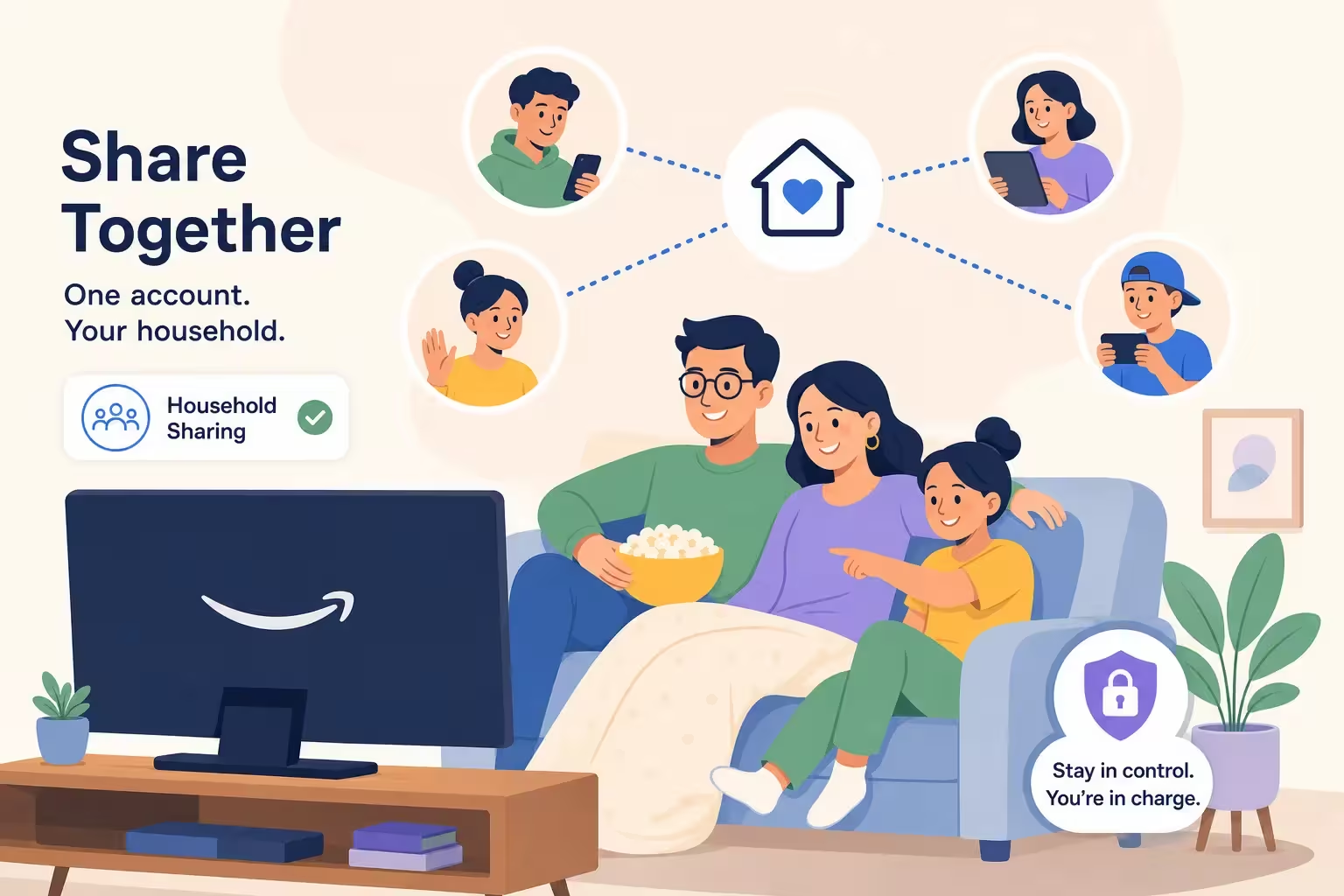
Restrictions may differ for certain content categories, add-on subscriptions, account arrangements and regions.
Consider a household with three viewers.
One person watches a film on the television, another watches a different series on a laptop, and the third watches another title on a phone.
That may fall within the standard three-stream allowance for an eligible account.
But if all three try to play the same title simultaneously, the two-device limit for that title may prevent the third stream.
The number of profiles does not override these restrictions.
Logged-In Devices vs Simultaneous Streams
These are not the same thing.
A subscription can allow an account to remain logged in on multiple devices while permitting fewer devices to play content simultaneously.
For example, a household may have the Prime Video app installed on several televisions and phones without being able to stream on all of them at once.
When choosing a subscription, check both the login-device allowance and the simultaneous-stream allowance.
Can Children Use Prime Video?
Prime Video supports child-oriented viewing profiles and parental-control functionality.
Parents or guardians can use the available profile and content-restriction settings to manage what younger viewers can access.
For eligible Amazon Family accounts, Amazon also provides child-member management options. Availability and controls can vary according to the account’s marketplace and supported devices.
A child profile should not be confused with a separate paid subscription.
It is a way of managing the viewing experience within the supported account or family arrangement.
Can Family Members Watch Prime Video From Different Homes?
This is where the type of access matters.
For Amazon Family benefit sharing, Amazon requires eligible adults to live at the same primary residential address. A family member living permanently at another address should not assume they qualify simply because they are related to the account holder.
A standard Prime Video account has its own device and usage rules, which should be checked separately.
For example, the fact that an account supports several profiles does not automatically establish permission to distribute its credentials among multiple unrelated households.
The appropriate arrangement depends on the relevant Amazon terms and the subscription or access package being used.
Amazon Prime Video Family Sharing in Bangladesh
For viewers in Bangladesh, the most useful question may be simpler than setting up Amazon Family:
Do you need one viewing profile, or do you need an account that several household members can use?
DeltaBox IT currently offers both options through its Amazon Prime Video subscription listing.
These packages provide Prime Video streaming access under their stated conditions. They do not include the wider shopping, delivery or other benefits associated with a full Amazon Prime membership in certain countries.
Personal Profile: For Individual Viewing
DeltaBox IT’s Personal Profile package provides one dedicated viewing profile within a managed shared Prime Video account.
The current listing specifies a maximum of two logged-in devices and streaming on one device at a time.
The customer does not receive control of the main account’s email, password or other profiles.
This option is intended for someone who primarily wants an individual viewing experience and does not need to manage an entire household account.
It should not be purchased under the assumption that additional family members can simultaneously stream using the same assigned profile.
Personal Account: For Households That Need More Control
The Personal Account package provides complete account credentials for the selected subscription period.
DeltaBox IT’s current listing states that this package supports password changes, multiple profiles and up to three simultaneous title streams, subject to Amazon’s applicable restrictions.
The package also has its own logged-in device, renewal and warranty conditions.
This is the more relevant option to examine if several household members intend to use the same account for different viewing preferences.
However, it is still a Prime Video streaming-access package—not an Amazon Family invitation or a full Amazon Prime shopping membership.
Personal Profile vs Personal Account: Which Fits Your Household?
| Feature | Personal Profile | Personal Account |
|---|---|---|
| Access model | One profile within a managed account | Complete dedicated account credentials |
| Main password control | No | Password change permitted |
| Viewing profiles | One assigned profile | Multiple supported profiles |
| Logged-in devices | Maximum 2 under current package | Maximum 10 under current package |
| Simultaneous streaming | 1 device | Up to 3 titles, subject to Amazon’s rules |
| Renewal | Non-renewable under current package | Renewable under current package |
| Household use | Primarily individual viewing | More suitable for multiple household viewers |
These are DeltaBox IT’s current package conditions rather than universal rules for every Prime Video subscription. Check the live product listing before purchasing.
How to Choose the Right Prime Video Package
Imagine that you live alone and watch Prime Video on your phone during the week and on your television during weekends.
You may not need an account with several profiles or multiple simultaneous streams. A dedicated viewing profile could be sufficient, provided its device and access rules fit your usage.
Now consider a household where parents and children watch different programs.
Separate profiles can help organise each person’s viewing preferences, while a larger simultaneous-stream allowance can support more than one person watching at a time.
That household may need a complete account rather than one assigned profile.
Before ordering, confirm the account type, number of people who will watch, supported devices, simultaneous streams and renewal conditions.
If privacy and account-level control are important, factor those requirements into the decision as well.
What If Prime Video Family Sharing Is Not Working?
Start by identifying which arrangement you are using.
If you are using Amazon Family, confirm that the invited adult accepted the invitation, that the correct Amazon account is signed in and that the membership and regional requirements are satisfied.
If you are using profiles within a Prime Video account, check that you selected the correct profile and have not exceeded the account’s active-stream allowance.
If playback fails only on one device, check device compatibility, the app version and your internet connection.
For a DeltaBox IT package, also verify that you are following its assigned login, profile and device rules.
If an eligible access problem persists, contact DeltaBox IT with your order details and a description of the issue. Seller support covers eligible access-related problems under the applicable package policy; Amazon remains responsible for its platform, catalogue and provider-side restrictions.
Frequently Asked Questions
Can I Share Amazon Prime Video With Family Members?
Yes. Eligible Amazon Prime members may use Amazon Family where supported, and Prime Video accounts can also support multiple viewing profiles. The arrangements have different eligibility, account-control and streaming rules.
Can I Use Amazon Family in Bangladesh?
Do not assume the feature is available for every Bangladesh-based account. Amazon’s published Prime Video benefit-sharing requirements include marketplace and US billing-address conditions. Check your account’s eligibility directly before attempting setup.
How Many People Can Watch Amazon Prime Video Simultaneously?
Amazon’s standard account-level rule permits up to three simultaneous streams, with a maximum of two devices playing the same subscription-included title. Certain content, regional and package restrictions may differ.
Does Creating Six Profiles Allow Six Simultaneous Streams?
No. Profiles organise viewing preferences but do not increase the account’s simultaneous-stream allowance.
Can Two Adults Use Separate Amazon Accounts Through Amazon Family?
Yes, where eligible. Amazon Family supports sharing certain Prime benefits between linked adult accounts, subject to its household, membership, billing and regional requirements.
Does DeltaBox IT’s Prime Video Package Include Amazon Family?
DeltaBox IT’s listed product provides Prime Video streaming access through Personal Profile and Personal Account options. It does not promise Amazon Family benefit sharing or the wider benefits of a full Amazon Prime shopping membership.
Which DeltaBox IT Package Supports Multiple Household Viewers?
The Personal Account is the relevant option to examine because its current package provides multiple profiles and up to three simultaneous title streams, subject to Amazon’s rules. The Personal Profile package is limited to one simultaneous stream.
Choose the Right Prime Video Access for Your Household
Family sharing is not simply a question of how many people know the account password. It depends on the account arrangement, applicable sharing rules, profiles and simultaneous viewing limits.
If you already have an eligible Amazon Prime membership, check whether Amazon Family is supported for your account and location.
If you are choosing a Prime Video subscription for your household in Bangladesh, compare the Personal Profile and Personal Account arrangements according to your actual viewing needs.
You can review DeltaBox IT’s current Amazon Prime Video subscription options in Bangladesh for package duration, account type, current availability and applicable access conditions.
DeltaBox IT is an independent third-party digital subscription provider. It does not own, operate or officially represent Amazon or Prime Video.