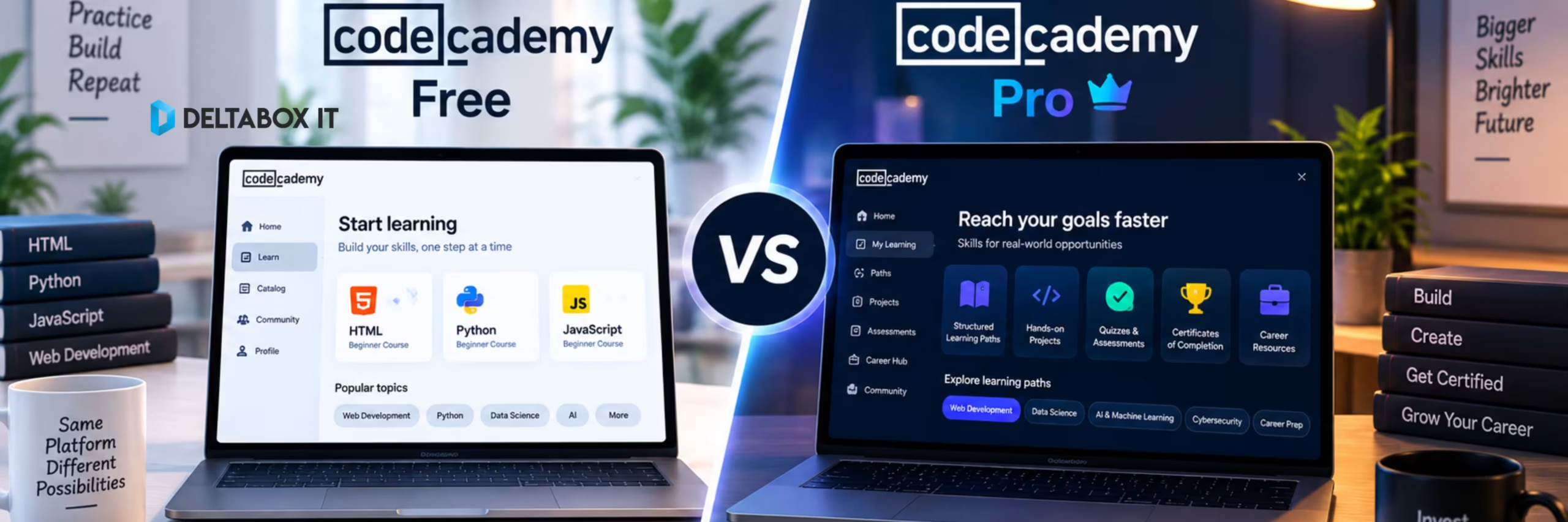
Codecademy Free vs Pro: Is Codecademy Pro Worth It in 2026?

Codecademy Free is enough to answer one important question:
Do I actually enjoy learning to code this way?
You can open a free course, work through interactive lessons and start writing code directly in the browser without setting up a full development environment.
But if your goal changes from “I want to try Python” to “I want to become a developer, data analyst or other tech professional,” the limits of the free plan become much more noticeable.
That is where Codecademy Pro starts to make sense.
Pro adds the career-focused layer: Career Paths, Code Challenges, Interview Prep, certification exams and selected Professional Certifications. It also includes the courses, projects and Skill Paths available through the lower paid Plus tier.
So the short answer is:
Stay with Codecademy Free if you are exploring programming or learning casually.
Consider Codecademy Pro if you have a defined tech-career goal and will actually use Career Paths, projects, interview preparation and assessment tools.
And if you only need more courses and projects—but not the career layer—Codecademy Plus may be the smarter upgrade.
For a broader comparison of coding and study platforms, see the Best Online Learning Platforms in 2026 guide.
Quick Answer: Codecademy Free or Pro?
| Your Goal | Better Choice | Why |
|---|---|---|
| Try coding for the first time | Free | No need to pay before testing the learning style |
| Learn basic syntax | Free | Selected Free Courses cover fundamentals |
| Explore whether tech is for you | Free | Low commitment |
| Access more courses and projects | Plus may be enough | Pro career tools may be unnecessary |
| Follow a full career path | Pro | Career Paths are a Pro feature |
| Prepare for technical interviews | Pro | Interview Prep and Code Challenges |
| Earn selected Professional Certifications | Pro | Certification exams require Pro |
| Career change into development/data | Pro | Career-focused structure adds more value |
| Access bootcamps | Neither alone | All Access is the higher tier |
Best rule: do not pay for Pro simply because Free feels limited. Pay when you specifically need the career features Pro unlocks.
What Do You Get With Codecademy Free?
Codecademy’s free plan is now called Basic.
According to Codecademy’s current documentation, Basic gives access to lessons inside courses specifically labelled Free Course. Additional practice content, quizzes and projects require paid access.
That makes Free useful for:
- Trying Python, JavaScript, HTML/CSS or another subject
- Learning basic programming concepts
- Seeing whether interactive coding fits your learning style
- Building an early coding habit
- Deciding whether a paid plan is worth considering
The free plan is best treated as a genuine starting point rather than a complete career curriculum.
If you are only curious about coding, that may be all you need.
If you are trying to become job-ready, you will probably reach its limits much sooner.
What Does Codecademy Pro Add?
Pro is Codecademy’s career-oriented paid tier.
It includes the content available through Plus and adds several features specifically aimed at learners trying to move toward technical employment.
Codecademy’s current help documentation lists:
Career Paths, Code Challenges, Interview Prep Skill Paths, exams and Professional Certifications, along with broader paid content and additional AI Builder allowances.
That difference is more meaningful than simply getting “more lessons.”
A casual Python learner may never use Interview Prep.
Someone targeting a junior developer role probably will.
Career Paths: One of the Main Reasons to Choose Pro
A normal course usually teaches one subject.
A Career Path tries to connect multiple skills around a job role.
For example, a learner targeting full-stack development may need more than JavaScript syntax. They may need front-end concepts, back-end work, databases, debugging, projects and interview preparation.
Codecademy’s current Pro ecosystem includes Career Paths for areas such as full-stack engineering, front-end engineering, back-end engineering and data-focused roles.
This is where Pro becomes more useful than Free.
Instead of repeatedly asking:
“What should I learn next?”
you follow a structured sequence built around a career outcome.
That structure can be valuable for self-taught learners who struggle to design their own curriculum.
Projects and Practice: Paying Only Makes Sense If You Build
Coding cannot be learned effectively by reading syntax alone.
You need to write code, break it, debug it and gradually become comfortable solving problems without step-by-step instructions.
Paid Codecademy plans include projects and additional practice content beyond the Free plan. Plus already provides much of this learning layer, which is why not every learner needs Pro specifically.
This leads to an important buying distinction:
Choose Plus When:
You mainly want broader courses, Skill Paths, projects and structured skill development.
Choose Pro When:
You want those things plus Career Paths, Code Challenges, Interview Prep and Professional Certifications.
For someone learning Python for work automation, Plus may be enough.
For someone trying to become a developer, Pro makes more sense.
Interview Prep and Code Challenges
Technical interviews require a different skill from completing guided lessons.
You may understand loops and arrays perfectly well inside a course but still struggle when someone gives you an unfamiliar coding problem and expects you to solve it under pressure.
Codecademy positions Code Challenges and Interview Prep as Pro-level tools for this stage of learning.
That makes them relevant to:
- Junior developer candidates
- Career switchers
- Computer-science students
- Developers returning to job interviews
- Learners who need problem-solving practice
If you have no intention of applying for a technical role, this entire part of Pro may offer little value.
That is exactly why buying based on feature count is a poor decision.
Codecademy Certificates and Professional Certifications
Codecademy currently distinguishes between Certificates of Completion and Professional Certifications.
Completion certificates can be available for eligible courses and paths completed under Plus or Pro. Professional Certifications are more assessment-focused and are currently tied to selected Career Paths where learners must pass the required exams.
Codecademy’s certification exams assess knowledge through multiple-choice and coding questions, and passing all required exams in an eligible Career Path can lead to the Professional Certification.
That sounds attractive, but keep the credential in perspective.
A coding certificate is most useful when paired with evidence that you can actually build things.
For hiring, a stronger combination is usually:
structured learning + independent projects + GitHub + problem-solving ability + interview preparation.
Do not treat any course certificate as a guaranteed job outcome.
Free vs Pro for Beginners
For an absolute beginner, I would start with Free.
There is little reason to buy career tools before you know whether you enjoy programming.
Pick a free course.
Spend a couple of weeks learning basic concepts.
Write some code.
See how you respond when something does not work.
If you lose interest after three lessons, you saved the subscription cost.
If you keep returning and want a deeper learning path, upgrading becomes a much better decision.
Beginner Verdict
Exploring coding → Free
Committed to a technical career → Pro becomes more relevant
Is Codecademy Pro Worth It for Career Changers?
This is probably the strongest use case for Pro.
Career changers often have the motivation but not the curriculum.
They know they want to become a developer or data professional but are unsure how different skills fit together.
Career Paths, projects, Code Challenges and interview preparation help reduce that uncertainty.
Pro can therefore provide value through structure, not just content.
But it should still be only part of the career plan.
A serious learner should eventually work outside Codecademy’s guided environment:
- Build independent projects
- Read documentation
- Use Git and GitHub
- Debug without hints
- Solve unfamiliar problems
- Create work that can be shown to employers or clients
Pro can provide the roadmap.
You still need to do the driving.
When Codecademy Free Is Enough
You probably do not need Pro when you are learning coding as a hobby, testing a new language, exploring programming before university or simply trying to automate a few tasks.
Free can also be enough when Codecademy is only one part of a larger free-learning stack.
For example, you could combine Codecademy’s free interactive lessons with documentation, YouTube, freeCodeCamp or personal projects.
The question is not:
“Does Pro have more?”
Of course it does.
The useful question is:
“Will I use the Pro-only features often enough to justify paying?”
If the answer is unclear, stay free for now.
When Codecademy Pro Is Worth Paying For
Pro is easier to justify when several of these apply:
- You have chosen a specific technical career direction.
- You want a structured Career Path.
- You regularly complete projects rather than only lessons.
- You need Code Challenges and technical interview practice.
- Professional Certification matters to your learning plan.
- You expect to use Codecademy consistently for several months.
If you only need expanded courses and Skill Paths, compare Pro with Plus before paying more.
Codecademy’s current direct pricing also reflects that distinction: Plus is the lower paid tier, while Pro costs more because it includes the career-focused layer.
Codecademy Free vs Pro vs Plus: Which Should You Choose?
| Plan | Best For | Key Limitation |
|---|---|---|
| Basic / Free | Beginners and exploration | Only Free Course lessons; limited paid features |
| Plus | Structured skill learning | No Career Paths or Interview Prep |
| Pro | Career-focused learners | More expensive; career features may be unnecessary for casual users |
| All Access | Learners wanting bootcamps too | Overkill for most beginners |
This is probably the most useful 2026 buying framework.
Many users searching Codecademy Free vs Pro actually belong in the middle.
They have outgrown Free but do not need the full career package.
For them, Plus deserves consideration.
Codecademy Pro in Bangladesh: One Important Limitation
Bangladeshi users considering the current DeltaBox IT package need to evaluate it differently from a personal Codecademy Pro subscription.
DeltaBox IT currently provides shared, ready-made Codecademy Pro access. The package includes Pro courses, projects, Skill Paths and Career Paths, allows login on up to two devices, and is renewable under the listed conditions.
However, the account identity remains supplier-managed.
That means certificates or certifications are not issued in the customer’s own name, and progress or saved activity should not be treated as private or permanently controlled by the user.
This changes the value proposition.
The DeltaBox IT Package Makes Sense When:
You mainly want access to Pro learning content, projects and Career Paths.
It Is Not the Right Package When:
You specifically need a personal Codecademy certificate, private learning history or exclusive account ownership.
You can review the current Codecademy Pro subscription in Bangladesh for the live price, duration and package conditions.
For a direct comparison with a more credential-oriented learning platform, see Codecademy vs Coursera for learning tech skills.
Final Verdict: Is Codecademy Pro Worth It?
For casual learners, probably not yet.
Start with Codecademy Free. Confirm that you enjoy interactive coding and that you can maintain a consistent learning routine.
If you outgrow Free but mainly want additional courses, projects and Skill Paths, Plus may provide enough value without moving all the way to Pro.
Codecademy Pro becomes worth paying for when your goal is more specific:
“I am seriously working toward a tech career, and I will use Career Paths, Code Challenges, Interview Prep and certification exams.”
That is what separates Pro from simply paying for more learning content.
So the decision is:
Choose Free to explore coding.
Choose Plus to build broader technical skills.
Choose Pro when coding has become part of a serious career plan.
And if you are buying shared Codecademy Pro access through DeltaBox IT, treat it as a learning-access package, not a personal credential package.
Frequently Asked Questions
Is Codecademy Free Enough to Learn Coding?
It is enough to begin learning and test Codecademy’s interactive format. The current Basic plan only gives access to lessons in courses marked as Free Course, so learners who want broader projects and structured paths may eventually need a paid plan.
What Is the Difference Between Codecademy Free and Pro?
Free provides access to selected course lessons. Pro includes the broader paid learning experience plus Career Paths, Code Challenges, Interview Prep, exams and Professional Certifications.
Is Codecademy Pro Worth It for Beginners?
Usually not immediately. Beginners should test Free first. Pro becomes more useful once the learner has a defined career goal and needs structured career-oriented features.
Is Codecademy Plus Enough Instead of Pro?
For many learners, yes. Plus includes courses, most Skill Paths, projects and member-only content. Pro becomes necessary when you specifically want Career Paths, Code Challenges, Interview Prep and Professional Certifications.
Does Codecademy Pro Include Projects?
Yes. Paid Codecademy plans include projects and additional practice content, with Pro adding the career-focused functionality on top.
Does Codecademy Pro Include Certificates?
Codecademy provides Certificates of Completion for eligible completed courses or paths and Professional Certifications for selected Career Paths after required exams are passed.
Will DeltaBox IT’s Codecademy Pro Package Give Me a Certificate in My Name?
No. The current DeltaBox IT package uses a shared ready-made account, so certificates and certifications are not issued in the customer’s own name.
Where Can I Get Codecademy Pro in Bangladesh?
You can review the current Codecademy Pro subscription in Bangladesh through DeltaBox IT. Check the live product page for current pricing, duration, availability, device limits and shared-account conditions before ordering.
DeltaBox IT is an independent third-party digital-product provider and is not the developer, owner or official partner of Codecademy.