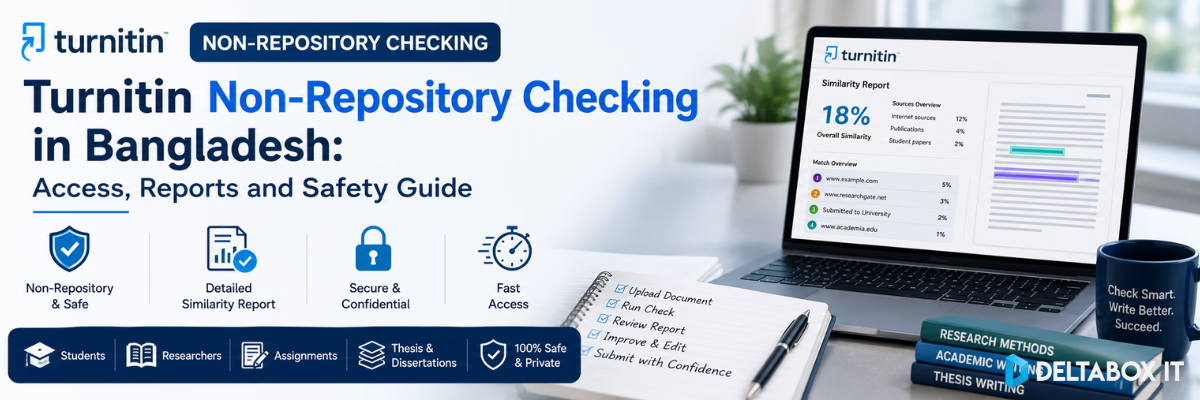
Turnitin Non-Repository Checking in Bangladesh: Access, Reports and Safety Guide

Submitting a thesis, assignment or research paper for similarity checking can create a practical concern: will the document be stored in Turnitin and match against itself during a future university submission?
This is why many students and researchers search for Turnitin non-repository Bangladesh services. A non-repository plagiarism check can generate a Similarity Report without adding the submitted document to Turnitin’s standard or institutional paper repository—provided the appropriate submission setting is available and correctly selected.
However, “non-repository” does not mean anonymous, untraceable or guaranteed safe under every condition. It is a specific storage setting. Students should understand what it changes, what it does not change and what they need to verify before submitting an unpublished document.
This guide explains non-repository checking, Similarity Reports, AI Writing Reports, document requirements, report interpretation and safe ordering considerations for users in Bangladesh.
Quick Answer: What Is Turnitin Non-Repository Checking?
Turnitin non-repository checking means generating a Similarity Report without storing the submitted paper in Turnitin’s standard or institutional repository for future comparison.
In Turnitin’s assignment settings, this may appear as “Do not store the submitted papers.” Turnitin’s newer account settings also allow administrators to disable submission indexing. Available options depend on the institution’s licence and administrator configuration.
A non-repository submission can still be compared against selected sources, including:
- Current and archived internet content
- Journals and publications
- Previously submitted works
- Institutional repositories
- Other databases enabled for the assignment
The important distinction is that the newly submitted document itself is not added to a repository for future matching.
What Does “Repository” Mean in Turnitin?
A repository is a database where submitted papers may be stored and used as comparison sources for future submissions.
Depending on the account and assignment settings, Turnitin may provide several storage options.
General Turnitin Repository
A paper stored in the general repository can become part of Turnitin’s submitted-work database and may be compared against future submissions from participating institutions.
Private Institutional Repository
A paper may be stored in a database available only within a particular institution or organisational account.
Non-Repository or “Do Not Store”
The document is processed for similarity checking but is not added to the standard or institutional repository for future comparisons.
Turnitin states that when “Do not store the submitted papers” is selected, a Similarity Report can still be generated while the paper remains outside those repositories. The option may be unavailable when an account administrator has enforced a different storage policy.
Repository vs Non-Repository Turnitin Checking
| Area | Repository Submission | Non-Repository Submission |
|---|---|---|
| Similarity Report | Generated according to assignment settings | Generated according to assignment settings |
| Document stored for future comparison | Usually yes | No, when the correct setting is enabled |
| May match against itself later | Possible, especially after resubmission elsewhere | Less likely because the checked copy is not indexed |
| Compared against internet sources | Yes, when enabled | Yes, when enabled |
| Compared against publications | Yes, when enabled | Yes, when enabled |
| Compared against submitted papers | Yes, when enabled | Yes, but the new submission is not added to the repository |
| Suitable for preliminary checking | May create future self-matching concerns | Usually more suitable |
| Availability | Depends on account settings | Depends on administrator and licence settings |
Non-repository status affects storage, not necessarily the sources used to generate the report.
A document can remain unindexed while still being checked against Turnitin’s available comparison databases.
Does a Non-Repository Check Produce a Real Similarity Report?
Yes. Turnitin’s official assignment guidance states that a Similarity Report can be generated even when submissions are not stored in a repository.
The report may include:
- Overall similarity percentage
- Highlighted matching text
- Source list
- Match percentages
- Internet-source matches
- Publication and journal matches
- Submitted-work matches
- Citation or quotation-related match groups
- Integrity flags where enabled
- Downloadable report details
The exact layout can differ because Turnitin currently supports classic and enhanced Similarity Report experiences. Institutional settings can also control which report version and features users can access.
Before ordering a Turnitin similarity report in Bangladesh, confirm what the selected package includes rather than assuming every report has identical features.
What Does a Turnitin Similarity Report Show?
A Turnitin Similarity Report compares the submitted text with the databases selected for the assignment. It then highlights matching or closely similar passages and calculates an overall similarity percentage.
Turnitin calculates the overall percentage based on how much text in the document matches content found in the selected comparison sources.
The report helps users identify:
- Directly copied wording
- Incomplete paraphrasing
- Missing citations
- Quotations without quotation marks
- Reused content
- Bibliography-related matches
- Common phrases
- Sources contributing heavily to the score
It does not independently determine whether academic misconduct occurred.
Similarity Does Not Automatically Mean Plagiarism
This is one of the most important points to understand before using a Turnitin report BD service.
Turnitin does not label a paper as plagiarised. It identifies text that matches sources in its comparison databases. A human reviewer must examine the matches, citations, quotations, context and institutional policy.
A high similarity score can result from:
- Correctly quoted material
- Bibliographies
- Standard research terminology
- Assignment templates
- Legal or technical language
- Previously submitted drafts
- Poorly formatted citations
- Large blocks of copied content
A low score does not guarantee originality either. A paper may contain uncited ideas, contract-written material or heavily modified text that produces few direct matches.
Correct Interpretation
Do not ask only:
- Is the score high or low?
Ask:
- Which sections matched?
- What types of sources created the matches?
- Are the sources cited?
- Should exact wording use quotation marks?
- Does the paraphrase preserve too much of the original structure?
- Are bibliography and quotations affecting the score?
- Is any major argument based on an uncited source?
What Is an Acceptable Turnitin Similarity Score?
There is no universal percentage that automatically makes a paper acceptable.
Different universities, departments, supervisors, journals and assignment types may apply different expectations. A literature review will naturally contain more source-based discussion than a reflective assignment. A technical methods section may also use standard terminology that creates legitimate matches.
Turnitin itself states that the Similarity Report does not determine whether plagiarism occurred and that academic judgment is required.
Avoid sellers or services that promise:
- A guaranteed acceptable score
- Automatic plagiarism removal
- A guaranteed 0% report
- Guaranteed university acceptance
- Guaranteed AI-free status
These claims are academically misleading. They also encourage students to chase a percentage rather than improve citation quality and source use.
What Is a Turnitin AI Writing Report?
The Turnitin AI Writing Report is separate from the Similarity Report.
The Similarity Report identifies matching text. The AI Writing Report estimates how much qualifying prose may have been generated by an AI system or may have been AI-generated and subsequently modified using an AI paraphrasing or bypassing tool.
Similarity Report vs AI Writing Report
| Area | Similarity Report | AI Writing Report |
|---|---|---|
| Main purpose | Identifies text matching other sources | Estimates qualifying text likely generated or modified by AI |
| Result | Overall similarity percentage and source matches | AI writing indicator, percentage or status |
| Database comparison | Yes | Different detection process |
| Determines misconduct | No | No |
| Human review required | Yes | Yes |
| Availability | Based on assignment and account settings | Based on licence, settings, language and file eligibility |
The AI writing percentage is independent of the similarity percentage. A document can have:
- Low similarity but a higher AI indicator
- High similarity but no AI indicator
- No AI report because the file is ineligible
- An asterisk instead of an exact AI percentage
Can Turnitin AI Detection Be Wrong?
Yes.
Turnitin explicitly states that its AI writing model can misidentify human-written, AI-generated or AI-paraphrased text. The result should not be used as the sole basis for adverse action against a student. It should be reviewed alongside the student’s writing process, other evidence and institutional policy.
Turnitin no longer displays exact results for AI detection scores between 1% and 19%. Instead, the report shows an asterisk because results in that range are considered less reliable and more vulnerable to false positives.
Therefore, a Turnitin AI writing report in Bangladesh should be used as a review signal—not as automatic proof that a student used AI improperly.
Requirements for a Turnitin AI Writing Report
For an eligible document to generate an AI Writing Report, Turnitin currently requires:
- File size below 100 MB
- At least 300 words of long-form prose
- No more than 30,000 words
- A supported language: English, Spanish or Japanese
- A supported file type: .docx, .pdf, .txt or .rtf
Important for Bangla Documents
Turnitin’s current AI Writing Report language list does not include Bengali. A Bangla research paper may therefore be unsuitable for AI writing detection even if it can be uploaded for other Turnitin functions.
Students should confirm language and file eligibility before ordering an AI writing check.
File Requirements for a Similarity Report
Turnitin’s standard similarity-checking requirements differ from its AI-report requirements.
For a file to generate a Similarity Report, Turnitin’s current student-submission guidance generally requires:
- File size below 100 MB
- At least 20 words
- Fewer than 800 pages
- A supported, text-readable file format
Common supported formats include:
- Microsoft Word .doc and .docx
- Text-readable PDF
- Plain text .txt
- Rich Text Format .rtf
- HTML
- OpenDocument .odt
- PowerPoint .pptx
- Other supported document formats
A scanned PDF containing only images may not produce a Similarity Report because Turnitin needs readable, selectable text. Password-protected files and some unsupported document formats can also fail.
Document Preparation Checklist
Before submission:
- Remove the password from the file.
- Confirm that the text is selectable.
- Use a clear filename.
- Open the final file and check every page.
- Remove comments or tracked changes if they should remain private.
- Confirm the required report type.
- Keep a local backup.
- Ask whether the document will be checked as non-repository.
- Confirm whether bibliography and quotation exclusions will be applied.
- Do not submit confidential participant data unnecessarily.
Who Should Consider Non-Repository Checking?
Non-repository checking can be relevant for:
Thesis and Dissertation Writers
A postgraduate student may want to review citation and paraphrasing issues before the final institutional submission.
Research-Paper Authors
Researchers may check a manuscript before sending it to a supervisor, conference or journal.
University Students
Students can identify accidental matching, citation problems and heavily borrowed wording before submitting an assignment.
Faculty Members and Supervisors
Educators may use similarity reports to review draft quality and discuss source use with students, subject to institutional policies.
Authors Checking Revised Drafts
A non-repository check may reduce the risk of the preliminary copy being indexed and matching against a later final version.
It is still necessary to follow the institution’s rules. Some universities require students to use only the university-provided Turnitin workflow.
When Is Non-Repository Checking Particularly Important?
Before Final University Submission
An indexed preliminary draft may create self-matching when the final version is submitted through an institution.
When Checking an Unpublished Manuscript
A researcher may not want a draft article or thesis chapter added to a submitted-paper repository before publication.
During Repeated Revisions
Multiple stored versions can complicate later reports if earlier drafts become comparison sources.
When Reviewing Client or Collaborative Work
Editors and research collaborators should confirm that they have permission to upload the document and that its storage status is appropriate.
When a Document Contains Sensitive Research
Repository status is only one part of document safety. Personally identifiable information, unpublished findings and confidential data require separate handling and ethical review.
How to Verify That a Turnitin Check Is Non-Repository
Do not rely only on a seller using the phrase “non-repository.” Ask direct questions.
Questions to Ask Before Submitting
- Will the paper be stored in the standard Turnitin repository?
- Will it be stored in an institutional repository?
- Is “Do not store the submitted papers” selected?
- Is the setting controlled by the account administrator?
- Will I receive a complete Similarity Report?
- Does the package include an AI Writing Report?
- Are bibliography or quotations excluded?
- What file formats are accepted?
- How will my document be submitted and returned?
- What happens to the uploaded file after report delivery?
- Is the package a report-checking service or account access?
- What support applies if the report does not generate?
A responsible provider should answer these questions clearly rather than promising “100% safe” or “zero risk.”
How to Get a Turnitin Non-Repository Report Safely in Bangladesh
The safer process is to order a clearly defined report-checking service rather than seek unverified institutional credentials.
Step 1: Identify the Report You Need
Choose whether you need:
- Similarity Report only
- Similarity Report with source details
- Similarity and AI Writing Reports
- A non-repository preliminary check
- A revised report after editing
Do not assume an AI report is included automatically.
Step 2: Check the Current Package Details
Review the current Turnitin plagiarism-checking options in Bangladesh and confirm:
- Report type
- Repository status
- File eligibility
- Current availability
- Submission method
- Processing conditions
- Support scope
Package conditions may change because Turnitin features and access depend on external provider and institutional settings.
Step 3: Prepare the Correct File
Use a clean, final draft in a supported format. Avoid sending unnecessary personal data, survey respondent details or confidential research files.
Step 4: Confirm Non-Repository Status in Writing
Before submitting, obtain a clear answer that the document will use the non-repository or “do not store” option where available.
Step 5: Submit Through the Instructed Channel
Follow the current submission process and keep your order reference. Do not send academic files to unrelated personal accounts or unverified pages.
Step 6: Review the Complete Report
Do not look only at the overall percentage. Open the source breakdown and inspect the major matches.
Step 7: Revise the Paper Responsibly
Correct citation, quotation and paraphrasing problems. Do not use rewriting software merely to hide matched text.
Step 8: Keep the Original and Revised Copies
Maintain version history so that you can explain your writing process if a supervisor or instructor asks questions.
Safe-Buying Checklist for Students in Bangladesh
Before paying for a Turnitin report BD service, verify the following:
| Check | Why It Matters |
|---|---|
| Clear report type | Similarity and AI Writing Reports are different |
| Non-repository confirmation | Reduces future self-matching risk |
| Supported file format | Prevents failed report generation |
| AI-language eligibility | Bengali is not currently supported for the AI Writing Report |
| No guaranteed score | Genuine services cannot promise a predetermined result |
| Clear delivery method | You need to know where the report will be provided |
| Privacy explanation | Academic documents may contain sensitive material |
| Defined support scope | Clarifies what happens if processing fails |
| Independent provider disclosure | Avoids misleading official-affiliation claims |
| Current availability check | Turnitin features depend on licences and provider settings |
DeltaBox IT operates as an independent third-party digital access facilitator and does not own, develop or control Turnitin.
Red Flags to Avoid
Avoid any Turnitin offer that relies on the following claims.
“Official Personal Instructor Account”
Turnitin is largely provided through institutional and organisational licensing. Public wording that markets unverified instructor credentials should be treated carefully.
“Permanent Account Guaranteed”
Platform access depends on external systems, account conditions and provider policies. Permanent access should not be promised.
“Guaranteed 0% Similarity”
A valid similarity result depends on the document. Manipulating text only to reduce a score can damage meaning and academic quality.
“Guaranteed AI-Free Report”
AI detection is probabilistic and can produce false positives or processing limitations.
“We Remove All Plagiarism Automatically”
A report identifies matches. Proper revision requires source reading, citation judgment and genuine rewriting by the author.
“Repository-Free Without Confirmation”
The provider should be able to state clearly whether the paper is stored and which setting is used.
“No Need to Check the Report”
The report requires interpretation. A percentage alone is not a complete academic-integrity review.
How to Read a Turnitin Similarity Report Correctly
Start With the Largest Match
Open the source contributing the highest percentage. Determine whether it is:
- A properly cited quotation
- A bibliography entry
- A previous version of your work
- A closely paraphrased source
- An uncited copied passage
- A standard phrase
Review Match Groups
The enhanced Similarity Report can group matches based on citation and quotation patterns, such as uncited text or text that may require quotation marks.
Check Individual Sources
A 20% score from one source may be more concerning than a 20% score created by many short bibliography and terminology matches.
Review Exclusions Carefully
Turnitin can exclude or filter:
- Bibliography
- Quoted text
- Cited text
- Small matches
- Selected comparison databases
These filters help users focus on meaningful matches, but they can also change the visible percentage. They should not be used to conceal legitimate problems.
Check Source Integration
Ask whether each source is:
- Introduced properly
- Paraphrased accurately
- Cited in the required style
- Relevant to the argument
- Represented without changing its meaning
Action Plan After Receiving a High Similarity Report
A high similarity score is a signal to investigate—not a reason to panic.
1. Separate Acceptable and Problematic Matches
Acceptable matches may include:
- Correct quotations
- Bibliography entries
- Standard terminology
- Required assignment text
Problematic matches may include:
- Uncited copying
- Patchwriting
- Missing quotation marks
- Excessively close paraphrasing
- Reused text without disclosure
2. Read the Original Source
Do not rewrite a highlighted sentence without checking the source. You may accidentally change the meaning or retain the same argument structure.
3. Rewrite From Understanding
Close the source and explain the idea using your own logical structure. Then reopen the source and verify accuracy.
4. Add the Correct Citation
Paraphrased ideas still require attribution.
5. Use Direct Quotations Selectively
When exact wording is essential, use quotation marks and provide the required citation details.
6. Review the Complete Section
Fixing one sentence may not solve a paragraph that closely follows the original source’s order and reasoning.
7. Run Another Check Only When Necessary
Repeated reports are useful after substantial revision, but they should not become a cycle of changing words only to reduce a percentage.
Similarity Checking and Academic Writing Tools Are Not the Same
Turnitin identifies text overlap and integrity-related signals. It is not primarily a grammar editor, paraphrasing platform or thesis-writing assistant.
Students who need language and revision support can also explore:
- Grammarly Premium for grammar, clarity and general proofreading
- QuillBot Premium for controlled paraphrasing and rewriting
- Paperpal Prime for academic-language editing and research-focused writing support
These tools can support revision, but they do not replace proper citation or determine whether a paper meets institutional integrity requirements.
Students can review more options through the Education and Research tools category or read the broader guide to essential education and research AI tools for Bangladeshi students and researchers.
Privacy and Document-Safety Considerations
Non-repository checking reduces one specific risk: the submitted document being indexed for future comparison.
It does not answer every privacy question.
Before uploading a thesis or research paper:
- Remove unnecessary student IDs
- Remove participant names
- Anonymise confidential survey data
- Avoid sharing unpublished commercial information
- Confirm permission from co-authors
- Check institutional research-ethics requirements
- Keep your own backup
- Ask how the service handles files after delivery
No provider should describe external-platform use as completely risk-free.
DeltaBox IT Delivery and Transparency Note
DeltaBox IT provides independent third-party access and support for digital products. It does not claim ownership of Turnitin or official provider affiliation.
Standard delivery is not instant. DeltaBox IT’s current policy states a standard delivery window of 1–12 hours during working hours, with delivery through email or Order Notes where applicable. External provider processing, file eligibility and report-generation conditions may affect individual orders.
Before ordering, confirm the current package, report type, repository setting and document requirements.
Final Verdict
A Turnitin non-repository Bangladesh check can be useful for students and researchers who want to review a draft without adding that copy to Turnitin’s paper repository.
The key points are:
- Non-repository refers to document storage.
- A Similarity Report can still be generated.
- The paper can still be compared with enabled databases.
- Similarity is not the same as plagiarism.
- AI detection is separate and not definitive.
- AI-report eligibility depends on language, file type and word count.
- Non-repository availability depends on account and administrator settings.
- Students should confirm the setting before uploading.
- No provider can responsibly guarantee a specific score or academic outcome.
Use the report to improve citation, paraphrasing and source integration—not merely to reduce a number.
Frequently Asked Questions
What is Turnitin non-repository checking?
Turnitin non-repository checking generates a Similarity Report without storing the submitted document in the standard or institutional paper repository, provided the appropriate setting is available and selected.
Will a non-repository Turnitin check save my paper?
The paper should not be indexed in the standard or institutional repository when “Do not store the submitted papers” is correctly selected. Availability depends on the account administrator and licence settings.
Can a non-repository report detect plagiarism?
It identifies text that matches selected databases. Turnitin does not automatically determine plagiarism; the report requires human interpretation.
Will a non-repository check prevent future self-matching?
It reduces the risk because the checked copy is not added to the repository. However, another copy submitted through a repository-enabled assignment may still be stored and create future matches.
Does non-repository checking include internet sources?
It can. Storage settings and comparison-source settings are separate. A non-repository submission may still be compared against internet pages, publications and submitted works enabled for the assignment.
Is the Turnitin AI Writing Report included with every check?
No. Availability depends on account licensing, enabled features, document language, word count and file type. Confirm the package before submitting.
Does Turnitin AI detection support Bangla?
Turnitin’s current AI Writing Report guidance lists English, Spanish and Japanese as supported languages. Bengali is not listed.
Why does my AI report show an asterisk?
Turnitin uses an asterisk for AI detection results between 1% and 19% because results in that range have a higher risk of false positives. It does not display an exact percentage or highlights.
What file type is best for Turnitin checking?
A clean .docx or text-readable .pdf is usually practical. Scanned image-only PDFs may not generate a Similarity Report.
Can Turnitin guarantee that my paper is plagiarism-free?
No. The report identifies textual similarity. It cannot certify that a paper is fully original, correctly cited or compliant with every university policy.
What similarity percentage is acceptable?
There is no universal acceptable score. The document type, matches, citation quality and institutional rules matter more than a single percentage.
Can I reduce similarity by paraphrasing?
Genuine paraphrasing can improve source integration, but the original idea still requires citation. Replacing words mechanically to hide copied text is not responsible academic practice.
Can I purchase a personal Turnitin instructor account?
Public offers involving institutional or instructor credentials should be treated carefully. A safer approach is to use a clearly defined report-checking service and confirm the submission and repository settings.
Where can I check current Turnitin availability in Bangladesh?
Review the current Turnitin checking package and confirm report type, non-repository status, file eligibility and delivery conditions before placing an order.
Need a Similarity Report for an assignment, thesis or research paper? Review the current Turnitin package first and confirm whether you need similarity checking, an AI Writing Report or non-repository submission. For current availability, document requirements and order guidance, contact DeltaBox IT through WhatsApp.