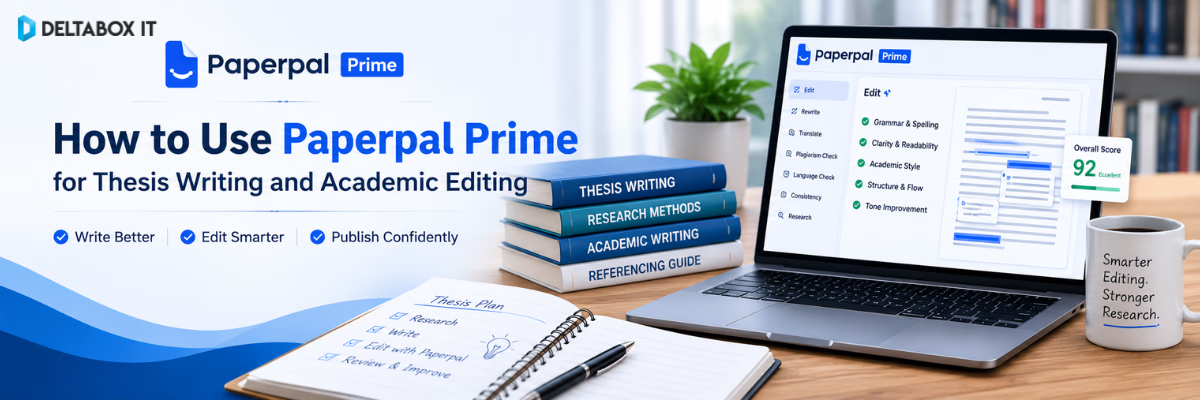
How to Use Paperpal Prime for Thesis Writing and Academic Editing

Writing a thesis involves more than correcting grammar. Students must define a research question, review previous studies, organise evidence, develop an argument, maintain citation accuracy and revise several chapters before final submission.
Paperpal Prime can support parts of that process. It combines academic-language correction, rewriting, research assistance, citation tools, PDF analysis, plagiarism checking and manuscript-review features within an academic writing environment. Paperpal currently works across its web editor, Microsoft Word, Google Docs, Chrome and Overleaf, allowing students to use it in different research and writing workflows.
However, Paperpal cannot conduct your research, validate your methodology or guarantee thesis approval. It should be used as a thesis editing tool and academic writing assistant, not as a replacement for independent thinking, supervisor feedback or institutional requirements.
This guide explains how to use Paperpal Prime for thesis writing from the early planning stage to the final academic editing checklist.
Quick Answer: How Should You Use Paperpal Prime for a Thesis?
The best way to use Paperpal Prime is to divide the thesis process into separate stages:
- Plan the research question and chapter structure.
- Find and review relevant academic literature.
- Draft each section using your own analysis.
- Improve grammar, clarity and academic tone.
- Shorten or paraphrase difficult passages selectively.
- Organise and verify citations.
- Check consistency and accidental plagiarism.
- Complete final language and submission-readiness checks.
- Review every suggestion manually.
- Submit only after supervisor and institutional review.
Paperpal can support these tasks through academic language suggestions, research and citation tools, PDF interaction, paraphrasing, plagiarism checks and technical manuscript checks. Its official guidance describes it as an academic writing assistant intended to support authors from first draft to final submission.
What Is Paperpal Prime?
Paperpal Prime is the paid version of Paperpal’s academic writing platform. It is designed for students, researchers and authors who require more extensive use than the limited free plan provides.
Paperpal’s current feature set includes:
- Academic grammar and language correction
- Contextual rewriting and paraphrasing
- Word-count reduction
- Academic-tone improvement
- Research-question support
- Reference discovery
- Citation generation
- Citation-library management
- PDF summarisation and analysis
- Plagiarism checking
- AI-writing detection
- Submission-readiness checks
- Academic translation
- Outlining and drafting assistance
Paperpal states that its academic research feature searches a large scholarly database and produces answers linked to research references. Its citation tools also support thousands of citation styles and allow users to organise sources in a citation library.
Not every thesis writer needs every feature. The main value comes from applying the right feature at the right stage.
What Paperpal Can and Cannot Do for Your Thesis
Before building a workflow, students need realistic expectations.
Paperpal Can Help You:
- Identify grammar and punctuation problems
- Improve sentence clarity
- Refine academic tone
- Reduce wordiness
- Paraphrase selected text
- Summarise uploaded research documents
- Discover potentially relevant academic sources
- Generate formatted citations
- Check citation consistency
- Identify possible text similarity
- Review language and technical manuscript issues
- Develop outlines or section ideas
- Improve abstracts, titles and summaries
Paperpal Cannot Reliably:
- Choose a defensible research methodology for you
- Verify whether your data are valid
- Conduct ethical approval
- Replace your supervisor
- Guarantee that a citation supports a claim
- Decide whether your interpretation is correct
- Guarantee zero plagiarism
- Guarantee that AI detection will not flag text
- Guarantee thesis acceptance
- Guarantee journal publication
This distinction matters. Academic writing tools improve presentation and workflow. They do not create research credibility on their own.
Complete Paperpal Prime Workflow for Thesis Writing
A structured process produces better results than uploading the entire thesis and accepting every suggestion at once.
Stage 1: Clarify Your Thesis Objective
Before opening an academic grammar checker, define what the thesis must accomplish.
Write down:
- The research problem
- The main research question
- Supporting questions
- Research objectives
- Study population or data source
- Proposed method
- Expected contribution
- Chapter structure
- University formatting requirements
Paperpal’s generative features can help brainstorm titles, outlines, research questions and section plans. However, the final scope should be confirmed with your supervisor because an AI-generated outline may be too broad, repetitive or methodologically unsuitable. Paperpal officially lists brainstorming, outlining, drafting and summarising among its supported writing tasks.
Recommended Action
Create your own rough structure first. Then ask Paperpal to identify:
- Missing sections
- Repeated sections
- Weak transitions
- Areas that require evidence
- Questions a critical reader may ask
Do not ask it to produce a complete thesis outline without providing your research context.
Stage 2: Build a Chapter-by-Chapter Plan
A typical thesis may include:
- Introduction
- Literature review
- Research methodology
- Results or findings
- Discussion
- Conclusion and recommendations
- References
- Appendices
The exact structure depends on the discipline and university.
Paperpal can help transform research notes into a more organised chapter outline. A useful prompt would include:
My thesis examines [topic] among [population/context]. My method is [method]. Review this proposed chapter outline and identify missing sections, overlap and weak logical sequencing. Do not write the thesis content.
This keeps the tool focused on organisation rather than replacing the student’s work.
What to Check Manually
- Does every chapter answer part of the research question?
- Is the methodology separated from the findings?
- Does the discussion interpret rather than repeat results?
- Are limitations presented honestly?
- Does the conclusion avoid introducing new evidence?
Using Paperpal for the Literature Review
The literature review is often the most research-intensive part of a thesis. It requires students to identify relevant studies, evaluate evidence and synthesise findings by theme.
Paperpal’s Research feature can return responses connected to scholarly references, while its citation tools allow users to search by topic, title or DOI and save selected sources. It also provides PDF-based interaction for summarising and analysing uploaded research documents.
Step 1: Start With a Clear Research Question
Do not search with a broad phrase such as:
Social media and students
Use a focused question:
How does daily social media use affect academic performance among undergraduate students in South Asia?
A focused query produces more relevant literature and makes inclusion decisions easier.
Step 2: Use Paperpal to Discover Candidate Sources
Paperpal may help identify potentially useful research articles. Use the results as a discovery aid rather than a final reference list.
For each suggested source:
- Open the original article
- Confirm the author and title
- Check the publication year
- Review the abstract
- Examine the methodology
- Verify whether the source supports your claim
- Check whether the article is peer reviewed
- Record the DOI or stable publication details
Step 3: Analyse PDFs Carefully
Paperpal’s PDF features can summarise research documents and answer questions about uploaded material.
Useful questions include:
- What was the study population?
- Which research design was used?
- What variables were measured?
- What were the main findings?
- What limitations did the authors report?
- How does this study differ from my research context?
- Which statements require closer review in the original paper?
Do not cite a summary generated by the tool. Cite the original study after verifying the relevant section.
Step 4: Create an Evidence Matrix
Build a table with columns such as:
| Source | Research Question | Method | Sample | Main Findings | Limitations | Relevance |
|---|
This prevents the literature review from becoming a sequence of disconnected summaries.
Step 5: Write by Theme
A weak literature review often follows this pattern:
- Author A said…
- Author B found…
- Author C discussed…
A stronger literature review organises studies around:
- Common findings
- Contradictions
- Theoretical approaches
- Methodological differences
- Geographic contexts
- Evidence gaps
Paperpal can help improve transitions and academic language after you have developed the synthesis yourself.
Using Paperpal Prime for Thesis Drafting
Paperpal can help generate ideas, outlines, summaries and contextual writing suggestions. However, thesis drafting should remain grounded in the student’s research, evidence and interpretation.
Use It to Overcome a Specific Block
Instead of asking:
Write my thesis introduction.
Use a controlled instruction:
Based only on the points below, suggest three possible structures for the background section. Do not add facts, citations or findings.
Then provide:
- Research context
- Problem statement
- Population
- Evidence already collected
- Research gap
- Study objective
Draft Before Editing
Do not try to create a perfect sentence during the first draft.
A practical process is:
- Write the main argument.
- Add supporting evidence.
- Include citations.
- Complete the paragraph.
- Review the logic.
- Use Paperpal for language editing.
- Accept or reject each suggestion manually.
This prevents grammar correction from distracting you before the reasoning is complete.
Using Paperpal as an Academic Grammar Checker
Paperpal’s language-editing features address spelling, punctuation, word choice, grammar, sentence structure, clarity and academic conventions. Its academic-editing guidance also highlights areas such as verb tense, articles, subject–verb agreement, wordiness, formal usage, abbreviations, numbers and units.
What to Review
Grammar and Mechanics
Check:
- Subject–verb agreement
- Tense consistency
- Singular and plural forms
- Article usage
- Punctuation
- Sentence fragments
- Capitalisation
Sentence Clarity
Check:
- Excessively long sentences
- Unclear pronouns
- Weak transitions
- Repeated sentence openings
- Unnecessary passive voice
- Misplaced modifiers
- Wordiness
Academic Style
Check:
- Informal or conversational wording
- Unsupported certainty
- Vague claims
- Excessive first-person usage
- Inconsistent terminology
- Unexplained abbreviations
- Unnecessary emotional language
Discipline-Specific Language
Do not automatically replace:
- Technical terminology
- Statistical terms
- Scientific names
- Legal terminology
- Established theoretical concepts
- Variables defined by the study
A language suggestion can sound smoother while making the research less precise.
How to Edit Each Thesis Chapter With Paperpal
Different chapters require different types of editing.
Introduction
Use Paperpal to improve:
- Background clarity
- Logical progression
- Research-problem wording
- Objective consistency
- Definition of key terms
- Transitions between context and research gap
Check manually that:
- The problem is supported by evidence
- The research gap is genuine
- The objective matches the question
- No unsupported statistics have been introduced
Literature Review
Use Paperpal to improve:
- Thematic transitions
- Sentence variety
- Academic tone
- Repetitive source descriptions
- Clarity of comparisons
- Paragraph cohesion
Check manually that:
- Every source exists
- Claims match the cited study
- Contradictory findings are represented fairly
- The review leads clearly to the research gap
Methodology
Use Paperpal to improve:
- Tense consistency
- Sequence of procedures
- Definitions
- Clarity of sampling descriptions
- Consistent terminology
- Description of analytical methods
Check manually that:
- The method is accurate
- Ethical procedures are included
- Sample calculations are correct
- Variables are defined
- Software names and versions are correct
- No important step has been removed during rewriting
Results
Use Paperpal to improve:
- Concise reporting
- Grammar
- Table and figure references
- Consistency in statistical language
- Repetition between text and tables
Check manually that:
- Values match the dataset
- Percentages are correct
- Statistical significance is reported accurately
- Results are not interpreted prematurely
- Tables and text do not contradict each other
Discussion
Use Paperpal to improve:
- Comparison with previous studies
- Logical transitions
- Cautious interpretation
- Paragraph structure
- Repetition
- Academic tone
Check manually that:
- Conclusions do not exceed the evidence
- Correlation is not described as causation
- Contradictory studies are not ignored
- Limitations are acknowledged
- Findings are connected to the research question
Conclusion
Use Paperpal to improve:
- Brevity
- Consistency with objectives
- Clarity of contribution
- Recommendation wording
- Removal of unnecessary repetition
Check manually that:
- No new findings are introduced
- Recommendations are realistic
- The conclusion answers the research question
- Claims remain proportionate to the study
How to Use Paperpal for Paraphrasing and Word Reduction
Paperpal includes rewriting, paraphrasing, academic-tone adjustment and word-reduction tools. Its official feature descriptions emphasise rewriting text while preserving context and reducing redundancy.
Appropriate Uses
Use paraphrasing support to:
- Improve an awkward sentence
- Remove repetition
- Shorten an overlong paragraph
- Clarify your own draft
- Improve academic tone
- Explore alternative sentence structures
Inappropriate Uses
Do not use it to:
- Disguise copied material
- Avoid citing a source
- Replace reading the original paper
- Change words while preserving copied structure
- Generate unsupported claims
- Bypass academic-integrity checks
- Conceal prohibited AI use
Responsible Paraphrasing Process
- Read the source.
- Identify the central idea.
- Close or set aside the source.
- Explain the idea in your own structure.
- Compare your version with the source.
- Confirm that the meaning is accurate.
- Add the correct citation.
- Use Paperpal only for final clarity where necessary.
Paraphrasing changes wording. It does not change ownership of the original idea.
Using Paperpal for Citations and References
Paperpal’s citation generator currently supports thousands of citation styles and allows users to search for references, organise sources in a citation library and generate in-text or full-reference formats.
This can be useful for:
- APA references
- MLA citations
- Chicago styles
- Vancouver references
- IEEE formatting
- Journal-specific styles
- In-text citation consistency
- Reference-list organisation
Do Not Trust Generated Citations Blindly
Before adding a citation to your thesis, verify:
- Author names
- Publication year
- Article title
- Journal title
- Volume and issue
- Page range
- DOI
- URL where required
- In-text citation format
- Reference-list format
Citation generators can save time, but the student remains responsible for accuracy.
Check Citation–Reference Consistency
Before submission:
- Every in-text citation should appear in the reference list.
- Every reference-list entry should be cited in the thesis unless institutional rules say otherwise.
- Author spellings and dates should match.
- Citation style should remain consistent.
- Direct quotations should include page details where required.
- Retracted or unreliable sources should be removed.
Using Paperpal for Plagiarism Checking
Paperpal offers a plagiarism-checking feature that produces a similarity score and source comparison. Its current product information states that the tool compares writing with academic publication sources and provides a detailed similarity report.
A similarity result can help identify:
- Direct matching
- Close paraphrasing
- Missing citations
- Quoted text without clear formatting
- Reused writing
- Accidental source overlap
However, the percentage does not independently determine plagiarism.
Review the Matches, Not Only the Score
For each major match, ask:
- Is the source cited?
- Is quotation formatting required?
- Is the paraphrase too close?
- Does the section use common terminology?
- Is the match from the bibliography?
- Is the matched source one of my earlier documents?
- Does the university use a different similarity system?
For formal institutional checking, students should follow the university’s required process. Those who need a separate report can review the available Turnitin plagiarism-checking service in Bangladesh and confirm repository status, report type and document requirements before submission.
Using AI Detection Responsibly
Paperpal currently includes AI-detection tools within its wider academic-review feature set.
AI-detection results should be interpreted carefully. Automated detectors can produce false positives and should not be considered definitive proof of misconduct.
A student concerned about AI-policy compliance should keep:
- Early outlines
- Reading notes
- Source records
- Draft history
- Supervisor feedback
- Version history
- Data-analysis files
- Revision comments
These materials provide stronger evidence of authorship than trying to optimise a document for a detector.
Using Submission-Readiness Checks
Paperpal provides manuscript-review features that assess language and technical issues. Its current product information describes more than 30 language and technical checks intended to help authors review a document before submission.
These checks may be useful for:
- Language quality
- Sentence-level consistency
- Academic style
- Formatting problems
- Reference consistency
- Common manuscript issues
- Final technical review
Submission Readiness Does Not Mean Guaranteed Acceptance
A tool can identify possible presentation problems, but thesis approval also depends on:
- Research quality
- Original contribution
- Methodological validity
- Data reliability
- Ethical compliance
- Supervisor assessment
- Examination procedures
- University regulations
This is why “Paperpal improves thesis acceptance rates” is not a responsible claim. It may help students prepare a clearer and more consistent document, but it cannot control academic evaluation.
Final Thesis Editing Checklist
Use this checklist after completing the main draft.
Research and Argument
- Does the thesis answer the research question?
- Are the objectives consistent across chapters?
- Is every major claim supported?
- Is the contribution clearly explained?
- Are limitations presented honestly?
Structure
- Does each chapter have a clear purpose?
- Are headings logically organised?
- Do paragraphs follow a clear sequence?
- Are transitions natural?
- Is unnecessary repetition removed?
Language
- Is grammar correct?
- Is tense usage consistent?
- Are technical terms used accurately?
- Is academic tone maintained?
- Are long sentences simplified?
- Are vague words replaced with precise terms?
Evidence
- Are all sources verified?
- Do citations support the claims?
- Are quotations marked correctly?
- Are tables and figures referenced?
- Are statistics reported accurately?
References
- Does every in-text citation have a reference?
- Are all entries formatted consistently?
- Are DOIs and page numbers correct?
- Have duplicate references been removed?
- Have retracted or unsuitable sources been checked?
Formatting
- Does the document follow university guidelines?
- Are page numbers correct?
- Are heading levels consistent?
- Are tables and figures numbered correctly?
- Is the required font and spacing used?
- Are appendices correctly labelled?
Final Review
- Has your supervisor reviewed the document?
- Have you checked the complete exported PDF?
- Have comments and tracked changes been removed?
- Have you retained a backup?
- Have you followed your university’s AI-use policy?
Common Paperpal Mistakes to Avoid
Accepting Every Suggestion
A grammatically smoother sentence may change technical meaning or level of certainty.
Editing the Entire Thesis at Once
Work chapter by chapter. Large-scale editing makes inconsistencies and unwanted changes harder to notice.
Generating Citations Without Verification
Always open and review the original source.
Using Paraphrasing to Hide Copying
This does not constitute genuine academic writing.
Treating AI-Generated Text as Evidence
Generated text is not a scholarly source.
Ignoring Supervisor Feedback
A tool cannot understand every disciplinary, methodological or institutional expectation.
Uploading Confidential Data Unnecessarily
Remove private participant or organisational information where possible.
Chasing a Perfect Similarity Score
The quality and context of matches matter more than one percentage.
Assuming “Submission Ready” Means “Accepted”
Technical readiness is only one part of thesis evaluation.
Paperpal vs Grammarly vs QuillBot for Thesis Writing
Paperpal, Grammarly and QuillBot overlap in some areas, but their primary roles differ.
| Tool | Main Strength | Best Thesis Use |
|---|---|---|
| Paperpal | Academic-language and research workflow | Thesis editing, references, research support and manuscript review |
| Grammarly | General grammar and clarity | Broad proofreading and sentence improvement |
| QuillBot | Paraphrasing and rewriting | Selective sentence restructuring and word reduction |
Paperpal is usually the more specialised option for formal academic writing. Grammarly may be more practical for general English correction, while QuillBot is stronger as a focused paraphrasing tool.
For a deeper comparison, read QuillBot vs Grammarly vs Paperpal for university students.
Students can also review:
- Grammarly Premium for grammar and writing clarity
- QuillBot Premium for paraphrasing and rewriting
- Paperpal Prime for academic writing and research support
Who Should Use Paperpal Prime?
Paperpal Prime may be suitable for:
- Master’s students
- PhD researchers
- Thesis and dissertation writers
- University faculty
- Journal authors
- Researchers writing in English as an additional language
- Students managing long academic documents
- Writers who need research, citation and editing tools together
It may provide more value when academic writing is frequent and document length exceeds the practical limits of a free plan.
Who May Not Need Paperpal Prime?
A paid plan may not be necessary if you:
- Write only short assignments occasionally
- Need only basic spelling correction
- Already have institutional editing support
- Do not use research or citation features
- Are testing the platform for the first time
- Need only occasional paraphrasing
- Have not yet defined your thesis topic or workflow
Paperpal offers a free version with limited language and AI-feature usage, while its paid plans are intended for more intensive academic work.
Test the relevant features before upgrading.
How Students in Bangladesh Can Access Paperpal Prime
Students in Bangladesh may face difficulties with international cards, recurring billing or selecting the appropriate plan.
Before purchasing, confirm:
- Whether the access is personal or shared
- Which email will be used
- Plan duration
- Available features
- Renewal conditions
- Device or usage restrictions
- Delivery process
- Current price
- Support scope
- Provider-policy dependencies
Students can review the current Paperpal Prime subscription in Bangladesh before choosing a package.
DeltaBox IT is an independent third-party digital-product provider. It does not own, develop or control Paperpal. Product features, service availability and plan conditions remain subject to Paperpal’s policies.
For broader tool selection, explore the Education and Research tools collection or read the guide to essential education and research AI tools for Bangladeshi students and researchers.
Recommended Paperpal Prime Workflow
Use this condensed workflow throughout the thesis process.
| Stage | Recommended Action |
|---|---|
| Planning | Define research questions and create your own initial outline |
| Research | Discover candidate sources and verify them manually |
| Reading | Analyse PDFs and record evidence in a structured matrix |
| Drafting | Write from your research, notes and analysis |
| Language editing | Review grammar, clarity and academic tone |
| Rewriting | Paraphrase selectively without hiding source use |
| Citations | Generate formats, then verify every reference |
| Integrity review | Check similarity and review individual matches |
| Technical review | Run submission-readiness and consistency checks |
| Human review | Obtain supervisor feedback and perform final proofreading |
Final Verdict
Paperpal Prime for thesis writing can be valuable when students use it as part of a controlled academic workflow.
Its strongest role is supporting:
- Academic-language editing
- Grammar and clarity
- Research discovery
- PDF review
- Citation organisation
- Selective paraphrasing
- Plagiarism checking
- Final manuscript review
Paperpal is particularly relevant to postgraduate students and researchers working with long, formal academic documents.
However, it should not be used to generate an entire thesis, replace source verification or avoid academic-integrity requirements. It also cannot guarantee thesis approval, a particular grade or publication.
The best approach is simple:
- Conduct the research yourself.
- Write the argument yourself.
- Use Paperpal to improve the presentation.
- Verify every source and citation.
- Review every AI suggestion.
- Follow supervisor and university requirements.
Frequently Asked Questions
Is Paperpal Prime good for thesis writing?
Paperpal Prime can support thesis writing through academic-language correction, research assistance, citation tools, PDF interaction, paraphrasing, plagiarism checking and final manuscript review. It cannot replace original research, methodological decisions or supervisor feedback.
Can Paperpal write an entire thesis?
Paperpal can generate outlines, ideas, summaries and writing suggestions, but students should not use it to produce an entire thesis. The research, analysis, argument and final interpretation must remain the student’s responsibility.
Is Paperpal an academic grammar checker?
Yes. Paperpal provides grammar, punctuation, clarity, word-choice and academic-language suggestions designed for research and scholarly writing.
Can Paperpal help with a literature review?
Paperpal can help discover candidate references, analyse PDFs, summarise studies, organise citations and improve academic language. Students must still read the original papers and conduct the synthesis themselves.
Does Paperpal generate citations?
Paperpal includes citation-generation and reference-management features. Its current citation tool supports a wide range of academic styles. Generated citations should always be checked against the original source and institutional guidelines.
Can Paperpal check plagiarism?
Paperpal provides plagiarism checking with similarity results and source comparisons. A similarity percentage does not automatically determine whether plagiarism has occurred.
Is Paperpal better than Grammarly for a thesis?
Paperpal is generally more specialised for research writing, academic language, references and manuscript review. Grammarly is broader and may be more convenient for general grammar and clarity checking.
Is Paperpal better than QuillBot?
Paperpal offers a wider academic writing and research workflow. QuillBot is more focused on paraphrasing, rewriting and summarisation. The better choice depends on whether you need full academic support or mainly sentence restructuring.
Can Paperpal improve thesis acceptance rates?
There is no reliable basis for guaranteeing that Paperpal improves thesis acceptance rates. It can improve language clarity, consistency and submission preparation, but approval depends on research quality, methodology, evidence and institutional assessment.
Can I use Paperpal for my methodology chapter?
Yes, Paperpal can improve grammar, clarity and consistency in a methodology chapter. It cannot determine whether the selected research method is valid or correctly implemented.
Can Paperpal check references?
Paperpal can assist with citation generation, research discovery and reference-related checks. Students must still confirm that each source exists, supports the claim and follows the required citation style.
Does Paperpal replace a thesis supervisor?
No. A supervisor evaluates research design, disciplinary relevance, argument quality, evidence and institutional compliance. Paperpal mainly supports writing, editing and research workflow tasks.
Is Paperpal suitable for Bangladeshi university students?
It may be suitable for Bangladeshi students writing theses, dissertations, research papers or academic documents in English. Students should check their university’s AI-use policy and current package conditions before using it.
Where can I buy Paperpal Prime in Bangladesh?
Students can check the current Paperpal Prime subscription options in Bangladesh and confirm the plan type, duration, access method, renewal terms and current availability before ordering.
Working on a thesis, dissertation or research paper? Review the current Paperpal Prime subscription options in Bangladesh and choose a package based on your writing volume, research workflow and academic-editing needs.
For current availability, access conditions or package guidance, contact DeltaBox IT through WhatsApp.