


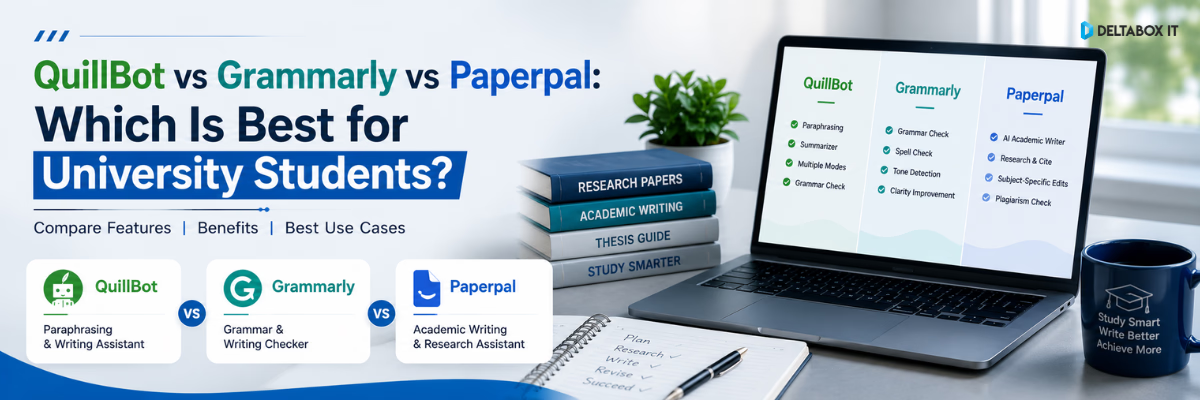
QuillBot vs Grammarly vs Paperpal: Which Is Best for University Students?

University students now use writing tools for far more than correcting spelling. A typical assignment may involve reading journal articles, paraphrasing source material, improving sentence clarity, formatting citations, checking originality and polishing an academic draft before submission.
QuillBot, Grammarly and Paperpal can all support parts of that workflow. However, they are not interchangeable.
QuillBot primarily focuses on paraphrasing, rewriting and summarising. Grammarly provides broad grammar, clarity, tone and proofreading support. Paperpal is more closely aligned with academic and research writing, including language editing, research support, citations and manuscript checks.
The right choice depends on what you are writing, where you struggle and how much academic support you actually need.
Quick Answer: QuillBot, Grammarly or Paperpal?
QuillBot is the better choice for paraphrasing, rewriting and shortening source-based text. Grammarly is the strongest general-purpose grammar checker for students writing assignments, emails and everyday academic content. Paperpal is better suited to theses, research papers and journal-oriented academic writing.
There is no universal winner:
- Choose QuillBot when rewriting and paraphrasing are your main priorities.
- Choose Grammarly for grammar, clarity and general writing improvement.
- Choose Paperpal for research-focused and academic-language support.
For many students, the best setup may involve one primary editing tool and a separate paraphrasing tool rather than expecting one platform to handle every stage.
QuillBot vs Grammarly vs Paperpal at a Glance
| Area | QuillBot | Grammarly | Paperpal |
|---|---|---|---|
| Main strength | Paraphrasing and rewriting | Grammar, clarity and general writing | Academic and research writing |
| Best for | Rewording sentences, summarising and restructuring text | Essays, assignments, emails and everyday writing | Theses, dissertations, manuscripts and research papers |
| Grammar support | Available, but not its main differentiator | Strong general proofreading | Academic-context language editing |
| Paraphrasing | Core strength | Available through rewriting features | Academic-focused paraphrasing |
| Academic-language support | Basic to moderate | Useful but general-purpose | Strongest academic focus |
| Summarisation | Strong dedicated summariser | Not the primary focus | Research summarisation and PDF-based workflows |
| Citation support | Citation generator and writing tools | Plagiarism and citation-related assistance | Citation generator, reference discovery and research support |
| Plagiarism checking | Available within its toolset | Available with originality checking | Available alongside academic checks |
| Best overall use | Supporting tool for rewriting | General student writing assistant | Specialist tool for academic research writing |
This table reflects each platform’s current feature emphasis rather than claiming that one tool performs every function better. QuillBot promotes paraphrasing, summarising, grammar and citation tools; Grammarly focuses on grammar, clarity, tone and originality; Paperpal combines academic editing with research, citation and submission-oriented tools.
How We Compared the Three Tools
A useful comparison must go beyond counting features. University students need to know whether a tool fits a real academic workflow.
This comparison evaluates the platforms using six criteria:
- Grammar and language correction
- Paraphrasing and rewriting quality
- Suitability for academic writing
- Research and citation support
- Ease of use across common student tasks
- Responsible-use and originality considerations
The final recommendation is based on use case, not on which platform has the longest feature list.
What Is QuillBot Best For?
QuillBot is primarily known as a paraphrasing and rewriting platform. Its tools can rephrase sentences, adjust wording, summarise longer content, check grammar and assist with citation creation. QuillBot also offers an integrated writing environment through QuillBot Flow.
Main QuillBot Use Cases for Students
QuillBot can be useful when you need to:
- Rewrite an awkward or repetitive sentence
- Explore alternative wording
- Shorten a long paragraph
- Summarise reading material
- Improve sentence flow
- Generate a preliminary citation
- Restructure notes into clearer language
Its main advantage is control over rewriting. Instead of only flagging an error, it can help a student see different ways to express the same basic idea.
Where QuillBot Performs Well
QuillBot is particularly useful during the revision stage. A student who has already understood a source may use it to improve a rough paraphrase, reduce repetition or make a sentence more concise.
Its summariser can also help identify key points in long articles or research papers, although students should still read the original material before citing or relying on the summary.
Where QuillBot Is Weaker
QuillBot should not be treated as a complete academic editor.
A rewritten sentence can still:
- Misrepresent the original source
- Remove necessary academic caution
- Change a technical meaning
- Retain patchwriting
- Require a citation
- Conflict with a university’s AI-use policy
Changing words does not convert someone else’s idea into original research. Proper paraphrasing requires understanding the source, expressing its meaning accurately and citing it where required.
QuillBot Verdict
Best for: Students whose main problem is paraphrasing, repetition or sentence restructuring.
Not ideal as: The only tool used to edit a thesis, dissertation or complex academic manuscript.
Students who need a dedicated paraphrasing tool can review the available QuillBot Premium subscription options before choosing a package.
What Is Grammarly Best For?
Grammarly is a general-purpose writing assistant built around grammar, spelling, punctuation, clarity, structure and tone. It can identify language problems while a student writes and suggest revisions that make sentences more readable and concise.
Main Grammarly Use Cases for Students
Grammarly is useful for:
- Essays and reports
- Assignment drafts
- Scholarship applications
- Emails to teachers or supervisors
- Personal statements
- Group-project documents
- Presentation text
- Internship and job applications
It is usually the easiest option for students who want one tool to support everyday English writing across different contexts.
Where Grammarly Performs Well
Grammarly’s main strength is continuous proofreading.
It can help students identify:
- Subject–verb agreement errors
- Missing or incorrect punctuation
- Unclear sentence construction
- Repetitive wording
- Wordiness
- Inconsistent tone
- Common spelling mistakes
This makes Grammarly practical for undergraduate students who produce different types of writing but do not need a research-specific environment.
Grammarly also provides plagiarism checking. Its official plagiarism checker states that it compares text against web pages and ProQuest academic databases and identifies passages that may require citations.
Where Grammarly Is Weaker
Grammarly improves language, but it does not independently evaluate:
- The strength of an academic argument
- The validity of a research method
- The accuracy of a citation
- The quality of supporting evidence
- Whether a conclusion follows from the data
Students can also weaken their writing by accepting every suggestion automatically. Academic wording sometimes needs precision, qualification and discipline-specific terminology that a general suggestion may oversimplify.
Grammarly Verdict
Best for: Students who need reliable grammar, clarity and proofreading support across assignments and everyday communication.
Not ideal as: A complete research-discovery or literature-review platform.
Students looking for broad writing assistance can check the current Grammarly Premium subscription details.
What Is Paperpal Best For?
Paperpal is designed around academic and research writing. Its current platform includes grammar checking, paraphrasing, citation tools, research assistance, reference discovery, PDF interaction, plagiarism checking and submission-readiness features.
This makes Paperpal different from a standard grammar checker. Its core value is not simply correcting English; it is helping researchers work within an academic writing process.
Main Paperpal Use Cases for Students and Researchers
Paperpal may be useful for:
- Thesis chapters
- Dissertations
- Research proposals
- Literature reviews
- Journal manuscripts
- Conference papers
- Academic abstracts
- Research-paper revision
- Citation and reference workflows
- Submission preparation
Where Paperpal Performs Well
Paperpal focuses more directly on academic context. Its language-editing modes are intended to improve grammar, clarity, readability and academic presentation while retaining specialist terminology. Its academic editing materials also describe support for technical and discipline-specific writing.
Its broader research workflow can help users:
- Find potentially relevant references
- Organise citation-related work
- Ask questions about uploaded PDFs
- Summarise research material
- Improve academic language
- Review a document before submission
Paperpal’s research and citation tools are positioned around scholarly sources rather than general web-writing alone.
Where Paperpal Is Weaker
Paperpal may be excessive for a student who only needs basic spelling and grammar correction.
It also cannot replace:
- A thesis supervisor
- A research-methodology adviser
- A verified scholarly database
- Manual source evaluation
- Journal author guidelines
- Institutional academic-integrity rules
Research tools can make the writing process more efficient, but the researcher remains responsible for the argument, evidence, citations and final submission.
Paperpal Verdict
Best for: Postgraduate students, thesis writers, faculty members and researchers working on formal academic documents.
Not necessary for: Every short assignment, classroom email or general piece of writing.
Students and researchers can review the current Paperpal Prime subscription options before deciding whether its academic workflow is relevant to their needs.
QuillBot vs Grammarly: Which Is Better?
QuillBot vs Grammarly is the most common comparison because both tools support rewriting and language improvement. However, their primary functions are different.
Choose QuillBot When:
- You frequently paraphrase source material
- Your sentences sound repetitive
- You need multiple ways to express an idea
- You regularly summarise readings
- Rewriting is a larger problem than grammar
Choose Grammarly When:
- You make frequent grammar or punctuation mistakes
- You want corrections while writing
- You produce essays, emails and general assignments
- Clarity and proofreading matter more than paraphrasing
- You want a broader writing assistant
QuillBot vs Grammarly Verdict
Grammarly is the better primary writing assistant for most university students. QuillBot is the better specialist tool for paraphrasing and restructuring text.
A practical setup is to write and proofread with Grammarly, then use QuillBot selectively when a sentence genuinely needs restructuring. Using QuillBot on every paragraph can make the writing inconsistent and may distance the final text from the student’s natural voice.
Grammarly vs Paperpal: Which Is Better?
The Grammarly vs Paperpal decision mainly depends on the type of document.
Choose Grammarly When:
- You are writing undergraduate assignments
- You need everyday English correction
- You write emails, applications and presentations
- You prefer a broad writing tool
- You do not need advanced academic research features
Choose Paperpal When:
- You are writing a thesis or dissertation
- Your work uses formal academic language
- You are preparing a research manuscript
- You need citation and reference support
- You work with journal articles and research PDFs
- You want submission-oriented checks
Grammarly vs Paperpal Verdict
Grammarly is more practical for general student writing. Paperpal is the stronger fit for research-intensive academic writing.
A first-year undergraduate student may receive more day-to-day value from Grammarly. A master’s student revising a thesis chapter is more likely to benefit from Paperpal’s academic focus.
QuillBot vs Paperpal: Which Is Better?
QuillBot vs Paperpal is not a direct one-to-one comparison.
QuillBot focuses heavily on transforming text. Paperpal supports a wider academic workflow that includes editing, research, references and manuscript preparation.
Choose QuillBot When:
- You need fast paraphrasing
- You want to shorten or restructure text
- You often work from rough notes
- You need a dedicated summariser
- You already use another grammar or research tool
Choose Paperpal When:
- You are producing formal academic research
- You need more than paraphrasing
- You work with technical terminology
- You need research and citation support
- You are preparing a document for academic submission
QuillBot vs Paperpal Verdict
QuillBot is better as a focused paraphrasing tool. Paperpal is better as an academic writing and research environment.
For research students, QuillBot can still be useful as a supporting tool. It should not replace careful academic editing or source verification.
Feature-by-Feature Comparison
1. Best Grammar Checker for Students
Winner for general writing: Grammarly
Grammarly provides the most straightforward experience for checking grammar, spelling, punctuation and clarity across everyday student writing.
Winner for academic writing: Paperpal
Paperpal is more suitable when sentence corrections must preserve technical meaning, formal tone and academic terminology.
Third place: QuillBot
QuillBot includes grammar support, but grammar checking is not the main reason most students choose it.
2. Best Paraphrasing Tool for Research Papers
Winner for flexible rewriting: QuillBot
QuillBot’s main interface and feature set are built around paraphrasing. It is the stronger option when students need alternative sentence structures and wording.
Winner for academic-context paraphrasing: Paperpal
Paperpal may be more appropriate when the rewritten text belongs to a thesis, literature review or journal manuscript.
Grammarly’s role
Grammarly can rewrite sentences and paragraphs for clarity, but it is better viewed as an editor than as a dedicated academic paraphrasing tool.
Important Academic Warning
A paraphrasing tool does not remove the need to cite the original source. Students should never use rewriting software to disguise copied ideas, avoid attribution or bypass academic-integrity checks.
3. Best Academic Writing Tool
Winner for research and thesis writing: Paperpal
Paperpal has the clearest academic focus. Its tools cover more stages of research writing, from source-related work to language editing and manuscript checks.
Winner for general university writing: Grammarly
Grammarly is more versatile for students who write a mixture of assignments, emails, reports and applications.
Best supporting tool: QuillBot
QuillBot is useful for rewriting and summarising but is less complete as an academic writing environment.
4. Best for Citations and Research Support
Paperpal offers the strongest research-oriented workflow because citation generation, reference discovery, PDF interaction and academic editing are integrated into the same environment.
QuillBot provides useful citation-generation tools and can support students who need quick APA, MLA or other citation formats.
Grammarly is more focused on identifying originality and writing issues than on managing an end-to-end research workflow.
No citation generator should be trusted blindly. Students must check author names, publication dates, titles, DOI details, page numbers and formatting against the original source.
5. Best for Plagiarism and Originality Checking
Grammarly, QuillBot and Paperpal offer originality-related or plagiarism-checking capabilities within their broader toolsets. However, access conditions and checking databases can differ between products and plans.
Students should not assume that two plagiarism checkers will return identical percentages. Similarity results may vary because different tools can use different databases, matching rules and exclusion settings.
For formal university submissions, the institution’s required system and academic policy remain more important than a score from a consumer writing tool.
Which Tool Is Best for Different Types of Students?
| Student Type | Recommended Tool | Reason |
|---|---|---|
| First-year undergraduate | Grammarly | Practical grammar and clarity support across everyday assignments |
| Student who struggles with paraphrasing | QuillBot | Stronger focus on rewriting and alternative phrasing |
| Master’s or PhD student | Paperpal | Better alignment with research, thesis and academic-language workflows |
| Student writing in English as an additional language | Grammarly or Paperpal | Grammarly for general correction; Paperpal for formal academic documents |
| Student preparing a journal manuscript | Paperpal | Academic editing, citations, research and submission-focused tools |
| Student summarising long readings | QuillBot | Dedicated summarisation workflow |
| Student writing emails and applications | Grammarly | Better fit for broad communication and tone |
| Student working on a literature review | Paperpal, with selective QuillBot use | Research support and academic editing, with optional paraphrasing assistance |
Recommended Academic Workflows
Using a tool correctly matters more than simply subscribing to the most feature-rich option.
Workflow 1: Undergraduate Essay
- Read the assignment instructions.
- Research from credible sources.
- Create your own outline.
- Write the first draft independently.
- Use Grammarly to identify grammar and clarity problems.
- Use QuillBot only for sentences that remain awkward.
- Verify quotations and citations manually.
- Read the final essay aloud before submission.
Workflow 2: Thesis or Dissertation Chapter
- Define the chapter objective.
- Organise source notes and references.
- Draft the argument using your own analysis.
- Use Paperpal for academic-language editing.
- Review whether technical terms remain accurate.
- Use QuillBot selectively for repetitive phrasing.
- Verify every reference against the original publication.
- Obtain supervisor feedback.
- Complete the final institutional checks.
Workflow 3: Literature Review
- Build a clear research question.
- Search relevant scholarly databases.
- Record inclusion and exclusion criteria.
- Read the original studies.
- Create an evidence table.
- Draft synthesis by theme rather than article by article.
- Use Paperpal for academic clarity and research support.
- Use Grammarly for a final general-language review.
- Check that every claim is supported by the cited source.
How to Use Writing Tools Without Weakening Academic Integrity
Writing assistants can improve a draft, but careless use can produce misleading or non-compliant work.
Understand Before Paraphrasing
Do not paste a paragraph into a paraphrasing tool before understanding it. Read the source, identify the central meaning, close the source and explain the idea in your own structure.
Cite the Idea, Not Only the Wording
A citation may still be required even when every word has changed. Ownership of an idea does not change because software rewrote the sentence.
Verify Every Generated Reference
Never submit a citation simply because a tool produced it. Open the source and confirm that it exists and supports the claim.
Do Not Accept Every Correction
Review whether an edit changes:
- Technical meaning
- Statistical interpretation
- Level of certainty
- Discipline-specific terminology
- Authorial voice
Follow University AI Policies
Universities, departments and individual instructors may apply different rules to AI-assisted writing. Check the policy for the specific course, thesis or publication before using generative features.
Keep Human Responsibility
The student remains responsible for:
- Original analysis
- Accurate evidence
- Correct citations
- Research ethics
- Final wording
- Submission compliance
Free vs Paid: Do University Students Need Premium Access?
A free version may be sufficient when you:
- Write occasionally
- Need basic grammar checking
- Paraphrase short sections
- Want to test the interface
- Do not work with long academic documents
A paid plan may be more practical when you:
- Write several assignments each month
- Work on a thesis or dissertation
- Need longer-document support
- Use advanced rewriting regularly
- Need plagiarism or submission checks
- Require more complete research and citation tools
Do not upgrade only because a platform advertises more features. First identify the exact stage where your current writing process fails.
For example:
- Frequent grammar errors point towards Grammarly.
- Repetitive or awkward paraphrasing points towards QuillBot.
- Research-manuscript editing points towards Paperpal.
Current plan features, usage limits and availability should be confirmed before purchase because providers can update them.
Which Tool Should Students in Bangladesh Choose?
For Bangladeshi university students, the choice should depend on academic level and actual workload rather than popularity.
Choose Grammarly If:
You need an everyday grammar checker for assignments, emails, applications and general English writing.
Choose QuillBot If:
You understand your research material but struggle to express it clearly without repeating the original wording.
Choose Paperpal If:
You regularly work on theses, dissertations, literature reviews, research articles or journal submissions.
Students can explore more education and research tools available in Bangladesh before deciding which category of tool fits their academic work.
For a broader overview covering research assistants, writing tools, plagiarism checkers and study platforms, read the Essential Education and Research AI Tools for Bangladeshi Students and Researchers guide.
Final Verdict: QuillBot vs Grammarly vs Paperpal
There is no single best academic writing tool for every university student.
Grammarly is the best all-round option for general university writing. It provides practical grammar, punctuation, clarity and tone support across assignments and everyday communication.
QuillBot is the best specialist option for paraphrasing and rewriting. It is useful when students need to restructure sentences, reduce repetition or summarise material.
Paperpal is the best fit for serious academic and research writing. Its academic-language editing, research, citation and manuscript-oriented features make it more relevant to thesis writers and researchers.
The clearest decision is:
- General assignments: Grammarly
- Paraphrasing and rewriting: QuillBot
- Thesis and research papers: Paperpal
Select the tool that solves your main writing problem. Do not pay for overlapping features you are unlikely to use.
Frequently Asked Questions
Is QuillBot better than Grammarly for students?
QuillBot is better for students who mainly need paraphrasing, rewriting and summarisation. Grammarly is better for general grammar checking, clarity and everyday academic writing. The better option depends on whether rewriting or proofreading is your primary need.
Is Paperpal better than Grammarly?
Paperpal is generally better suited to theses, research papers and journal-oriented academic writing. Grammarly is more practical for everyday assignments, emails and general English correction. Research students may benefit more from Paperpal, while undergraduate students may find Grammarly more versatile.
Which is the best academic writing tool for university students?
Grammarly is a strong general-purpose option, Paperpal is more specialised for academic research, and QuillBot is stronger for paraphrasing. No tool is best for every student or every document type.
Can QuillBot be used for research papers?
Yes, QuillBot can help restructure sentences, summarise text and improve paraphrasing. Students must still verify the meaning, cite the original source and follow their institution’s academic-integrity policy.
Is Grammarly suitable for thesis writing?
Grammarly can help identify grammar, punctuation and clarity problems in a thesis. However, it does not replace supervisor feedback, methodological review, source verification or discipline-specific academic editing.
Is Paperpal only for researchers?
No. University students can also use Paperpal for essays, dissertations, literature reviews and other formal academic work. Its strongest value is more apparent in research-intensive writing.
Can these tools detect all plagiarism?
No. A plagiarism checker cannot guarantee that a document is fully original or compliant. Results can vary by database, matching rules and settings. Students must review sources and citations manually.
Can I use QuillBot, Grammarly and Paperpal together?
Yes, but excessive overlap may create an inefficient workflow. A practical combination is one primary editor—Grammarly or Paperpal—with QuillBot used selectively for rewriting.
Do paraphrased sentences still need citations?
Yes, when the sentence contains an idea, finding, argument or information taken from another source. Paraphrasing changes the wording, not the ownership of the original idea.
Where can students check current subscription availability?
Students can review the relevant DeltaBox IT product pages for current package availability and access conditions. Package terms may change based on provider policies, plan type and current availability.
Not sure whether QuillBot, Grammarly or Paperpal fits your academic workflow? Compare the current package details first, then choose based on your actual writing needs. For availability, account type or subscription guidance, contact DeltaBox IT through WhatsApp.

MD. Nayeem-Ur Rahman
Related posts












Leave a Reply Cancel reply
You must be logged in to post a comment.



One thought on “QuillBot vs Grammarly vs Paperpal: Which Is Best for University Students?”