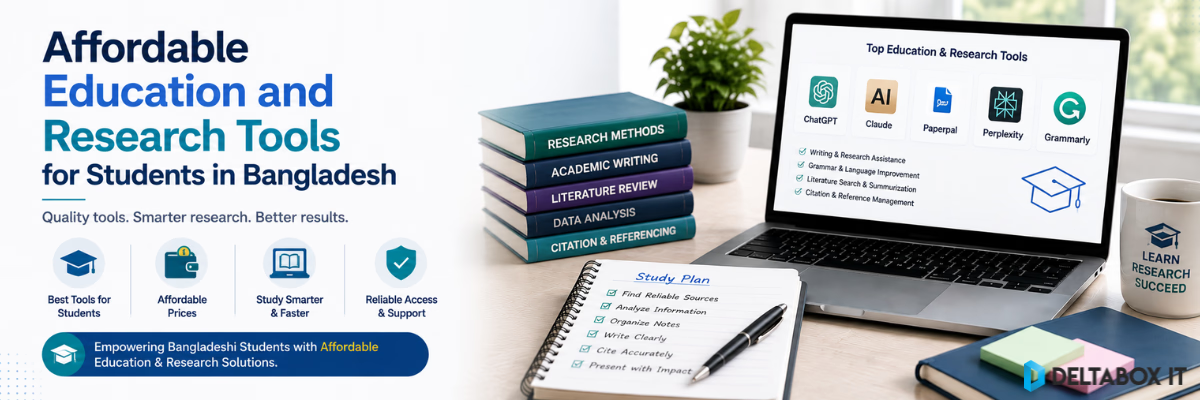
Affordable Education and Research Tools for Students in Bangladesh

University students today may use several digital tools across a single semester. A research project can involve finding academic papers, organising references, checking grammar, paraphrasing difficult sentences, reviewing similarity, analysing documents, preparing presentations and collaborating with classmates.
The problem is not finding software. The difficult part is deciding which tools are actually worth paying for.
Students searching for affordable academic tools in Bangladesh often focus on the lowest available price. That is understandable, but price alone is a weak buying criterion. A subscription that is cheaper but unsuitable for the student’s workload, access requirements or university rules can create more problems than it solves.
A better approach is to identify the academic task first, compare free and paid options, understand the access type and then verify renewal, device, delivery and support conditions before ordering.
This guide explains how Bangladeshi students can choose education and research subscriptions more carefully without paying for unnecessary overlapping tools.
For a broader overview of the available tool categories, read the guide to essential education and research AI tools for Bangladeshi students and researchers.
Quick Answer: Which Academic Tools Are Worth Paying For?
A paid subscription becomes worthwhile when the free version is consistently limiting your actual academic workflow.
For example, a student writing normal assignments may benefit more from Grammarly or QuillBot than from an advanced research platform. A master’s or PhD student handling journal articles, thesis chapters and citations may receive more value from Paperpal, ChatGPT, Claude or specialised research tools.
| Academic Need | Suitable Tool Type | Example |
|---|---|---|
| Grammar and writing clarity | Writing assistant | Grammarly |
| Paraphrasing and rewriting | Paraphrasing tool | QuillBot |
| Thesis and research editing | Academic writing platform | Paperpal |
| Similarity checking | Plagiarism/similarity tool | Turnitin |
| Research planning and synthesis | General AI assistant | ChatGPT or Claude |
| Google-connected research | AI research assistant | Gemini |
| Research-paper discovery and web research | Search-oriented AI | Perplexity |
| Courses and skill development | Learning platform | Coursera |
| Study and revision | Learning tool | Quizlet |
| Research presentations | AI presentation platform | Gamma AI |
The correct question is not:
Which subscription is cheapest?
It is:
Which subscription solves a problem that is currently costing me time, quality or access?
Start With the Academic Task, Not the Product
Students often buy a premium subscription because the tool is popular, heavily recommended online or temporarily discounted.
That can lead to duplicate spending.
For example, Grammarly, QuillBot and Paperpal all overlap in writing-related functions, but their strongest use cases are different. Paying for all three may be unnecessary for a student who mainly needs grammar checking.
Similarly, ChatGPT, Claude, Gemini and Perplexity can all support research-related work. A student normally does not need four paid AI subscriptions for one semester.
Before purchasing anything, identify the main bottleneck in your workflow.
If Your Problem Is Grammar
A general writing assistant may be sufficient.
If Your Problem Is Paraphrasing
Choose a tool focused on rewriting rather than paying for a full research suite.
If Your Problem Is Thesis Editing
A research-oriented academic writing tool may be more useful than a general grammar checker.
If Your Problem Is Source Analysis
A capable AI assistant or dedicated research platform may produce more value than another writing subscription.
This task-first approach makes a student software subscription in BD easier to evaluate because the decision is based on use rather than brand popularity.
Academic Tool Categories Students Should Compare
1. Writing and Grammar Tools
Writing assistants help students improve spelling, grammar, sentence clarity and readability.
Popular options include Grammarly Premium, QuillBot Premium and Paperpal Prime.
Their purposes differ.
Grammarly is generally useful for essays, assignments, emails and everyday English writing. QuillBot is more focused on paraphrasing, sentence restructuring and summarisation. Paperpal is more closely aligned with academic language, thesis writing and research-oriented editing.
If you are deciding among them, read the detailed QuillBot vs Grammarly vs Paperpal comparison.
2. Research and AI Assistants
AI assistants can help students develop research questions, organise reading, analyse documents and build structured notes.
Students may consider tools such as:
These tools overlap heavily. Paying for several at once normally makes sense only if the student has a specific reason for maintaining separate research workflows.
For research-paper work, tool selection should focus on document handling, source traceability, research depth and citation verification rather than general chatbot performance.
3. Similarity and Academic Integrity Tools
Similarity checking serves a different purpose from grammar correction or AI writing assistance.
Turnitin checking can help students review textual similarity and identify source-use problems before a final submission, depending on the available package and report type.
Students should confirm:
- Whether the report is repository or non-repository
- Which report type is provided
- Whether AI-writing analysis is included
- Supported document requirements
- How the file is submitted
- How the report is delivered
A similarity score is not a plagiarism verdict. Students still need to review citations, quotations and source integration manually.
4. Study and Learning Platforms
Not every academic subscription needs to be a research tool.
Students may gain more practical value from learning and revision platforms such as Coursera Plus or Quizlet Plus depending on their course and study habits.
These tools are more relevant when the priority is:
- Skill development
- Course completion
- Revision
- Flashcards
- Self-paced learning
A research assistant would not automatically replace these functions.
5. Presentation and Collaboration Tools
Research projects often end with a presentation rather than a written document alone.
Gamma AI Pro can assist with presentation structure and design, while Canva Pro may be useful for broader visual work.
Google Drive and Microsoft Office can also be important for collaborative research and document management.
The right combination depends on whether the student needs research, writing, presentation or team collaboration.
Free vs Paid Academic Tools: When Should You Upgrade?
A premium subscription is not automatically better value.
Free plans are useful for testing whether the tool fits your workflow. Students should use the free version first whenever the available features allow meaningful evaluation.
A free plan may be enough when you:
- Use the tool occasionally
- Work on short assignments
- Need only basic grammar correction
- Have access to university-provided software
- Do not work with large files
- Can tolerate lower usage limits
Paid access becomes more relevant when free limits begin interrupting regular work.
| Situation | Free Plan May Be Enough | Paid Plan May Be Worth Considering |
|---|---|---|
| Occasional assignments | Yes | Usually unnecessary |
| Thesis writing | Often limited | More useful |
| Large document analysis | May be restrictive | Often valuable |
| Regular paraphrasing | Depends on volume | Useful for heavy use |
| Research synthesis | Basic testing only | Valuable for ongoing projects |
| Similarity checking | Usually separate | Depends on report requirement |
| Course-based learning | Limited content may work | Useful for regular learners |
Upgrade because you have identified a recurring limitation, not simply because the paid plan exists.
Personal vs Shared Access: Understand What You Are Buying
One of the most important things to check before purchasing an education tools subscription in Bangladesh is the access type.
A product listing may provide different forms of access depending on the tool and package.
Personal Access
Personal access generally gives the user a more individual setup. Depending on the product, activation may occur on the user’s own email or through a dedicated account.
This is usually preferable for:
- Long-term academic work
- Thesis projects
- Private research documents
- Personal chat history
- Saved files
- Custom settings
Shared Access
Shared access may provide lower-cost use of a service, but it can come with more restrictions.
Depending on the product, limitations may include:
- Restricted profile use
- Shared credentials
- Password-change restrictions
- Lower privacy
- Device limitations
- Limited renewal options
- Usage rules intended to prevent conflicts
Shared access should not be presented as identical to a personal subscription.
What to Confirm
Before ordering, ask:
- Is the access personal, shared or dedicated?
- Is activation completed on my own email?
- Can I change the password?
- Can I store private documents safely?
- How many devices can I use?
- What happens when the subscription expires?
These answers are more important than a small price difference.
Account Control Is Different From Platform Ownership
A student may control the login details for an account, but that does not mean the student—or DeltaBox IT—owns the underlying software service.
Third-party platforms remain controlled by their original providers.
Providers can change:
- Plan features
- Usage limits
- Regional availability
- Device rules
- Account policies
- Supported models
- Storage limits
- Subscription pricing
This is why long-term digital access should never be described as permanently guaranteed unless the original provider explicitly offers and supports that term.
Device Limits and Usage Restrictions
Students frequently assume that a subscription can be used on unlimited phones, laptops and browsers.
That assumption can cause access problems.
Device rules vary by product and package. Some services may tolerate several signed-in devices, while others monitor concurrent sessions or account-sharing behaviour.
Before purchasing, check:
- Number of supported devices
- Simultaneous-use limits
- Browser restrictions
- Mobile-app availability
- Whether VPN use affects access
- Shared-account rules
- Whether password changes are permitted
Do not try to bypass provider restrictions. Repeated policy violations can lead to temporary restrictions or permanent loss of access.
Renewal Terms: Monthly Does Not Always Mean Automatically Renewable
Renewal should be checked before placing the initial order.
A package may be:
- Renewable on the same account
- Renewable only when currently available
- Activated again on the user’s email
- Replaced with a new access method
- Non-renewable after the package term
This matters for students storing long-term work.
A thesis writer using one AI workspace for several months should understand whether saved history, uploaded documents or project settings will remain available after renewal.
If continuity is important, prioritise personal access and confirm the renewal process before purchase.
How to Compare Research Software Price in Bangladesh
International software pricing is usually shown in USD or another foreign currency. Bangladesh-based students may also face currency-conversion issues, card restrictions and international payment requirements.
This makes a local BDT price useful—but the lowest BDT amount should not become the only decision factor.
When comparing research software price in Bangladesh, assess total value:
| Factor | What to Compare |
|---|---|
| Package duration | Monthly, annual or another term |
| Access type | Personal, shared or dedicated |
| Activation method | Own email or supplied access |
| Usage limits | Files, prompts, credits or requests |
| Device rules | Supported devices or concurrent access |
| Renewal | Renewable or non-renewable |
| Support | What type of access issues are covered |
| Delivery | How and when access is provided |
Prices and package terms can change. Check the live product page for the latest price rather than relying on an old blog article, screenshot or social-media post.
Local Payment Methods for Students in Bangladesh
One advantage of buying through a local provider is access to local payment options.
Where applicable, DeltaBox IT supports payment through:
- bKash Payment Gateway
- EPS Payment Gateway, including supported bank cards and payment options such as bKash, Nagad, Rocket and Upay
Available methods may vary by transaction or checkout conditions.
Students should complete payment through the official checkout or instructed payment process rather than sending money to unrelated personal accounts.
How the Delivery Process Works
Digital-product delivery should not be described as instant.
For DeltaBox IT, the standard delivery period is 1–12 hours during working hours.
Current working hours are:
11:00 AM to 12:00 AM GMT+6
Orders placed outside working hours are handled in the next working period.
Depending on the product, delivery may be completed through:
- Order Notes inside the customer’s DeltaBox IT account
- An activation process linked to the selected package
The exact process should be checked on the relevant product page before ordering.
What Support Should You Expect?
Support for a digital subscription should focus on access-related problems rather than promising control over the original platform.
DeltaBox IT’s support scope generally covers issues such as:
- Login or access problems
- Subscription-validity issues
- Replacement or correction where applicable under the current policy
Standard issue resolution may require 24–72 hours, depending on the nature of the issue and external provider dependencies.
Support should not be interpreted as a guarantee of:
- Provider uptime
- Specific AI output quality
- Feature availability
- Platform training
- Unlimited usage
- Protection from provider policy changes
If the original platform experiences an outage or changes a feature globally, a reseller cannot control that event.
Red Flags Before Buying Academic Tools
The cheapest offer can become expensive if the access is unclear.
Be cautious when a seller promises:
“Instant Delivery Guaranteed”
Some digital products require manual processing or provider-side activation. A realistic delivery window is more credible.
“Lifetime Account Guaranteed”
Unless the original software provider officially supports a genuine lifetime plan, this claim is risky.
“Unlimited Everything”
AI, research and subscription platforms commonly apply usage policies or fair-use limits.
“Official Account From Us”
Third-party sellers should not imply ownership or official partnership without verifiable authorisation.
“No Account Restrictions Ever”
External providers control their own policies. No independent seller can guarantee that a provider will never restrict an account.
“100% Plagiarism-Free”
No plagiarism or similarity service can responsibly guarantee academic originality.
“AI Undetectable”
AI-detection systems are probabilistic, and attempting to bypass academic-integrity controls is not a legitimate research workflow.
Trust clear limitations more than unrealistic promises.
A Practical Student Buying Checklist
Before you buy academic tools in Bangladesh, check the following:
- Define the task. Decide whether you need research, writing, paraphrasing, study, presentation or similarity checking.
- Test the free version. Confirm that the workflow actually suits you.
- Compare overlapping tools. Avoid paying for three subscriptions that solve the same problem.
- Confirm access type. Check whether it is personal, shared or dedicated.
- Check the activation method. Know whether it will use your own email.
- Review device rules. Do not assume unlimited access.
- Confirm renewal conditions. This is especially important for long thesis projects.
- Check current pricing. Use the live product page.
- Understand delivery. Know the expected timeframe and delivery method.
- Review support limits. Understand what can and cannot be fixed by the seller.
- Check your university policy. Paid access does not override institutional AI or academic-integrity rules.
- Protect academic data. Avoid uploading confidential research to shared accounts when privacy is important.
Recommended Tool Stack by Student Type
You do not need every premium tool.
| Student Type | Practical Starting Stack |
|---|---|
| General undergraduate | Grammarly or QuillBot + university library tools |
| Assignment-heavy student | Grammarly + one general AI assistant |
| Thesis student | Paperpal + AI research assistant + reference manager |
| Literature-review student | ChatGPT or Claude + academic databases + Paperpal |
| Researcher checking similarity | Academic writing stack + Turnitin as required |
| Presentation-heavy student | ChatGPT + Gamma AI |
| Skill-development student | Coursera + lightweight writing tool |
| Budget-focused student | Free research tools + one paid tool for the main bottleneck |
This approach reduces subscription overlap and keeps the research workflow manageable.
Example: Building a Cost-Effective Thesis Stack
Consider a master’s student preparing a thesis.
The student may initially think they need Grammarly, QuillBot, Paperpal, ChatGPT, Claude, Turnitin and several other premium tools.
That is usually excessive.
A more efficient setup might include:
- One research assistant: ChatGPT or Claude
- One academic editor: Paperpal
- Free scholarly resources: Google Scholar and university library databases
- Reference management: Zotero or another available manager
- Similarity checking: Turnitin when required
QuillBot or Grammarly can be added only if a specific rewriting or general-English need remains unresolved.
The principle is simple: add tools only when they solve a gap in the existing workflow.
Which Education and Research Tools Are Available in Bangladesh?
Students can explore the Education and Research tools collection for academic writing, study, similarity checking and research-related products.
Relevant options include:
- Paperpal Prime for academic writing and thesis editing
- Grammarly Premium for grammar and writing clarity
- QuillBot Premium for paraphrasing and rewriting
- Turnitin plagiarism and similarity checking
- Coursera Plus for online learning
- Quizlet Plus for study and revision
For broader AI research tasks, students can also explore the AI Tools category.
How DeltaBox IT Fits Into the Buying Process
DeltaBox IT operates as an independent third-party provider of digital subscriptions and access. It does not own, develop or control the original software platforms.
That distinction matters because product features, platform availability, provider-side limits and policy changes remain under the control of the original service providers.
Before placing an order, students should review the relevant product page for:
- Current package availability
- Access type
- Duration
- Delivery conditions
- Usage restrictions
- Renewal information
- Current BDT price
The objective should be to select a suitable tool with clear conditions—not simply to buy the cheapest available account.
Final Verdict
Finding affordable academic tools in Bangladesh should be a value decision rather than a price-only decision.
Start with the academic task. Use free tools where they are sufficient, and pay only when a recurring limitation affects your work.
For most students:
- Grammarly is useful for general grammar and writing clarity.
- QuillBot is stronger for paraphrasing and rewriting.
- Paperpal is more suitable for formal academic and thesis editing.
- Turnitin supports similarity review.
- ChatGPT or Claude can support research planning and source analysis.
- Gamma AI can help convert verified research into presentations.
- Coursera and Quizlet support learning and revision rather than research writing.
Before buying any student software subscription in BD, verify the access type, activation method, device rules, renewal terms, delivery process and support scope.
The best-value tool is not necessarily the cheapest subscription. It is the one you can use consistently, responsibly and effectively throughout your academic workflow.
Frequently Asked Questions
What are the best affordable academic tools in Bangladesh?
The best option depends on the academic task. Grammarly supports general writing, QuillBot focuses on paraphrasing, Paperpal supports research-focused academic editing, Turnitin handles similarity checking, and AI assistants such as ChatGPT or Claude can support research planning and document analysis.
Which academic tool is best for university students?
There is no universal best tool. Undergraduate students may benefit more from a general grammar or AI assistant, while postgraduate researchers may need academic editing, literature-analysis and citation tools.
Should students pay for premium academic tools?
Premium access is worthwhile when free-plan limits regularly interrupt the student’s workflow. Students should test the free version first whenever possible.
Is a shared subscription suitable for academic research?
It depends on the product and data involved. Shared access may be unsuitable for confidential thesis documents, private research files or long-term projects requiring stable personal history.
What is the difference between personal and shared access?
Personal access generally provides a more individual setup and may use the student’s own email or dedicated account. Shared access can involve additional restrictions related to credentials, devices, privacy and renewal.
Can I use academic tools on multiple devices?
Device policies vary between providers and packages. Confirm the permitted devices and simultaneous-use conditions before purchasing.
Are academic software subscriptions renewable?
Some packages are renewable while others may have different renewal conditions. Check the individual product page before ordering.
What payment methods can students use in Bangladesh?
Where applicable, DeltaBox IT supports bKash Payment Gateway and EPS Payment Gateway, which can include supported bank cards and local payment options such as bKash, Nagad, Rocket and Upay.
Is digital-product delivery instant?
No. DeltaBox IT’s standard delivery timeframe is 1–12 hours during working hours. Orders outside working hours are handled during the next working period.
What happens if a subscription stops working?
Access or subscription-validity issues can be reviewed under the relevant support policy. Some issues may depend on the original provider and can require time to investigate or resolve.
Can a reseller guarantee platform uptime?
No. Third-party providers do not control the original platform’s servers, global outages, feature changes or provider policies.
Where can I find current research software prices in Bangladesh?
Check the relevant live product page for the latest BDT price and package details. Avoid relying on old blog prices because exchange rates, plans and availability may change.
Are paid AI tools allowed for university work?
That depends on the university, department and assignment. Students should follow the applicable AI-use and academic-integrity policy regardless of which subscription they purchase.
Which tool is best for thesis writing?
Paperpal is more specialised for academic-language editing and thesis workflows, while ChatGPT or Claude can support research planning and document analysis. The final choice depends on the student’s main bottleneck.
Where can I buy education and research tools in Bangladesh?
Students can explore the Education and Research category and review individual package terms before ordering through DeltaBox IT.
Soft CTA
Need an academic tool for assignments, research, thesis writing or study?
First identify the task you need to solve, then compare the current access type, duration, renewal terms and package conditions. Explore the available Education and Research tools in Bangladesh or contact DeltaBox IT through WhatsApp for current availability and package guidance.