

Claude Pro is useful for users who need more than basic AI chat. Writers, students, researchers, developers, freelancers, marketers, and professionals can use Claude Pro for long-form writing, document analysis, research summaries, coding help, planning, brainstorming, and productivity workflows.
But many users do not get good results because they use Claude like a simple question-answer tool. The best way to use Claude Pro is to give it clear instructions, use Projects properly, upload relevant files, ask for structured outputs, and review the final answer before using it.
This guide explains the best way to use Claude Pro for writing, research, coding, documents, business work, and daily productivity.
Quick Answer: What Is the Best Way to Use Claude Pro?
The best way to use Claude Pro is to treat it as a thinking and writing assistant, not just a chatbot. Give it a clear role, explain your goal, add context, upload useful files when needed, and ask for a specific output format.
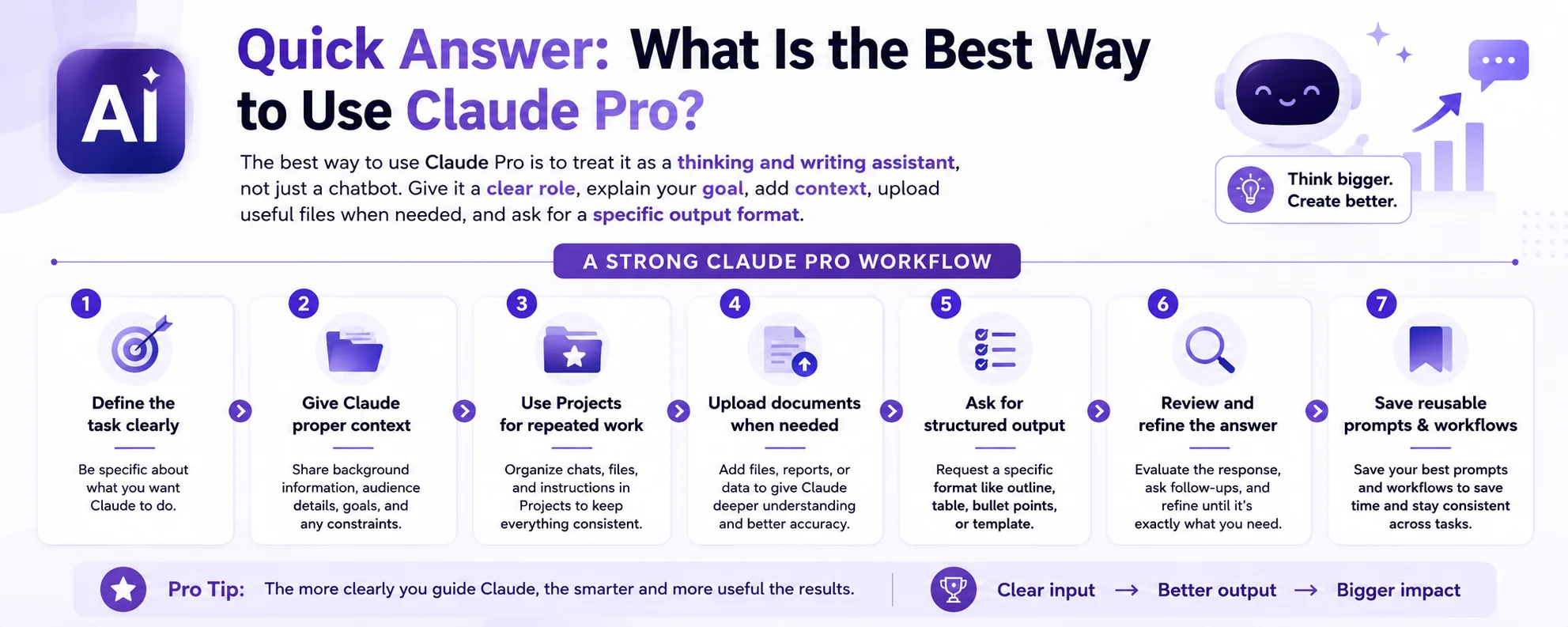
A practical guide to using Claude Pro for better writing, research, coding and daily productivity.
A strong Claude Pro workflow looks like this:
| Step | What to Do |
|---|---|
| 1 | Define the task clearly |
| 2 | Give Claude proper context |
| 3 | Use Projects for repeated work |
| 4 | Upload documents when needed |
| 5 | Ask for structured output |
| 6 | Review and refine the answer |
| 7 | Save reusable prompts and workflows |
Claude Pro gives better value when you use it for deeper work, not only short one-line questions.
What Is Claude Pro Used For?
Claude Pro is a paid plan of Claude AI. It is designed for users who need higher usage, regular productivity support, and access to more advanced Claude workflows compared to occasional free use.
Claude Pro can be used for:
- Long-form writing
- Research summaries
- Document analysis
- Academic support
- Coding help
- Business planning
- Content editing
- Marketing copy
- Data explanation
- Email and proposal writing
- SOP creation
- Brainstorming ideas
- Project-based workflows
For Bangladesh users, Claude Pro can be useful for university assignments, freelancing, SEO content writing, business documents, client communication, research work, and productivity planning.
1. Use Claude Pro with Clear Prompts
Weak prompts create weak answers. Strong prompts create useful output.
Instead of asking:
Write about digital marketing.Use a detailed prompt:
Act as a senior content strategist. Write a beginner-friendly guide about digital marketing for small business owners in Bangladesh. Use clear headings, simple language, examples, and a practical checklist.A good Claude Pro prompt should include:
- Role
- Task
- Context
- Audience
- Output format
- Tone
- Length
- Important rules
Prompt formula:
Role + Goal + Context + Audience + Format + Tone + ConstraintsExample:
Act as an academic writing assistant. Help me improve this research paper introduction. Keep the meaning the same, improve clarity, make the tone formal, and highlight any claim that needs a citation.This type of prompt helps Claude understand exactly what you need.
2. Use Claude Pro for Long-Form Writing
Claude Pro is useful for long-form content because it can help organize ideas, improve structure, and refine tone.
You can use Claude Pro for:
- Blog articles
- Service page content
- Academic drafts
- Business proposals
- Product descriptions
- LinkedIn articles
- Email sequences
- Reports
- Case studies
- Training materials
Best workflow:
- Ask Claude for an outline.
- Review the outline manually.
- Ask Claude to write section by section.
- Edit the content with your own expertise.
- Ask Claude to improve clarity and flow.
- Add facts, examples, references, and personal experience.
Do not publish Claude-generated content without editing. For SEO and E-E-A-T, human review is necessary.
3. Use Claude Pro for Research and Summaries
Claude Pro can help users understand complex material faster. It is useful for summarizing documents, organizing notes, comparing ideas, and explaining difficult topics.
You can ask Claude to:
- Summarize long articles
- Extract key arguments
- Create study notes
- Compare viewpoints
- Explain technical topics
- Build research outlines
- Identify weak arguments
- Suggest further research questions
Example prompt:
Summarize this document into key points, important arguments, supporting evidence, limitations, and questions I should investigate further.Important: Claude can help with research organization, but it should not replace original sources. Always verify important facts before using them in academic, business, legal, medical, financial, or professional work.
4. Use Projects for Repeated Work
One of the best ways to use Claude Pro is through Projects. Projects are useful when you work on the same topic, brand, client, course, website, or business repeatedly.
You can create separate Projects for:
- SEO content writing
- University research
- Client work
- Business planning
- Coding projects
- Product documentation
- Brand content
- Marketing campaigns
Inside a Project, you can keep related instructions, documents, and conversations in one place. This helps Claude understand the context better over time.
For example, if you are writing content for one brand, you can create a Project with:
- Brand tone
- Target audience
- Product details
- Internal linking rules
- Content structure
- Writing guidelines
- Common FAQs
This makes Claude more useful for consistent work.
5. Upload Files for Better Context
Claude can work better when you give it relevant documents. Instead of explaining everything manually, you can upload files and ask Claude to analyze them.
Useful file-based tasks include:
- Summarizing PDFs
- Reviewing reports
- Improving documents
- Extracting key points
- Comparing files
- Turning notes into outlines
- Creating FAQs from documents
- Finding gaps in content
- Explaining complex materials
Example prompt:
Review this PDF and create a clear summary with key points, important terms, possible questions, and sections that need more explanation.For business users, this is useful for policy documents, reports, proposals, client briefs, product details, and training materials.
6. Use Claude Pro for Coding Support
Claude Pro can help developers and students with coding, debugging, documentation, and code explanation.
You can use Claude for:
- Explaining code
- Finding bugs
- Refactoring suggestions
- Writing documentation
- Creating test cases
- Understanding error messages
- Planning features
- Reviewing logic
- Learning programming concepts
Example prompt:
Act as a coding mentor. Explain this code line by line, identify possible bugs, suggest improvements, and explain the logic in beginner-friendly language.For serious coding work, do not copy AI-generated code directly into production. Test it, review security issues, and check compatibility with your project.
7. Use Claude Pro for Business Productivity
Claude Pro can help small business owners, freelancers, and professionals work faster.
Business use cases include:
- Customer reply templates
- Proposal drafts
- Meeting summaries
- SOP writing
- Product descriptions
- Service page content
- Marketing plans
- Email drafts
- FAQ creation
- Team instructions
- Training content
- Content calendars
Example prompt:
Create a customer support reply template for a Bangladeshi customer asking about price, delivery time, payment method, warranty, and support availability. Keep the tone professional and clear.Claude can create drafts quickly, but business owners should always verify prices, policies, delivery time, and support details manually.
8. Use Artifacts for Drafts and Structured Work
Artifacts are useful when Claude creates longer standalone content, code, documents, visual plans, or structured outputs. Instead of losing content inside a chat thread, Artifacts make it easier to work on a separate draft.
You can use Artifacts for:
- Blog drafts
- Landing page copy
- Code snippets
- Reports
- Checklists
- Tables
- SOPs
- Content templates
- Email drafts
- Documentation
This is helpful when you want to review, edit, and improve a piece of content step by step.
9. Ask Claude to Criticize and Improve Your Work
Many users only ask Claude to write. A better method is to ask Claude to review.
Useful review prompts:
Review this content and identify weak sections, unclear wording, missing details, repeated ideas, and trust issues.Improve this article for clarity, SEO, E-E-A-T, readability, and user intent. Do not change the meaning.Act as a strict editor. Tell me what is weak, what sounds generic, and what should be improved before publishing.This makes Claude more valuable because it helps improve quality, not just generate content.
10. Avoid Common Claude Pro Mistakes
Many users waste Claude Pro because they do not use it strategically.
Avoid these mistakes:
- Asking vague questions
- Using one-line prompts for complex tasks
- Publishing AI output without editing
- Not giving enough context
- Not using Projects
- Not uploading useful files
- Asking too many tasks at once
- Ignoring fact-checking
- Using AI to replace personal judgment
- Not saving useful prompts
Better approach:
- Give detailed prompts
- Use Claude for structured thinking
- Work section by section
- Verify important claims
- Edit final outputs manually
- Build reusable workflows
Best Claude Pro Workflow for Daily Use
A practical daily workflow can look like this:
| Task | Claude Pro Workflow |
|---|---|
| Writing | Outline → Draft → Improve → Edit |
| Research | Upload/source notes → Summarize → Organize → Verify |
| Coding | Explain → Debug → Improve → Test |
| Business | Draft → Review → Customize → Publish |
| Study | Explain → Summarize → Practice questions → Revise |
| SEO content | Search intent → Outline → Draft → E-E-A-T review |
This workflow keeps Claude useful without depending on it blindly.
Who Should Use Claude Pro?
Claude Pro is useful for:
- Writers
- Students
- Researchers
- Freelancers
- Developers
- SEO professionals
- Marketers
- Business owners
- Content teams
- People who work with long documents
- Users who need structured writing and analysis
Claude Pro may not be necessary if you only ask simple questions occasionally. In that case, free AI tools may be enough.
What to Check Before Buying Claude Pro in Bangladesh
Before buying any Claude Pro subscription in Bangladesh, check:
- Account type
- Subscription duration
- Latest price
- Usage limits
- Login rules
- Device rules
- Shared vs personal access
- Delivery time
- Support method
- Renewal condition
- Replacement or fix policy
Also remember that Claude features, limits, and availability can change over time. Always check the latest package details before buying.
Final Verdict
The best way to use Claude Pro is to use it for serious, structured work. It is most valuable when you give it context, use Projects, upload documents, ask for organized outputs, and review the final result carefully.
Claude Pro can help with writing, research, coding, document analysis, business communication, academic support, and productivity. But it should not replace human thinking, fact-checking, or professional judgment.
The smart rule is simple:
Use Claude Pro to think faster, organize better, and write more clearly — but keep the final decision and quality control in your own hands.
Frequently Asked Questions
What is the best way to use Claude Pro?
The best way to use Claude Pro is to give clear prompts, provide context, use Projects for repeated work, upload relevant documents, ask for structured output, and review everything before using it.
Is Claude Pro good for writing?
Yes. Claude Pro is useful for long-form writing, editing, summaries, outlines, proposals, reports, and structured content creation.
Is Claude Pro good for research?
Yes. Claude Pro can help summarize documents, organize research notes, compare arguments, and create research outlines. Important facts should still be verified manually.
Can Claude Pro help with coding?
Yes. Claude Pro can help explain code, debug errors, suggest improvements, and write documentation. Generated code should always be tested before use.
Should students use Claude Pro?
Students can use Claude Pro for explanations, summaries, study notes, research organization, and academic writing support. They should not use it to submit dishonest or unreviewed work.
Is Claude Pro useful for business?
Yes. Claude Pro can help with proposals, emails, SOPs, product descriptions, customer replies, marketing content, and document review.
Is Claude Pro worth it?
Claude Pro can be worth it if you use Claude regularly for writing, research, coding, documents, business work, or academic productivity. For occasional use, free access may be enough.