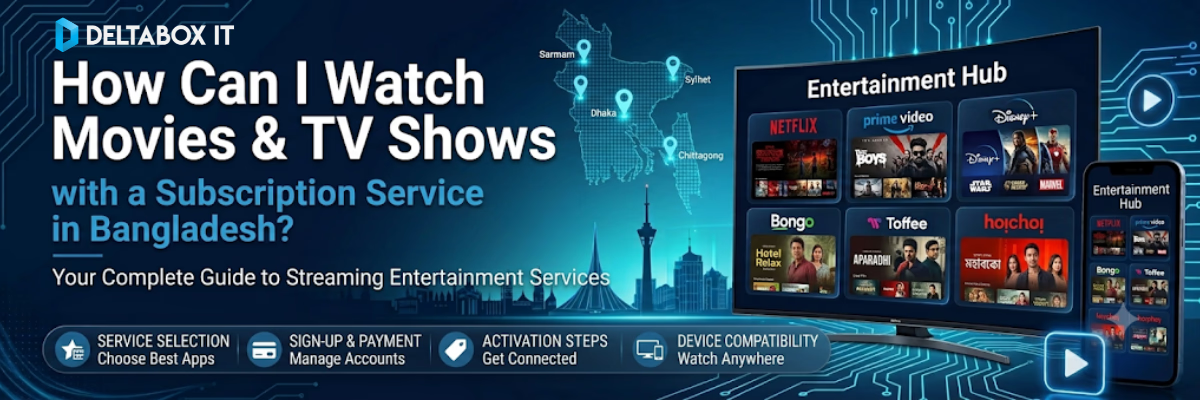
To watch movies and TV shows online via a subscription service in Bangladesh, you need to select an OTT platform, activate an account either through direct international card billing or a local verified BDT reseller, download the native app onto your device, and authenticate your login to access high-bitrate streaming and offline downloads.
With high-speed broadband and stable 4G/5G connections widely available across major cities like Dhaka and Chittagong, transitioning to a premium streaming setup eliminates the low-resolution files and security risks associated with unauthorized streaming sites. Below is a practical, five-step operational guide to configuring your household digital entertainment setup.
1. Choose Your Preferred Streaming Platform (Netflix, Prime Video, HBO Max, Disney+ Hotstar)
Selecting the right subscription service depends on your family’s specific content preferences, target display resolutions, and device hardware capabilities. Different global platforms host entirely separate content libraries:
Netflix: Best suited for international original series, high-production documentaries, and multi-profile family configurations.
Amazon Prime Video: Provides balanced performance on shared home networks, offering an extensive library of Hollywood blockbusters and Amazon Originals.
HBO Max: The primary choice for high-fidelity prestige television dramas, Warner Bros. cinematic releases, and DC media catalogs.
Disney+ Hotstar: Focuses heavily on Marvel studios, Pixar animations, regional live sports broadcasts, and South Asian entertainment. (Note: Because native content availability fluctuates based on regional distribution rights, verify local access terms to ensure uninterrupted service connectivity).
2. Subscribe Directly or Through a Verified Local Reseller (bKash/Nagad Payments)
You can activate your premium media plan through two secure distribution pathways, depending on your financial access tools:
Path A: Direct Platform Registration
If you possess a dual-currency credit or debit card endorsed with a valid passport, you can complete the registration process directly on the official app or desktop portal of the service provider.
Path B: Local Verified Distribution Hubs (Recommended for Local Convenience)
A major friction point for streaming users in Bangladesh is sudden subscription termination caused by international automated billing errors or credit card transaction limits. When a card renewal fails, the profile is immediately suspended, erasing your curated watchlists and offline downloads.
To maintain continuous access without international payment issues, many households process their setups through local digital service providers. Reviewing options within the verified streaming entertainment directory allows you to purchase fully managed subscription passes using local BDT mobile wallets like bKash or Nagad, ensuring your profiles remain properly authenticated month after month.
3. Download the App on Your Smart TV, Smartphone, Laptop, or Tablet
Premium OTT networks operate cross-platform native software clients across standard consumer hardware ecosystems. Use these verified steps to install the applications:
Smart TVs & Media Boxes: Open the built-in application store on your display panel (Google Play Store on Android TV/Google TV, LG Content Store on webOS, or Samsung Smart Hub on Tizen OS). Search for the platform name and execute the download command.
Smartphones & Tablets: Download the official, secure client software directly from the Apple App Store for iOS devices or the Google Play Store for Android systems.
Laptops & Desktops: While select platforms offer standalone desktop utilities, streaming through an updated modern web browser like Google Chrome, Microsoft Edge, or Safari delivers highly stable data streams.
4. Sign In and Pair Your Subscription Account
Once the app is installed, launch it to link your account profile. On desktop and mobile systems, log in by entering your registered email username and password string.
For television displays, platforms use mobile pairing synchronization to avoid typing complex password strings with a standard remote control:
The smart TV screen generates a unique alphanumeric authentication code or a visual QR code.
Open your smartphone camera or your active mobile streaming app to scan the on-screen asset.
Approve the device link request on your phone to securely sync the TV profile to your active premium account instantly.
5. Enjoy Offline Downloads and Manage Your Subscription Online
Most premium applications feature an offline download utility within their system parameters, serving as a reliable backup when broadband lines experience local congestion or when using limited mobile data hotspots.
Offline Data Deployment: Open the app on a supported phone or tablet, navigate to your preferred title, and select the download icon. The video asset is saved within the app’s secure partition. To ensure smooth operation during data caching, keep at least 2–3 GB of system storage free.
Account Optimization: You can adjust your plan parameters at any time through your digital account dashboard. This allows you to scale device limits up or down, configure strict parental locks and PIN-codes for children’s profiles, and track active logged-in device addresses to maintain security control.
Technical Performance & Network Speed Matrix
To optimize your streaming setup over local residential networks, your internet speed should align with these targeted resolution parameters:
Visual Target
Minimum Connection Speed Required
Recommended Local Network Interface
HD (720p)
3–5 Mbps stable bandwidth line
2.4 GHz Wi-Fi / Standard Mobile Hotspot
Full HD (1080p)
8–10 Mbps stable bandwidth line
5 GHz Wi-Fi / 4G LTE Hotspot
4K Ultra HD
15–25 Mbps dedicated bandwidth line
Physical Cat6 Ethernet / 5 GHz Clear Wireless Band
Household Smart TV Optimization Tips
If you experience sudden buffering or system interface slowdowns while streaming on a TV in Bangladesh, implement these technical adjustments:
Transition to a 5 GHz Wireless Band: Residential apartments in cities like Dhaka have significant signal congestion on standard 2.4 GHz frequencies. Binding your primary smart TV or streaming stick to your router’s 5 GHz band minimizes packet loss and improves high-bitrate data flow.
Avoid Budget Hardware Thermal Throttling: Low-cost Android TV sticks often slow down during long video decoding sessions due to heat buildup. Periodically restarting your device and closing unused background system apps helps free up system RAM.
Use a Direct LAN Connection: If your television panel sits far from your wireless access point, bypassing the internal Wi-Fi chip by plugging a physical Cat6 Ethernet cable directly into the TV’s LAN port ensures a perfectly stable data path for 4K streaming.
To evaluate how these home video setups link with high-fidelity music systems, or to explore specific optimization frameworks for large displays, check out our master analysis blueprint covering the best streaming entertainment subscriptions in Bangladesh.
Which application forms the foundation of your family’s daily viewing rotation? Let us know your system setup in the comments section below!
Founder & CEO of DeltaBox IT, focused on AI tools, digital subscriptions, productivity software, and practical buying guidance for students, freelancers, researchers, and professionals in Bangladesh.