


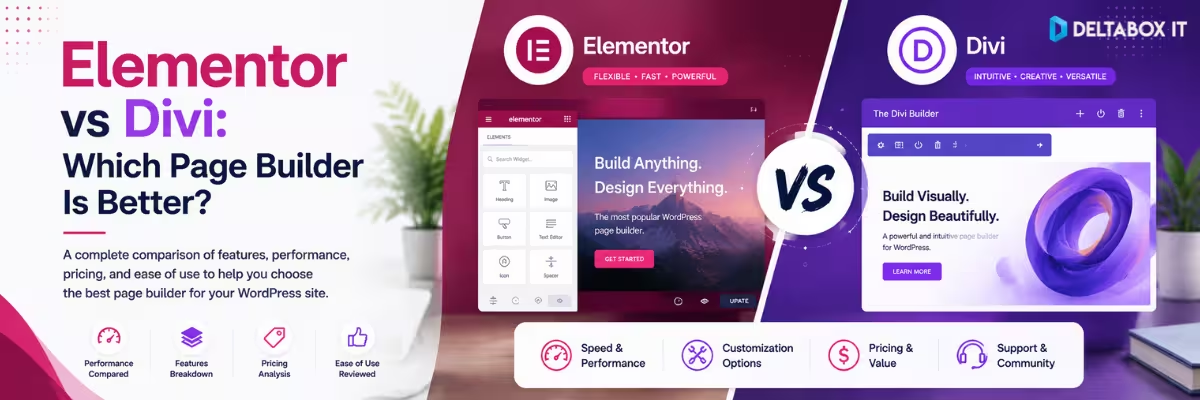
Elementor vs Divi: Which WordPress Page Builder Is Better?

Choosing between Elementor and Divi is less about finding a universal “winner” and more about deciding which website-building system fits the way you actually work.
Both can visually build complete WordPress websites. Both can go beyond ordinary page editing into headers, footers, templates and WooCommerce design. Both are suitable for freelancers and agencies. And in 2026, both platforms have continued moving beyond the old idea of a simple drag-and-drop page builder.
The important difference is their approach.
Elementor is generally the more modular choice. You can use Elementor with themes such as Astra or GeneratePress, start with its free builder, and expand into Pro functionality when you need more control.
Divi is the more integrated ecosystem. The Divi theme and visual builder are designed to work together as a broader website-building framework, although the Divi Builder can also be used separately. Divi 5 officially exited beta in February 2026 after Elegant Themes rebuilt the builder architecture with a focus on performance and modern design systems.
So, which is better?
For many freelancers and users who want flexibility across different WordPress themes, Elementor is likely the easier fit. For designers or agencies that prefer an integrated system and value Divi’s unlimited-site licensing model, Divi can make more sense.
The rest of this comparison explains why.
Quick Answer: Elementor or Divi?
| If You Care Most About… | Better Starting Choice | Why |
|---|---|---|
| Starting with a free builder | Elementor | Elementor has a capable free WordPress builder |
| Working with different themes | Elementor | Fits naturally into a modular WordPress stack |
| Integrated theme + visual builder | Divi | Divi is built as a connected design framework |
| One-site beginner workflow | Elementor | Easier to start without committing to premium |
| Unlimited client websites | Divi | Current Divi membership is positioned around unlimited website usage |
| Theme-wide visual templates | Tie | Both provide Theme Builder functionality |
| WooCommerce visual design | Tie | Both provide WooCommerce-focused design tools |
| Existing Elementor ecosystem | Elementor | Less reason to rebuild the workflow |
| Existing Elegant Themes workflow | Divi | Strong ecosystem continuity |
| Highly reusable agency design system | Depends | Licensing, workflow and team preference matter more than one feature |
Short verdict: Choose Elementor when you want a flexible WordPress builder that can fit into different theme and plugin stacks. Choose Divi when you prefer an integrated visual-building ecosystem and expect to use it across many websites.
Elementor vs Divi at a Glance
| Area | Elementor | Divi |
|---|---|---|
| Product approach | WordPress builder ecosystem | Theme + visual builder ecosystem |
| Free version | Yes | No equivalent permanent free WordPress version |
| Visual editing | Yes | Yes |
| Theme Builder | Yes, with appropriate Pro access | Yes |
| Header/footer templates | Yes | Yes |
| WooCommerce design | Yes, with applicable Pro features | Yes |
| Forms | Available through Elementor Pro | Built-in contact form module / ecosystem options |
| Popup Builder | Available on applicable Elementor Pro tiers | Usually handled through Divi ecosystem tools/workflows |
| Dynamic content | Supported | Supported |
| Custom CSS/design controls | Available depending on Elementor tier | Extensive design controls available |
| AI features | Elementor AI ecosystem | Divi AI ecosystem |
| Theme flexibility | Often paired with third-party themes | Commonly used with Divi Theme |
| Multi-site licensing | Depends on Elementor plan | Current membership emphasizes unlimited sites |
| Lifetime licensing | Not the normal Elementor Pro model | Divi currently offers a lifetime option |
| Ideal user | Beginners, freelancers, modular stacks | Designers, agencies, integrated workflows |
Plan structures and included features can change, so pricing or license decisions should always be checked against the current official plan before purchasing.
What Is Elementor?
Elementor is a visual website builder for WordPress that allows users to create and customize pages through a drag-and-drop editing interface.
Its free builder provides the entry point, while Elementor’s paid ecosystem expands the workflow with professional site-building capabilities. Elementor currently positions its builder for everything from individual websites to business sites and online stores, while developers can extend projects with custom code when needed.
The important thing about Elementor is that it does not force you into one theme ecosystem.
You can build an Elementor site using:
- Astra
- GeneratePress
- Hello
- Other compatible WordPress themes
That flexibility is one reason Elementor fits naturally into modular WordPress stacks.
A site might use:
Astra → Elementor → Rank Math → WP Rocket
while another could use:
GeneratePress → Elementor → different SEO/performance setup
Elementor remains the design layer rather than necessarily controlling every other part of the WordPress environment.
Users considering premium access can review the current Elementor Pro options at DeltaBox IT.
What Is Divi?
Divi is a WordPress theme and visual website-building system from Elegant Themes.
Its Visual Builder allows users to design complete websites through drag-and-drop editing, including pages, headers and footers. Elegant Themes describes Divi as a full-site website-building framework rather than only a page editor.
Divi’s biggest 2026 development is Divi 5.
Elegant Themes officially moved Divi 5 out of beta on February 26, 2026 after rebuilding the platform’s foundation. The company says the new architecture focuses on performance and modern design capabilities, while newer workflows include tools such as Flexbox, CSS Grid and updated Theme Builder functionality.
This makes Divi particularly attractive to users who want much of their visual website-building workflow inside one ecosystem.
Current access options can be reviewed through the Divi Bundle Premium page.
1. Elementor vs Divi for Ease of Use
Both are visual builders, but they encourage slightly different working styles.
Elementor typically presents a page canvas with controls organized around individual elements, containers and settings. Users can drag widgets into the layout, adjust responsive behavior and build pages visually.
Divi also provides direct visual editing, but its workflow is tightly connected to the Divi design system. Divi 5 continues that visual approach while introducing a rebuilt builder interface and architecture.
Which Is Easier for Beginners?
I would give Elementor a slight advantage for first-time users for one reason: you can start with the free version.
A beginner can install Elementor, build several pages and learn:
- Containers
- Spacing
- Responsive layouts
- Typography
- Buttons
- Images
- Page hierarchy
before deciding whether a premium plan is necessary.
With Divi, the decision starts deeper inside the Elegant Themes ecosystem.
That does not make Divi difficult. It means Elementor gives new users a lower-commitment path into visual WordPress building.
Verdict: Ease of Use
Beginner starting from zero: Elementor
User already familiar with Divi: Divi
Overall: Slight Elementor advantage
2. Design Flexibility
Both tools provide enough visual control to build professional WordPress websites without manually coding every layout.
Elementor supports drag-and-drop page design, templates, responsive editing and advanced Pro functionality. Its broader current ecosystem also includes AI-assisted site planning and content/design workflows.
Divi offers full-site visual editing and extensive design controls within its module system. Divi 5 has also expanded its modern layout architecture around systems such as Flexbox and CSS Grid.
For most ordinary projects, neither builder is likely to be limited by basic design capability.
The real difference appears in workflow preference.
Elementor Approach
Build with a separate theme when appropriate, then use Elementor for the visual layer.
Divi Approach
Use the Divi environment as a more unified site-design system.
Verdict: Design Flexibility
Elementor: Excellent
Divi: Excellent
Winner: Tie for most users
The better choice depends more on the design system you prefer than on whether one can create a button, section or responsive layout that the other cannot.
3. Theme Builder: Elementor vs Divi
Both platforms can control more than individual pages.
Elementor Theme Builder can create templates for broader site components, including headers, footers, single-post templates and WooCommerce-related layouts. Elementor’s current WooCommerce guidance specifically describes Theme Builder as a way to create reusable templates across store pages.
Divi Theme Builder similarly allows users to create templates for website areas such as headers, footers and blog-post layouts. Elegant Themes’ current Divi 5 guidance demonstrates these full-site template workflows directly inside the updated builder.
This means both can handle workflows such as:
- Design one global header.
- Create one global footer.
- Build a blog-post template.
- Apply templates conditionally.
- Create different layouts for different site areas.
Which Theme Builder Is Better?
There is no strong reason to declare a universal winner without a controlled workflow test.
Elementor makes more sense if the rest of your site already uses Elementor.
Divi makes more sense if your site is already built around Divi.
Switching builders purely for Theme Builder is rarely justified.
Verdict: Theme Builder
Winner: Tie
4. Elementor vs Divi for WooCommerce
Both platforms can visually customize WooCommerce websites.
Elementor supports WooCommerce-oriented site templates through its applicable premium functionality. Elementor’s 2026 WooCommerce guidance describes using Theme Builder to create custom store templates rather than designing individual product pages one by one.
Divi also provides built-in WooCommerce modules for designing areas such as shop pages, product pages, cart pages and checkout pages. Elegant Themes explicitly documents visual customization across the WooCommerce buying experience.
Where Elementor Fits
Elementor may be the better choice when your WooCommerce site already uses a theme such as Astra and you want Elementor as the visual customization layer.
Where Divi Fits
Divi can make more sense when the entire store design is already being managed through the Divi theme and builder ecosystem.
WooCommerce Comparison
| Need | Elementor | Divi |
|---|---|---|
| Product layout customization | Yes | Yes |
| Shop/archive design | Yes | Yes |
| Cart design | Supported within current eCommerce workflow | Yes |
| Checkout customization | Supported within current eCommerce workflow | Yes |
| Reusable store templates | Yes | Yes |
| Works as part of broader visual system | Yes | Yes |
Verdict: WooCommerce
Winner: Tie for general store design.
Your theme, store complexity and existing builder ecosystem are more important than the name of the builder.
5. Templates and Premade Layouts
Templates matter because most users do not want to design every website from a blank canvas.
Both Elementor and Divi provide template-driven workflows.
Elementor supports website templates and visual customization through its builder ecosystem.
Divi promotes a substantial library of premade layouts and templates as part of its website-building framework.
Templates can help with:
- Landing pages
- Business websites
- About pages
- Service pages
- Portfolio layouts
- Contact pages
- WooCommerce designs
However, templates should be treated as a starting structure.
Do not import a design and publish it unchanged.
Rewrite the content, replace irrelevant assets, adjust mobile layouts and adapt the visual system to the actual brand.
Verdict: Templates
Winner: Tie
Both ecosystems provide enough starting material for most users.
6. Dynamic Content
Dynamic content becomes important when the website contains structured information rather than only normal pages.
Examples include:
- Property listings
- Staff directories
- Courses
- Events
- Jobs
- Portfolio projects
- Custom post types
Elementor’s current advanced builder ecosystem supports dynamic content connected to WordPress content, custom fields and post types.
Divi 5 also continues developing dynamic-content workflows, including Loop Builder functionality that can turn Divi containers into repeating layouts driven by WordPress data.
For highly complex dynamic WordPress projects, however, the page builder is only part of the stack.
You may still need a specialist platform such as Crocoblock for custom fields, post types, relationships, queries and advanced listings.
Verdict: Dynamic Content
Normal dynamic website: Both capable
Complex data-driven architecture: Builder + specialist tool may be required
7. Elementor vs Divi for Performance
This is where comparison articles often become unreliable.
It is easy to claim:
Elementor is faster.
or:
Divi 5 is faster.
without controlling the test environment.
A meaningful speed comparison would require:
- Same hosting
- Same WordPress version
- Similar page layout
- Same image files
- Comparable font setup
- Same caching conditions
- Same third-party scripts
- Repeated testing
- Real-user field data where possible
Without that, a fixed speed winner is difficult to defend.
Divi 5 is relevant because Elegant Themes says it rebuilt the architecture with performance as a major priority.
Elementor also continues developing its builder architecture and performance-related workflows, but a vendor claim from either side is not the same as an independent controlled benchmark.
What Actually Affects Page Speed?
A page builder is only one variable.
Performance can also depend on:
- Hosting response
- Theme
- Number of elements
- Images
- Fonts
- Third-party scripts
- Addon plugins
- WooCommerce functionality
- Caching
- CSS and JavaScript optimization
Performance Verdict
No universal winner without testing the actual site.
Do not choose Elementor or Divi solely because an affiliate comparison claims one loads a fraction of a second faster.
Build the page you actually need and measure it.
8. Elementor vs Divi for SEO
Neither Elementor nor Divi is an SEO strategy.
Both can create structured pages that work alongside normal WordPress SEO plugins, but rankings depend on much more than the visual editor.
A properly optimized WordPress site still needs:
- Search-intent alignment
- Useful content
- Logical heading structure
- Internal linking
- Metadata
- Canonicalization
- XML sitemaps
- Schema markup
- Crawlability
- Mobile usability
- Page performance
The better builder for SEO is therefore usually the builder your team can use to create clean, maintainable pages without unnecessary complexity.
For dedicated WordPress SEO controls, a plugin such as Rank Math Pro serves a different role from either page builder.
SEO Verdict
Winner: Tie
Do not choose a page builder based on claims that it will automatically rank higher.
9. Elementor vs Divi Pricing Model
Pricing is where the two ecosystems differ more clearly.
Elementor currently uses tiered annual plans. Available features and site allowances vary by plan, which means a single-site user and a freelancer managing multiple websites may need different subscriptions.
Divi’s current membership model emphasizes usage on unlimited websites and includes both recurring and lifetime purchasing approaches.
Because prices can change, this article does not hard-code long-term price figures.
Instead, compare the model.
| Buying Question | Elementor | Divi |
|---|---|---|
| Can you start free? | Yes | No comparable permanent free builder tier |
| Annual subscription model | Yes | Yes |
| Site allowances vary by plan | Yes | Current Divi model emphasizes unlimited sites |
| Lifetime purchase option | Not standard for Elementor Pro | Available from Divi |
| Best value for one basic site | Depends on required Elementor tier | Depends on willingness to enter paid Divi ecosystem |
| Attractive for many client sites | Higher-site Elementor plans | Unlimited-site model can be compelling |
Value Verdict
One site / beginner: Elementor has the advantage because Free exists.
Many client sites: Divi’s unlimited-site model becomes more commercially interesting.
Long-term buyer who dislikes annual builder licensing: Divi’s lifetime option is a meaningful differentiator.
Always verify the current provider plan before making a purchase decision.
10. Elementor vs Divi for Beginners
A beginner should prioritize learning rather than acquiring every premium feature.
Elementor has a practical advantage here because its free builder lets users develop real skills before purchasing.
You can learn:
- Page structure
- Containers
- Typography
- Responsive design
- Spacing
- Reusable sections
- WordPress theme interaction
without immediately paying for Pro.
Divi can still be beginner-friendly, especially for users who prefer an integrated visual environment, but it requires a stronger commitment to that ecosystem from the start.
Beginner Verdict
Winner: Elementor
Not because Divi is inherently difficult, but because Elementor offers a simpler free entry path.
11. Elementor vs Divi for Freelancers
Freelancers should ask a different question:
Which builder lets me deliver repeatable client work with less unnecessary setup?
Elementor can be very effective for freelancers who already use a standardized stack such as:
Astra + Elementor + Rank Math + performance solution
Its modular nature makes it easier to change themes or specialist plugins according to the client.
Divi’s advantage becomes stronger when the freelancer wants to standardize around Divi across many projects. The unlimited-site licensing model can be commercially relevant when the same builder is used repeatedly.
Freelancer Decision
Choose Elementor if you value stack flexibility.
Choose Divi if you want to standardize a high volume of client projects around one integrated builder ecosystem.
Verdict
Winner: Depends on business model
12. Elementor vs Divi for Agencies
Agencies care about more than the editor.
They need to consider:
- Licensing
- Number of websites
- Reusable templates
- Team consistency
- Client handover
- WooCommerce requirements
- Dynamic-content needs
- Maintenance
- Training
Divi’s unlimited-site model is particularly relevant here.
Elementor remains attractive when the agency prefers a modular WordPress stack and needs flexibility across different themes and project architectures.
An agency should not switch builders because of a single feature comparison.
The larger question is:
Which ecosystem can our team maintain reliably across dozens of client websites?
Agency Verdict
Divi: strong licensing/standardization case
Elementor: strong flexibility/ecosystem case
Overall: Depends on agency architecture.
13. Elementor Ecosystem vs Divi Ecosystem
This may be the most important long-term difference.
With Elementor, users commonly combine tools from different developers.
For example:
Astra → Theme
Elementor → Builder
Rank Math → SEO
WP Rocket → Performance
Crocoblock → Dynamic functionality
That gives substantial freedom to replace one layer without necessarily replacing everything else.
Divi encourages a more integrated workflow centered around the Elegant Themes ecosystem.
Neither philosophy is inherently better.
Modular Approach
Advantage: flexibility.
Tradeoff: more vendors, settings and integration points.
Integrated Approach
Advantage: standardized design environment.
Tradeoff: stronger dependence on one ecosystem.
This difference should influence your decision more than small widget-count comparisons.
Elementor vs Divi: Which Should You Choose by Website Type?
| Website Type | Recommended Starting Choice | Reason |
|---|---|---|
| Beginner blog | Elementor | Free entry and flexible theme pairing |
| Small business website | Elementor | Easy modular stack |
| Marketing site | Either | Both provide strong visual control |
| Freelancer portfolio | Elementor | Flexible and easy to expand |
| WooCommerce store | Either | Both support store design |
| Agency using many sites | Divi deserves consideration | Unlimited-site licensing |
| Existing Astra/GeneratePress site | Elementor | Natural modular pairing |
| Existing Divi site | Divi | Little reason to rebuild without a real problem |
| Dynamic directory | Either + specialist tools | Data architecture matters more |
| Highly standardized agency stack | Divi | Integrated ecosystem can simplify consistency |
These are starting recommendations, not hard technical restrictions.
When Elementor Is the Better Choice
Choose Elementor when most of these statements describe you:
- You want to start without paying for a builder.
- You already use Astra, GeneratePress or another theme.
- You prefer a modular WordPress stack.
- You want the flexibility to change other components independently.
- You are building one or a small number of websites.
- You already understand the Elementor workflow.
- Your existing Elementor-based site works well.
For many DeltaBox IT users building individual business or freelance websites, this will be the more straightforward path.
When Divi Is the Better Choice
Choose Divi when:
- You prefer an integrated theme-and-builder ecosystem.
- You plan to standardize projects around Divi.
- Unlimited website usage is commercially important.
- A lifetime purchase model is valuable to your workflow.
- Your team already understands Divi.
- You regularly reuse Divi templates and design systems.
- You are building many client websites under one consistent stack.
Divi becomes particularly interesting when the licensing and ecosystem model solve an agency-level operational problem—not merely because it has a different interface.
When You Should Switch From Divi to Elementor—or Elementor to Divi
Usually, you should not switch an existing website simply because another builder wins a comparison article.
Migration carries costs.
A redesign may require:
- Rebuilding templates
- Checking mobile layouts
- Recreating forms
- Testing custom CSS
- Reviewing WooCommerce pages
- Checking redirects
- Retesting performance
- Rechecking tracking
- QA across devices
Switch only when the existing builder creates a meaningful problem.
Good reasons might include:
- Your team cannot maintain the workflow.
- Required functionality is difficult to implement.
- Licensing no longer fits your business model.
- The entire site is already being redesigned.
- Your agency is deliberately standardizing its technology stack.
“Another builder has more widgets” is usually not a sufficient migration reason.
Elementor vs Divi for Bangladesh: What Should You Check Before Buying?
For a Bangladeshi freelancer, developer or business owner, international pricing is only one part of the decision.
First choose the correct builder.
Then compare the access conditions.
| Buying Factor | What to Verify |
|---|---|
| Product | Elementor Pro or Divi package |
| Feature requirement | Which functions do you actually need? |
| Site count | One website or many client sites? |
| Access method | How will the product be provided? |
| Duration | How long does the package remain active? |
| Updates | How will future updates be handled? |
| Renewal | Is the package renewable? |
| Support scope | Seller support vs developer support |
| Current price | Check the live product page |
Do not choose Elementor only because one package is temporarily cheaper.
Do not choose Divi only because the licensing looks attractive.
The builder will affect your workflow long after the initial purchase.
Comparing WordPress page builders in Bangladesh?
Review the current Elementor Pro package and Divi Bundle options before deciding. Check the live product pages for current access type, duration, pricing and availability.
You can also explore the broader WordPress Tools collection if your website needs a theme, SEO plugin, performance tool or dynamic-content solution alongside the builder.
DeltaBox IT operates as an independent third-party digital-product provider. It does not own, develop or control Elementor or Divi. Features, licensing models and provider-side conditions remain subject to the respective developers.
Final Verdict: Is Elementor or Divi Better?
There is no responsible universal winner.
But there is a better choice for different workflows.
Choose Elementor If:
You want a free starting point, prefer mixing your own WordPress stack, already use themes such as Astra or GeneratePress, or want flexibility across different website types.
Choose Divi If:
You want a more integrated theme-and-builder ecosystem, plan to standardize around Divi across multiple sites, or see substantial value in its current unlimited-site and lifetime licensing options.
Our Overall Recommendation
For beginners and most individual website owners: Elementor is the stronger starting choice.
The free entry point and modular architecture make it easier to build first and upgrade later.
For agencies and high-volume freelancers: Divi deserves serious consideration.
Its integrated workflow and unlimited-site licensing can change the value calculation when the builder is deployed repeatedly.
The best WordPress page builder is therefore not the one that wins the most comparison categories.
It is the one that:
- fits your current stack,
- provides the functionality you actually need,
- remains manageable for your team,
- and makes economic sense across the number of websites you build.
Frequently Asked Questions
Is Elementor better than Divi?
Elementor is often the better starting option for beginners and users who prefer a modular WordPress stack. Divi can be more attractive to agencies and users who prefer an integrated theme-and-builder ecosystem with unlimited-site licensing. Neither is universally superior.
Is Divi 5 officially released?
Yes. Elegant Themes announced that Divi 5 officially exited beta on February 26, 2026. The company rebuilt the platform with a new architecture focused on performance and modern design systems.
Is Elementor free?
Yes. Elementor provides a free WordPress website builder. Premium plans add more advanced site-building features and vary by feature set and site allowance.
Is Divi free?
Divi does not use the same permanent free WordPress plugin model as Elementor. Elegant Themes sells Divi through its membership and purchasing plans.
Which is easier for beginners, Elementor or Divi?
Elementor has an advantage for beginners because they can learn the visual builder using the free version before committing to premium access. Divi is also visual, but it requires a stronger commitment to its ecosystem from the beginning.
Which is better for WooCommerce, Divi or Elementor?
Both can visually customize WooCommerce stores. Elementor provides WooCommerce-oriented templates and tools through applicable premium features, while Divi includes WooCommerce modules for product, shop, cart and checkout design.
Does Elementor have a Theme Builder?
Yes. Elementor’s premium site-building workflows include Theme Builder functionality for creating reusable site templates, including WooCommerce-related templates.
Does Divi have a Theme Builder?
Yes. Divi Theme Builder allows users to create layouts for areas such as headers, footers and blog-post templates. Divi 5 continues this full-site template workflow.
Which is faster, Elementor or Divi?
There is no universal answer without a controlled test. Performance depends on the complete website stack, including hosting, theme, page complexity, images, scripts, caching and configuration. Divi 5 was rebuilt with performance as a stated priority, but that does not automatically make every Divi site faster than every Elementor site.
Which is better for SEO, Elementor or Divi?
Neither builder automatically produces better rankings. Both can be used on SEO-friendly WordPress websites when the content, technical SEO, internal linking, performance and site architecture are properly managed.
Is Elementor better for freelancers?
Elementor is attractive to freelancers who want a modular stack and flexibility across different themes and client requirements. The correct premium plan depends on the required features and number of sites.
Is Divi good for agencies?
Yes. Divi can be commercially attractive to agencies because Elegant Themes currently positions its membership around unlimited website usage. Agencies should still evaluate team workflow, client requirements and long-term maintenance.
Does Divi offer lifetime access?
Elegant Themes currently offers a lifetime purchasing option alongside its recurring model. Always check the official provider terms before purchasing because pricing structures can change.
Should I switch from Elementor to Divi?
Not unless your current setup creates a meaningful design, maintenance, licensing or workflow problem. Switching page builders can require significant rebuilding and QA.
Should I switch from Divi to Elementor?
The same principle applies. A functioning Divi website should not be rebuilt purely because Elementor is popular. Consider migration when there is a clear technical or operational reason.
Can Elementor and Divi be used on the same website?
Technically, WordPress can contain content created with different builders, but using two full visual builders for the same site workflow usually increases complexity. Standardizing around one primary builder is generally easier to maintain.
Which is better for a one-site business?
Elementor is often the easier starting point because the free builder lets you test the workflow before upgrading. The final decision depends on the required site-wide and premium features.
Which is better for many client sites?
Divi’s current unlimited-site licensing makes it worth evaluating for high-volume client workflows. Elementor can still be suitable, but its plans should be compared against the actual number of websites and required features.
Where can I get Elementor or Divi in Bangladesh?
You can compare the current Elementor Pro options and Divi Bundle packages available through DeltaBox IT. Review the live product page for current pricing, duration, access conditions and availability before ordering.
Compare Elementor and Divi Options in Bangladesh
If you are building one website and want a flexible visual builder, start by deciding whether Elementor Free already covers the project before upgrading.
If you manage multiple websites and prefer an integrated design ecosystem, compare Divi’s workflow and licensing structure against your long-term requirements.
Review current options:
Compare Elementor Pro packages
Review Divi Bundle access details
Choose the builder based on workflow, website count and required functionality—not only the initial purchase price.
DeltaBox IT is an independent third-party digital-product provider and is not the developer, owner or official partner of Elementor or Divi.

MD. Nayeem-Ur Rahman
Related posts












Leave a Reply Cancel reply
You must be logged in to post a comment.



One thought on “Elementor vs Divi: Which WordPress Page Builder Is Better?”