


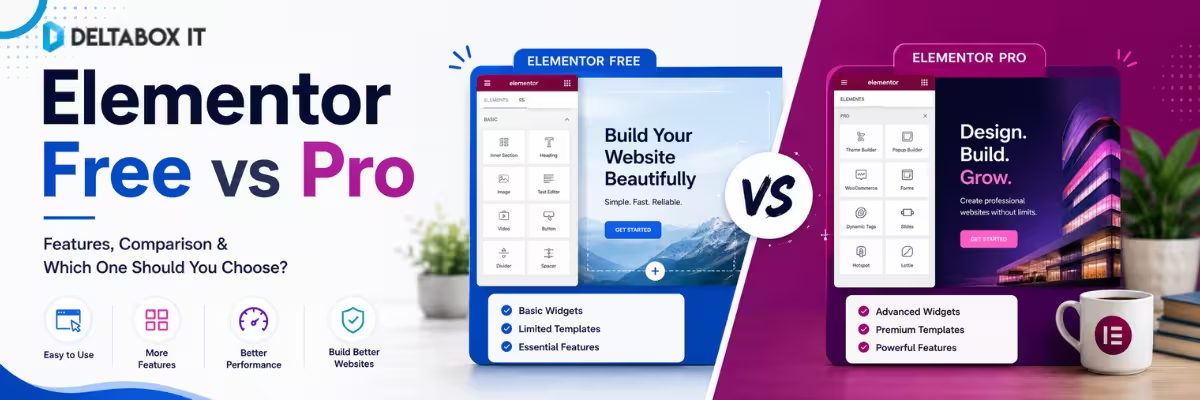
Elementor Free vs Pro: Is Elementor Pro Worth It in 2026?

Elementor Free is already capable of building complete landing pages, service pages, blogs and basic business websites. So upgrading to Elementor Pro simply because it is the premium version does not automatically make sense.
The real question is whether your website needs something the free version cannot efficiently provide.
If you only need responsive page layouts, headings, images, buttons, basic galleries, testimonials and standard content sections, Elementor Free may be enough. Elementor’s current free Core plugin includes its visual drag-and-drop editor, template functionality, mobile editing and a broad range of basic widgets.
Elementor Pro becomes more valuable when you want to control parts of the website beyond individual page content—such as custom headers, footers, post templates, forms, dynamic content or more advanced WooCommerce and marketing workflows. Elementor’s current Pro plans, however, do not all contain exactly the same feature set, so the old assumption that “buying Elementor Pro unlocks everything” is no longer precise enough in 2026.
That distinction is the key to deciding whether Elementor Pro is worth paying for.
This guide compares Elementor Free vs Pro by actual website need rather than by the number of widgets advertised.
For a broader WordPress stack covering themes, SEO, caching and dynamic-content tools, see our best WordPress plugins and tools guide.
Quick Answer: Is Elementor Pro Worth It?
Elementor Pro is worth it when its premium functionality replaces a real limitation in your current website-building workflow.
If you are building a simple website and your theme already controls the header, footer and blog templates, Elementor Free may be all you need.
If you need custom site templates, built-in forms or more professional content widgets, Elementor Pro becomes more useful. And if your project requires Popup Builder, custom CSS, advanced dynamic content or Elementor’s eCommerce features, you need to pay particular attention to the Pro tier because these capabilities are not included in every current Pro plan.
| Your Requirement | Elementor Free | Pro Essential | Advanced Solo / Higher Pro Tiers |
|---|---|---|---|
| Visual drag-and-drop editing | Yes | Yes | Yes |
| Responsive/mobile editing | Yes | Yes | Yes |
| Basic widgets | Yes | Yes | Yes |
| Template Library | Yes | Yes | Yes |
| Pro widgets | No | Yes | Yes |
| Theme Builder | No | Yes | Yes |
| Form Builder | No | Yes | Yes |
| Pro Templates | No | Yes | Yes |
| Custom CSS | No | No | Yes |
| Popup Builder | No | No | Yes |
| WooCommerce/eCommerce features | No | No | Yes |
| Custom fields/post-type dynamic content | No | Limited | Yes |
The table reflects Elementor’s current official feature comparison and pricing structure. Plan inclusions can change, so always review the current plan before purchasing.
What Can You Build With Elementor Free?
Elementor Free should not be treated as a demo version that becomes useless after creating a basic homepage.
The free editor includes the core visual-building experience and can handle many common WordPress layouts. Elementor’s official comparison currently lists responsive mobile editing, template import/export, basic widgets, image carousels, testimonials, tabs, accordions, counters, progress bars, Google Maps, animations and several other design capabilities within Elementor Core.
Elementor also uses container-based layouts that support responsive direction, sizing and element ordering across breakpoints. Its responsive editor allows users to adjust supported settings for desktop, tablet and mobile views.
In practical terms, Elementor Free can be enough for a:
- Personal blog
- Simple company website
- Freelancer landing page
- Basic portfolio
- Service website
- Event page
- Small brochure-style website
If your WordPress theme already handles the site’s header, footer, blog archive and post templates well, there may be little reason to replace those elements with Elementor.
A Good Free-Version Scenario
Imagine you are building a five-page local-business website:
Home → About → Services → Portfolio → Contact
Your theme manages the header and footer. A separate contact-form solution handles enquiries. You only need Elementor to visually design the page content.
In that situation, Free may already solve the actual problem.
Paying for Pro would only make sense when you identify a feature you genuinely need.
What Does Elementor Pro Add?
Elementor describes Pro as an extension of Elementor Core. Its current Pro functionality includes Theme Builder, visual forms, professional templates and additional widgets, with higher-tier plans adding more advanced capabilities.
The biggest difference is therefore not simply “more widgets.”
Pro changes how much of the entire WordPress site you can control through Elementor.
1. Theme Builder: The Biggest Reason to Upgrade
For many users, Theme Builder is the strongest reason to move from Elementor Free to Pro.
With Elementor Free, you mainly design the content area of individual pages.
Theme Builder allows you to create templates for broader WordPress site parts, including headers, footers, individual posts, archives and WooCommerce-related templates. Elementor states that these templates can override relevant parts of the active WordPress theme’s normal hierarchy and styling.
This becomes valuable when your existing theme gives you limited control.
For example, instead of accepting one standard blog-post layout, you could create a custom post template containing:
- Featured image
- Author details
- Post metadata
- Custom typography
- Related content
- CTA section
- Custom sidebar structure
You can then define where that template should appear.
When Theme Builder Is Worth Paying For
Theme Builder makes sense when you want consistent visual control across site-wide layouts without manually editing theme files.
It is especially useful for:
- Marketing websites
- Content sites
- Freelancer client projects
- Custom blogs
- WooCommerce layouts
- Websites requiring different templates for different content types
When You May Not Need It
If Astra, GeneratePress or another theme already provides the header, footer and archive layouts you want, rebuilding everything in Elementor may add unnecessary work.
Pro should solve a limitation—not recreate something that already works.
2. Form Builder: Useful for Lead-Generation Websites
Elementor Free does not include Elementor’s Form widget, while current Pro plans include Form Builder functionality. Elementor’s comparison describes Pro Forms as supporting lead collection, styling and integrations, although form-submission capabilities can vary by plan tier.
This may reduce the need for a separate basic form plugin on some websites.
For example, you could create:
- Contact forms
- Lead-generation forms
- Quote-request forms
- Newsletter forms
- Registration forms
- Simple enquiry workflows
The value is not simply having another form builder.
It is being able to design the form inside the same visual workflow used for the rest of the website.
Is Elementor Pro Worth Buying Only for Forms?
Usually not if you already have a reliable form plugin that meets your needs.
It becomes more compelling when forms are one part of a wider Pro requirement that also includes Theme Builder, Pro widgets and other site controls.
3. Popup Builder: Useful, but Not in Every Pro Plan
Popup Builder is an important example of why a simple “Elementor Free vs Pro” comparison can be misleading in 2026.
Elementor’s current Essential Pro tier does not include Popup Builder, while Advanced Solo and higher applicable Pro tiers do.
Popup Builder can create modal windows, slide-ins, full-screen overlays and banners, with display conditions and trigger controls.
Typical uses include:
- Newsletter signup
- Promotional campaign
- Lead magnet
- Announcement banner
- Exit or engagement prompt
- CTA overlay
If Popup Builder is one of the reasons you want Elementor Pro, verify that the specific plan you are purchasing actually includes it.
Buying tip: Do not evaluate Elementor Pro as one single feature package. Evaluate the exact Pro tier against your requirements.
4. Custom CSS: More Control for Advanced Design
Elementor Free provides substantial visual styling without code, but developers and advanced designers sometimes need direct CSS control.
According to Elementor’s current plan comparison, Custom CSS is not included in Free or the Essential Pro tier but is included in Advanced Solo and higher listed Pro plans.
Custom CSS becomes useful when you need:
- More precise responsive behavior
- Styling beyond the editor controls
- Custom hover states
- Fine positioning
- Third-party plugin adjustments
- Reusable design refinements
However, do not upgrade purely because “professional websites need custom CSS.”
If the design can be achieved cleanly through the existing editor controls, extra code is unnecessary.
5. Elementor Pro for WooCommerce
WooCommerce provides WordPress’s eCommerce functionality, while Elementor can be used as a visual design layer for WooCommerce components.
Elementor’s current WooCommerce documentation confirms that WooCommerce must be installed separately and that Elementor provides widgets and templates for designing WooCommerce elements.
Higher current Elementor Pro tiers include eCommerce features that are not included in the Free or Essential tiers.
This can be valuable if you want to visually customize areas such as:
- Product templates
- Product information layouts
- Product archives
- Store-related site templates
- WooCommerce visual elements
For example, Elementor allows reusable Single Product templates through Theme Builder.
Who Actually Needs This?
If the default WooCommerce design from your theme is already acceptable, you may not need Elementor’s advanced eCommerce tools.
If store design is central to the customer experience and you want more visual control over product layouts, then the appropriate Pro tier becomes much easier to justify.
6. Dynamic Content: Important for Advanced Websites
Dynamic content is relevant when pages need to display information stored in WordPress rather than manually entered into each layout.
Think of:
- Property listings
- Team directories
- Courses
- Events
- Job boards
- Portfolio entries
- Custom post types
Elementor’s current pricing distinguishes between basic dynamic-content capabilities in Essential and more complete use of custom fields and post types in Advanced Solo and higher tiers.
This is an important consideration for developers.
If you need custom fields and highly structured WordPress data, choose the plan based on that exact requirement rather than assuming every Pro license behaves identically.
For considerably more complex dynamic sites, dedicated tools such as Crocoblock may also become relevant, but that is a different layer of the WordPress stack.
7. Pro Widgets and Templates
Elementor Free already includes many common widgets.
Pro expands that selection with elements for more advanced content, marketing and site-building requirements. Elementor’s current comparison includes Pro-only widgets and capabilities such as Forms, Posts, Portfolio, Author Box, Table of Contents and additional content components.
These additions can reduce the need for separate Elementor addon packs.
However, avoid this logic:
“Pro gives me more widgets, therefore I should upgrade.”
Ask instead:
“Which Pro widget solves a problem I currently need another plugin to solve?”
That produces a cleaner website stack.
Elementor Free vs Pro for Different Users
The value of Elementor Pro changes dramatically depending on who is building the website.
| User Type | Free Usually Enough? | When Pro Makes Sense |
|---|---|---|
| Beginner learning WordPress | Yes | After reaching a genuine limitation |
| Personal blogger | Often | Custom blog templates or advanced design |
| Small business | Often | Custom site parts, forms, marketing features |
| Freelancer | Sometimes | Faster client workflows and reusable Pro features |
| Web designer | Less often | Site-wide control and advanced styling |
| WooCommerce owner | Depends | Custom store layouts |
| Agency | Usually needs more | Multi-site professional workflows |
| Dynamic-site developer | Limited | Custom fields, templates and structured content |
Elementor Free for Beginners: Start Here First
For someone learning WordPress, I would generally start with Elementor Free.
Build several pages.
Learn:
- Containers
- Spacing
- Typography
- Responsive design
- Global design decisions
- Basic WordPress theme behavior
Elementor’s current responsive tools support device-specific editing and configurable breakpoints, so Free users already have substantial control over adapting layouts across screen sizes.
Only then should you identify what is missing.
This avoids paying for functionality before understanding whether you need it.
Elementor Pro for Freelancers: Often Easier to Justify
The calculation changes for freelancers.
Time is part of the cost of every client project.
If Pro allows you to create site templates, forms and reusable components inside one workflow instead of combining several unrelated plugins, the subscription may become operationally valuable.
For example, a freelancer could create:
Header → Footer → Blog Template → Contact Form → Landing Pages
inside the broader Elementor environment instead of managing each with a different tool.
Higher plans also support more websites than the single-site tiers, so freelancers should check the site allowance before choosing a package. Elementor’s current pricing differentiates plans by both features and number of supported sites.
The best plan is not necessarily the most expensive one.
Choose the smallest tier that covers your real client workflow.
Elementor Pro for Agencies
Agencies should evaluate Pro differently from individual website owners.
Important questions include:
- How many websites need activation?
- Do client projects require WooCommerce?
- Are dynamic-content workflows common?
- Are popups and forms frequently required?
- Does the team benefit from standardized Elementor templates?
- Are you currently paying for overlapping plugins?
The biggest possible value is workflow consolidation.
The biggest mistake is assuming that because an agency manages many sites, every site should use every Elementor feature.
Standardize the stack by project type.
Does Elementor Pro Make Your Website Faster?
Do not buy Elementor Pro as a speed optimization plugin.
The Free vs Pro decision is primarily about website-building functionality.
Website performance is influenced by the complete stack: hosting, theme, design complexity, images, scripts, caching, third-party resources and plugin configuration.
Adding Pro functionality may reduce your dependence on some separate plugins, but the actual performance impact depends on how the site is built.
The correct approach is to measure the finished pages rather than make assumptions from the license type.
Does Elementor Pro Improve SEO?
Elementor Pro is also not a replacement for a WordPress SEO system.
A page builder can help you create structured, usable content, but search optimization still requires areas such as:
- Search intent
- Content quality
- HTML structure
- Internal linking
- Metadata
- Canonicals
- XML sitemaps
- Schema
- Crawlability
- Website performance
For SEO controls, use a dedicated WordPress SEO plugin such as Rank Math or another appropriate solution.
Do not upgrade Elementor simply because you expect the Pro badge to improve rankings.
Can Elementor Pro Reduce Plugin Overload?
Potentially, yes—but only if you use its features to replace tools you would otherwise need.
For example, depending on your plan and requirements, Elementor Pro may reduce the need for a separate:
- Basic form plugin
- Popup plugin
- Header/footer builder
- Post-layout plugin
- Basic portfolio widget addon
- WooCommerce design addon
That does not mean Elementor Pro should replace every specialist plugin.
A dedicated form system, dynamic-content toolkit or eCommerce extension may still be stronger when the project requires deeper functionality.
The goal is not “fewer plugins at any cost.”
The goal is less unnecessary overlap.
When Elementor Free Is the Better Choice
Stay with Free when:
- Your existing theme already manages global site layouts well.
- You mainly create standard pages and landing pages.
- Basic widgets cover your design.
- You already have a suitable form solution.
- You do not need advanced WooCommerce templates.
- You are still learning WordPress.
- Premium functionality would mostly remain unused.
A free plugin that handles 100% of your current requirements offers better value than a premium plugin you use at 20% of its capability.
When Elementor Pro Is Worth It
Consider upgrading when several of these requirements apply:
- You want custom headers, footers and content templates.
- You need Elementor’s Form Builder.
- You regularly build client websites.
- You need advanced content widgets.
- Your selected tier includes and you need Popup Builder.
- You need custom CSS.
- You want more control over WooCommerce design.
- You work with custom fields or dynamic data.
- Pro functionality can replace several overlapping plugins.
- The workflow time saved is worth more than the subscription cost.
The strongest reason to upgrade is workflow value, not feature count.
Elementor Free vs Pro: Real-World Scenarios
Scenario 1: Personal Blog
You need a homepage, about page and blog posts. Your theme handles post layout, header and footer.
Recommendation: Start with Elementor Free.
There is little reason to pay for Theme Builder if you are satisfied with the theme’s design.
Scenario 2: Service Business Website
You want custom landing pages, a branded header and footer, lead forms and more control over site-wide design.
Recommendation: Elementor Pro becomes easier to justify.
Review the exact tier because plan capabilities differ.
Scenario 3: WooCommerce Store
You want WooCommerce to handle the store but need custom product and store layouts.
Recommendation: Consider a Pro tier that specifically includes eCommerce capabilities. Free and the current Essential plan do not include Elementor’s eCommerce feature set.
Scenario 4: Freelancer Building Client Websites
You repeatedly need forms, custom site templates and advanced design controls.
Recommendation: Pro can improve workflow efficiency, but select the tier based on feature and site-count requirements.
Scenario 5: Simple Five-Page Company Website
The website only needs Home, About, Services, Contact and Blog.
Recommendation: Free may be completely sufficient.
Do not upgrade because a tutorial says every professional website requires Pro.
Elementor Pro Plans: One Important 2026 Detail
This deserves emphasis.
In 2026, “Elementor Pro” should not be treated as a single uniform bundle.
Elementor’s current official pricing structure separates capabilities by plan. For example, Essential includes Theme Builder and Form Builder, but it does not currently include Popup Builder, Custom CSS or eCommerce features. Advanced Solo and higher applicable tiers add those capabilities.
This means your buying process should be:
Need → Feature → Plan
not:
Pro → assume everything is included
Before paying, make a short requirement list.
For example:
Theme Builder: Yes
Forms: Yes
WooCommerce Builder: No
Popups: No
Custom CSS: No
Sites: 1
In that case, buying a higher tier purely for features you will not use would be unnecessary.
Elementor Pro Price in Bangladesh: What Should You Compare?
For Bangladeshi users, the decision should not depend only on the BDT amount.
Before choosing an Elementor Pro package, verify:
| Buying Factor | What to Check |
|---|---|
| Elementor tier | Which current Pro plan/features are included? |
| Site allowance | How many websites does the plan support? |
| Access method | How is the subscription activated? |
| Duration | How long does access remain active? |
| Updates | How are plugin updates handled? |
| Renewal | What happens after the subscription period? |
| Support | What support is included with the package? |
| Current price | What does the live product page show? |
Prices and package structures can change, so this article intentionally does not hard-code a BDT price.
Considering Elementor Pro in Bangladesh?
Compare the current Elementor Pro package and pricing details at DeltaBox IT before ordering. Check the live page for the current access type, duration and package conditions.
You can also browse the broader WordPress Tools collection if your project requires a theme, SEO plugin, caching solution or other WordPress tools alongside Elementor.
DeltaBox IT operates as an independent third-party digital-product provider. It does not own, develop or control Elementor. Elementor features, plan structures and provider-side policies remain subject to Elementor’s own updates and terms.
Final Verdict: Elementor Free or Pro?
For many users, Elementor Free is better than its “free” label suggests.
It already provides the visual editor, responsive controls, template functionality and enough core widgets to build many real WordPress pages.
So if you are a beginner, blogger or small-business owner with a simple website, start with Free.
Upgrade when you can clearly identify what Pro will solve.
Elementor Pro is worth it when you need site-wide design control, forms, advanced widgets or other premium functionality that reduces real workflow limitations.
For WooCommerce features, Popup Builder, Custom CSS or more advanced dynamic-content requirements, check the actual Pro tier carefully because these capabilities are not included uniformly across all current plans.
Simple Decision
Choose Elementor Free if:
you primarily need responsive visual page building.
Choose Elementor Pro if:
you need to control more of the entire website and its advanced workflows.
Choose a higher Pro tier if:
your requirements include eCommerce, popups, custom CSS, advanced dynamic content or a larger number of sites.
The best version is not the one with the most features.
It is the one that removes the limitations your website actually has.
Frequently Asked Questions
Is Elementor Free enough in 2026?
Yes, for many basic websites. Elementor Free includes the core visual drag-and-drop builder, responsive editing, templates and common widgets. Pro becomes more useful when you need broader site-wide design and advanced functionality.
Is Elementor Pro worth it?
Elementor Pro is worth considering when Theme Builder, Forms, advanced widgets or other premium capabilities save time or replace limitations in your current setup. It is less valuable if Free already covers everything your website needs.
What is the main difference between Elementor Free and Pro?
Elementor Free mainly provides the core visual page-building workflow. Pro adds features such as Theme Builder, Forms, Pro templates and additional widgets, while higher current Pro tiers include functionality such as Popup Builder, Custom CSS and eCommerce features.
Does Elementor Free have responsive design?
Yes. Elementor’s editor supports responsive editing across desktop, tablet and mobile layouts, including device-specific adjustments and breakpoints.
Does Elementor Free include Theme Builder?
No. Theme Builder is a Pro capability. It can create templates for site parts such as headers, footers, posts, archives and supported WooCommerce layouts.
Does Elementor Pro include forms?
Yes, current Pro plans include Form Builder, although specific form functionality can vary by plan. Always check the current feature comparison before purchasing.
Does every Elementor Pro plan include Popup Builder?
No. Elementor’s current Essential tier does not include Popup Builder, while Advanced Solo and higher applicable tiers do.
Does Elementor Pro include WooCommerce features?
Elementor provides advanced WooCommerce design functionality in applicable higher Pro tiers. WooCommerce itself remains a separate plugin and must be installed for WooCommerce functionality.
Does Elementor Pro include Custom CSS?
Not in every Pro tier. The current Essential plan excludes Custom CSS, while Advanced Solo and higher applicable plans include it.
Can Elementor Free build a professional website?
Yes. A professional website does not require every premium feature. Free can be sufficient when the site’s theme and other tools already handle functions such as headers, forms and blog templates.
Does Elementor Pro replace a WordPress theme?
Not exactly. Elementor Theme Builder can override and customize major site parts, but Elementor’s documentation describes those templates as working with the active WordPress theme hierarchy rather than becoming a traditional installable theme themselves.
Is Elementor Pro a separate plugin?
Yes. Elementor describes Pro as an extension/addon to Elementor Core. Its installation and update documentation treats Elementor Core and Elementor Pro as related plugins.
Is Elementor Pro better for freelancers?
It often makes more sense for freelancers because site templates, forms and advanced features can support repeatable client workflows. The appropriate plan still depends on the number of websites and features required.
Should I upgrade Elementor for better SEO?
Do not upgrade solely for rankings. Elementor Pro primarily expands website-building functionality. SEO still depends on content, technical configuration, internal linking, site architecture and other factors.
Should beginners buy Elementor Pro immediately?
Usually not. Beginners can learn Elementor’s visual editor, containers and responsive design with the free version first. Upgrade after identifying a real limitation.
Where can I get Elementor Pro in Bangladesh?
You can review the current Elementor Pro options available through DeltaBox IT and check the live product page for current pricing, package duration, access method and availability before ordering.
Compare Elementor Pro Options in Bangladesh
If Elementor Free already handles your website, keep using it.
If Theme Builder, Forms, WooCommerce design, advanced styling or other Pro features would remove a real workflow limitation, compare the available plan carefully before upgrading.
Review the current Elementor Pro packages at DeltaBox IT
For themes, SEO plugins, caching and other website-building tools, browse the DeltaBox IT WordPress Tools collection.
DeltaBox IT is an independent third-party digital-product provider and is not the developer, owner or official partner of Elementor.

MD. Nayeem-Ur Rahman
Related posts












Leave a Reply Cancel reply
You must be logged in to post a comment.



2 thoughts on “Elementor Free vs Pro: Is Elementor Pro Worth It in 2026?”